
browser-use Proxy Setup: Sticky Sessions for Agents
browser-use proxy setup for multi-step agents: pass credentials to the browser, hold one sticky exit per task, verify the IP mid-run, isolate parallel agents.
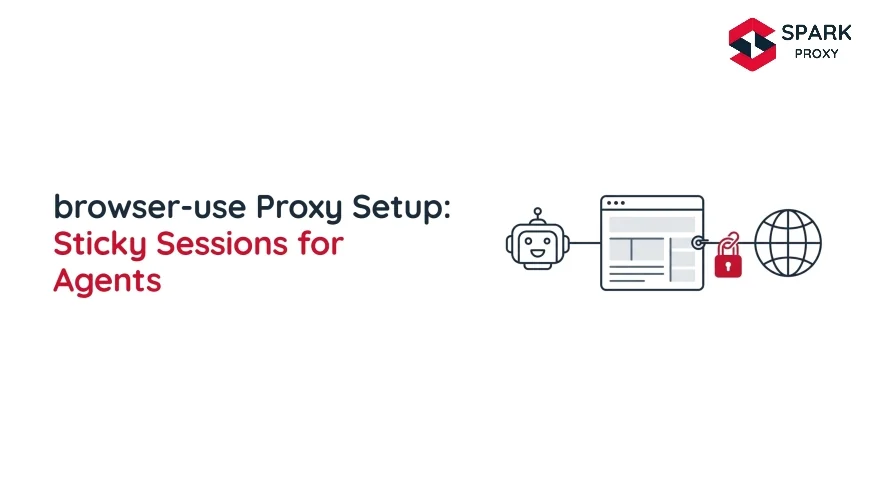
A browser-use proxy that works for a one-page lookup can still break a ten-step task: the agent logs in, clicks through three screens, and then lands back on the sign-in form or a CAPTCHA it never saw at step one. Most of the time the cause is the network, not the model. The exit IP changed under a session that was bound to it, or two agents shared one exit and tripped a rate limit together. This guide wires SparkProxy credentials into the browser-use Browser object, explains why stateful agent tasks need Sticky Sessions, shows how to read the exit IP from inside a running agent, and gives you a parallel runner where every agent gets its own browser and its own session.
Everything below was checked against browser-use 0.13.14, released on 26 October 2026 according to the project's GitHub releases page. The newest commit on main when we read the repository on 31 October 2026 was dated 30 October 2026, so the project is under active development and parameter names do move between minor versions.
The symptom: fine at step 2, logged out at step 9
The pattern developers report is consistent. A single agent with no proxy runs fine on their laptop. They move it to a server, add a rotating proxy so the datacenter IP stops getting refused, and short tasks still work. Longer ones fail in the middle:
- The agent signs in, reaches the dashboard, opens a second page and is redirected to
/login. - A checkout or form flow throws a CAPTCHA on page three, never on page one.
- The agent's step log says the click succeeded, but the page it describes is a "verify you are human" interstitial.
- With four agents running, all four start failing at roughly the same minute.
Each of these has a network explanation you can test in under a minute, and several have nothing to do with the proxy at all. Work through them in this order, cheapest first:
- Is traffic going through the proxy? Read the exit IP from inside the browser (section 7). A misconfigured proxy often fails loudly, but a missing one fails silently, because the agent just uses the server's own IP.
- Does the exit IP stay the same for the whole task? Log it at the start and at intervals. If it changes between the login step and the failure, you have found the cause.
- Are parallel agents sharing an exit? Compare start IPs across agents.
- Does the failure persist with a stable, unshared IP? Then the problem is fingerprinting, behaviour or the site's own session rules, and section 10 applies.
Where browser-use puts the proxy
browser-use no longer runs on top of Playwright. It launches Chromium itself and talks to it over the Chrome DevTools Protocol, and that design decides how a proxy behaves. Reading browser_use/browser/profile.py and session.py in the 0.13.14 source shows two separate mechanisms:
| Piece of `ProxySettings` | How browser-use applies it | Consequence |
|---|---|---|
| `server` | Added to Chromium's launch arguments as `--proxy-server= | One proxy per Chromium process, fixed for the life of that browser |
| `bypass` | Added as `--proxy-bypass-list= | Hosts on this list go direct, not through the proxy |
| `username` and `password` | Answered over CDP: `Fetch.enable` with `handleAuthRequests`, then `Fetch.continueWithAuth` on each proxy challenge | Skipped entirely unless **both** fields are non-empty |
Three practical rules fall out of that table.
You cannot switch the proxy of a running browser. The server is a process launch flag. To move an agent to a different port or a different exit, you stop that browser and start a new one. There is no per-tab or per-context proxy in this code path.
A half-filled credential pair is the same as none. The auth setup function returns early with a debug-level log line, "Proxy credentials not provided; skipping proxy auth setup", if either field is missing. You will not see it at the default log level. The gateway then answers 407 Proxy Authentication Required and the navigation fails.
Parallel agents need separate Browser objects. Because the proxy belongs to the process, two agents can only have two different network identities if they run in two different browsers. browser-use's own examples/browser/parallel_browser.py does exactly this, one Browser per agent, and carries the comment "This is still experimental, and agents might conflict each other."
If you are still choosing a framework, our comparison of browser-use, Stagehand and Playwright MCP covers which of them accept an authenticated proxy at all. This guide assumes you have picked browser-use.
Scraping at scale? Skip the blocks.
Fast, unblockable datacentre proxies with unlimited bandwidth.
Passing SparkProxy credentials into the browser
The SparkProxy gateway is gateway.sparkproxy.io. Port 11000 is Random Rotation (a new exit per request), port 11002 is Sticky Sessions (one exit held for up to 5 minutes) and port 13000 is SOCKS5. For agent work, start on 11002. The reasons are in section 5.
Keep the credentials out of the task prompt and out of source control. Read them from the environment and build the browser in one function, so every agent in your codebase gets an identical, correct configuration:
import os
import tempfile

from browser_use import Browser
from browser_use.browser import ProxySettings

GATEWAY = "gateway.sparkproxy.io"
PORTS = {"rotate": 11000, "sticky": 11002}


def make_browser(mode: str = "sticky", agent_id: str = "agent-0") -> Browser:
    user = os.environ.get("SPARKPROXY_USER", "")
    password = os.environ.get("SPARKPROXY_PASS", "")
    if bool(user) != bool(password):
        # browser-use silently skips proxy auth unless BOTH are set
        raise ValueError("Set both SPARKPROXY_USER and SPARKPROXY_PASS, or neither")

    proxy = ProxySettings(
        server=f"http://{GATEWAY}:{PORTS[mode]}",
        bypass="localhost,127.0.0.1",
        username=user or None,   # None + None = IP whitelist mode
        password=password or None,
    )
    profile_dir = tempfile.mkdtemp(prefix=f"bu-{agent_id}-")
    return Browser(headless=True, proxy=proxy, user_data_dir=profile_dir)
The explicit length check exists because of the early-return described above. A typo that leaves SPARKPROXY_PASS empty would otherwise produce an agent that fails every navigation with no message pointing at the cause.
IP whitelist instead of user:pass. If the server running your agents has a fixed public IP, add that IP to the whitelist in the SparkProxy dashboard and leave both environment variables unset. The function above then sends no credentials, Chromium never sees a 407, and nothing depends on the CDP auth handler. That is the simplest setup for a fixed VPS. It is the wrong one for serverless runners or laptops, where the outbound IP changes and the whitelist stops matching.
Why not SOCKS5 here? The ProxySettings docstring shows a socks5:// example, and Chromium does accept a SOCKS server on the command line. The credential path in browser-use, however, is an HTTP proxy-auth challenge answered over CDP, and a SOCKS handshake does not produce one. When we pointed Chromium at port 13000 without a whitelisted IP, every navigation failed with net::ERR_SOCKS_CONNECTION_FAILED. Use the HTTP ports with user:pass, or SOCKS5 only from a whitelisted server.
Before handing the browser to an agent, confirm the sticky port behaves the way you expect from the same machine. Three requests in a row should return one address:
for i in 1 2 3; do
  curl -s -x "http://$SPARKPROXY_USER:$SPARKPROXY_PASS@gateway.sparkproxy.io:11002" \
    "https://api.ipify.org?format=json"
  echo
done
Repeat it against port 11000 and the addresses should differ.
Error strings that point at the proxy, not the agent
When the proxy is wrong, browser-use logs a RuntimeError from its navigation handler and the agent sees a failed action. Agents are persistent: by default Agent allows max_failures=5 consecutive failures before it stops, so a broken proxy can burn several LLM calls retrying something that cannot succeed.
We reproduced each failure on 31 October 2026 with browser-use 0.13.14 driving Chromium 149.0.7827.201 on Windows Server 2022, navigating to an IP-echo endpoint through the SparkProxy gateway from a machine that is not on the whitelist. These are our own measurements, not documented behaviour, and the timings will vary with your network:
| What we got wrong | Exact error browser-use logged | Time to fail |
|---|---|---|
| No credentials, sticky port 11002 | `RuntimeError: Navigation failed: net::ERR_INVALID_AUTH_CREDENTIALS` | 0.39 s |
| `username` set, `password` missing | `RuntimeError: Navigation failed: net::ERR_INVALID_AUTH_CREDENTIALS` | 0.34 s |
| Both set, wrong password | `RuntimeError: Navigation failed: net::ERR_TOO_MANY_RETRIES` | 9.59 s |
Two more came from the same Chromium build driven directly, which shows the network error before any framework wraps it:
| Mistake | Chromium error |
|---|---|
| Wrong port (nothing listening) | `net::ERR_PROXY_CONNECTION_FAILED` |
| Hostname that does not resolve | `net::ERR_PROXY_CONNECTION_FAILED` |
| SOCKS5 port without a whitelisted IP | `net::ERR_SOCKS_CONNECTION_FAILED` |
The wrong-password case deserves attention. browser-use answers every proxy challenge with the same credentials, the gateway rejects them again, and Chromium gives up only after its own retry limit. Nearly ten seconds per navigation is long enough to look like a slow site rather than a bad password. For comparison, a raw curl to the gateway without credentials returns HTTP/1.1 407 Proxy Authentication Required immediately, which is why the shell check in the previous section is worth running first.
The helper in section 7 runs a navigation before the agent starts and turns any of these into one clear exception, so you spend zero LLM calls finding out.
Why a stateful task needs one exit IP
Random Rotation is the right tool for independent fetches. An agent task is not a set of independent fetches. It is a session, and many sites tie that session to the client's IP in ways you cannot see. Our explainer on what a sticky session proxy is covers the concept itself; here is what it means for a browser agent specifically.
Rotation in a browser is per connection, not per page. A Chromium page load opens several TCP connections to the proxy at once. Chromium's network stack allows 6 sockets per host group and 128 sockets per proxy chain by default (from net/socket/client_socket_pool_manager.cc in the Chromium source), and a modern page pulls scripts, fonts and API calls from many hosts. On a rotating port, each of those tunnels can leave from a different exit. The HTML arrives from one IP, the site's anti-bot script reports in from another, and the XHR that submits the login form comes from a third. Session cookies set on one exit get replayed from others.
Bot managers score consistency. A challenge cookie issued to one address and presented from another is a classic signal of a replayed token. The usual response is a fresh challenge, which your agent experiences as a CAPTCHA that appeared halfway through a flow it had already passed.
Some applications bind the login to the IP. Banking portals, admin panels and many SaaS dashboards invalidate the session when the source address changes. That is the "logged out at step 9" symptom.
Agent steps are slow. A scripted Playwright flow might finish a login in two seconds. An LLM agent reads the page, calls the model, waits, acts and reads again. Every step adds connection churn, which on a rotating port means more exit changes inside a single task.
| Agent job | Port | Why |
|---|---|---|
| Visit 200 unrelated product pages, one per task | 11000 | No state crosses page boundaries |
| Log in, then navigate and extract | 11002 | Login cookie must see one IP |
| Multi-page form or checkout | 11002 | Each submit is checked against the previous page's session |
| Search, then open results in the same tab | 11002 | Search state and consent cookies persist |
| Retry after a block | New browser on 11002 | A fresh process gets a fresh session; same process keeps the burned one |
For the wider question of which proxy type suits which agent, see our guide to proxies for AI agents. The rest of this post stays on the session mechanics.
Fitting a task inside the 5-minute window
Sticky Sessions on SparkProxy hold an exit for up to 5 minutes. browser-use's defaults are sized for much longer runs: Agent.run() takes max_steps=500 by default, and each step has a step_timeout of 180 seconds. A task that wanders can easily outlive the sticky window, and when the window ends, the exit changes mid-task exactly as it would on a rotating port.
We have not confirmed whether the window restarts with activity or counts from the first request, so plan as if it is fixed. In practice:
- Set
max_stepsto what the task actually needs. A login-plus-extract flow that takes 12 steps when it works does not need 500. Twenty-five is a generous ceiling and keeps a confused agent from running past the window. - Split long jobs into short tasks with a handoff. Log in, export the storage state with
await browser.export_storage_state("state.json"), and start the next task in a new browser withstorage_state="state.json". Each task gets its own fresh sticky window. The new window may bring a new IP, so this only works on sites that bind sessions to cookies rather than IPs; test it on yours. - Measure, then decide. The runner in section 8 records each task's duration and the exit IP at every few steps. If your median task finishes in 90 seconds, the window is not your problem. If tasks regularly run four minutes or more, it is.
- Fail early on an IP change. If the exit changes mid-task on a site that binds sessions to IPs, continuing wastes steps. Stop the agent, discard the browser, and rerun the task from the start in a fresh one.
For sites where a login must survive longer than any sticky window, no rotating product is the fix. That case is covered in section 10.
Reading the exit IP from inside a running agent
Checking the IP with curl proves the gateway works. It does not prove the agent's browser uses it. The only trustworthy check runs inside the same Chromium process the agent drives, because that is the process holding the --proxy-server flag and the auth handler.
Our first attempt was to fetch() an IP-echo endpoint from the agent's current page with page.evaluate. It failed on both sites we tried, https://www.sparkproxy.io/ and https://github.com/, with Failed to fetch, because their Content-Security-Policy connect-src rules block requests to other origins. Any real target with a strict CSP will do the same, so do not build monitoring on it.
What does work is opening a short-lived side tab with browser.new_page(), reading the echo, and closing it. In our test the agent's own tab stayed on its URL before and after the probe. Since the proxy is set per process, the side tab leaves through the same session:
import asyncio
import json

IP_URL = "https://api.ipify.org?format=json"


async def preflight(browser) -> str:
    """Run before the agent: start the browser, fail fast on any proxy error."""
    await browser.start()
    try:
        await browser.navigate_to(IP_URL)
    except RuntimeError as exc:
        # "Navigation failed: net::ERR_INVALID_AUTH_CREDENTIALS" and friends
        raise RuntimeError(f"proxy pre-flight failed: {exc}") from exc
    page = await browser.get_current_page()
    body = await page.evaluate("() => document.body.innerText")
    return json.loads(body)["ip"]


async def side_tab_ip(browser, attempts: int = 20) -> str | None:
    """Mid-run check: read the exit IP in a throwaway tab, leave the agent's tab alone."""
    tab = await browser.new_page(IP_URL)
    try:
        for _ in range(attempts):
            text = await tab.evaluate("() => document.body ? document.body.innerText : ''")
            if text.strip().startswith("{"):
                return json.loads(text)["ip"]
            await asyncio.sleep(0.5)
        return None
    finally:
        await browser.close_page(tab)
preflight uses navigate_to because, as our tests showed, it raises a RuntimeError carrying the Chromium error string. side_tab_ip never raises on a network error; it returns None, which you should log as "probe failed" rather than "IP changed".
To check during the run, browser-use accepts an on_step_end hook on Agent.run(). It receives the agent, and the agent exposes its browser as agent.browser_session. A hook that probes every fourth step and stops the agent on a change looks like this:
def make_ip_watch(start_ip: str, log: list, every: int = 4):
    async def on_step_end(agent) -> None:
        step = agent.state.n_steps
        if step % every:
            return
        ip = await side_tab_ip(agent.browser_session)
        log.append({"step": step, "ip": ip})
        if ip and ip != start_ip:
            log.append({"step": step, "event": "exit-changed", "from": start_ip, "to": ip})
            agent.stop()  # rerun the task in a fresh browser instead of limping on
    return on_step_end
Each probe costs one small page load through the proxy and no LLM tokens. Probing every step is fine for debugging. Every four or five steps is enough in production.
One agent, one browser, one session
Running agents in parallel is where most of the "everything fails at the same minute" reports come from. The rules are short:
- One
Browserper agent. The proxy is per process, so this is the only way agents get separate network identities. - One profile directory per agent. browser-use already creates a fresh temporary
user_data_dir(prefixbrowser-use-user-data-dir-) when you pass none. The docs forBrowser.from_system_chromewarn to "fully close Chrome before using this, so Chrome profiles aren't used by multiple instances simultaneously." Two agents writing one profile corrupt each other's cookies, which looks like random logouts. - Record each agent's start IP and compare. Two agents on the same exit share a rate-limit bucket at the target, and a block on one hits both.
How the SparkProxy gateway allocates sticky exits to several concurrent browsers on one account is not something we could verify for this post, so the runner measures it instead of assuming: if two agents report the same start IP, it logs a collision and restarts the later one in a new browser. Run it during your trial and you will know how your plan behaves before you depend on it.
import asyncio
import json
import time

from browser_use import Agent, ChatBrowserUse

MAX_PARALLEL = 4


async def run_one(agent_id, task, llm, sem, seen_ips, out_path):
    async with sem:
        for attempt in range(3):
            browser = make_browser("sticky", agent_id)
            ip_log: list = []
            started = time.monotonic()
            try:
                start_ip = await preflight(browser)
                if start_ip in seen_ips.values():
                    print(f"{agent_id}: exit {start_ip} already in use, new browser")
                    continue
                seen_ips[agent_id] = start_ip
                agent = Agent(task=task, llm=llm, browser=browser)
                history = await agent.run(
                    max_steps=25,
                    on_step_end=make_ip_watch(start_ip, ip_log),
                )
                record = {
                    "agent": agent_id,
                    "attempt": attempt,
                    "start_ip": start_ip,
                    "ip_log": ip_log,
                    "seconds": round(time.monotonic() - started, 1),
                    "steps": history.number_of_steps(),
                    "success": history.is_successful(),
                    "result": history.final_result(),
                }
                with open(out_path, "a", encoding="utf-8") as fh:
                    fh.write(json.dumps(record) + "\n")
                return record
            finally:
                seen_ips.pop(agent_id, None)
                await browser.kill()
        return {"agent": agent_id, "error": "no unique exit after 3 browsers"}


async def main(tasks: list[str]) -> None:
    llm = ChatBrowserUse()
    sem = asyncio.Semaphore(MAX_PARALLEL)
    seen_ips: dict[str, str] = {}
    jobs = [
        run_one(f"agent-{i}", t, llm, sem, seen_ips, "runs.jsonl")
        for i, t in enumerate(tasks)
    ]
    for result in await asyncio.gather(*jobs, return_exceptions=True):
        print(result)


if __name__ == "__main__":
    asyncio.run(main([
        "Open https://www.sparkproxy.io/ and report the starting plan price",
        "Open https://www.sparkproxy.io/ and list the proxy protocols mentioned",
    ]))
The JSONL file is the storage layer: one line per finished task with its exit IP history, duration, step count and result. After a day of runs, filter it for exit-changed events and for tasks that took longer than 240 seconds, and you will see which failures came from the network. Any LLM wrapper that browser-use supports can replace ChatBrowserUse.
Schedule it however you schedule the rest of your jobs. On Linux a cron entry calling the script is enough. The one rule for scheduling is that the semaphore, not the scheduler, caps concurrency; two overlapping cron runs would each start MAX_PARALLEL browsers.
Concurrency, threads and what it costs
SparkProxy's homepage, read on 31 October 2026, sells plans by concurrent threads (Starter 100 threads, Core 250, Boost 500, Plus 1,000) with prices "Starting from $75/month" in US dollars, unlimited bandwidth, and term discounts of 5% for 3 months, 10% for 6 months and 15% for 12 months. The pool is 1M+ premium datacenter IPs across 80+ countries, on HTTP, HTTPS and SOCKS5, with IP whitelist or user:pass authentication and a 1 Gbps port. The free trial is 24 hours, no credit card.
Two things follow for agent fleets.
Bandwidth is not the meter. Agents are heavy: every step re-renders the page, screenshots it for vision models, and reloads assets. On a per-GB product that turns a looping agent into a bill. On a plan with unlimited bandwidth, the same loop costs LLM tokens and wall-clock time but no proxy overage. Your proxy cost is the plan, chosen by how many agents you run at once.
One agent is not one connection. Given Chromium's 6-per-host and 128-per-proxy socket limits, a single browser on a busy page can hold dozens of proxy connections at a time. The homepage does not define how a "thread" maps to browser connections, so size the plan from measurement, not arithmetic. Run your real agent mix during the 24-hour trial at the MAX_PARALLEL you intend to use, and watch for refused or queued connections in the runner's logs. Our post on concurrent connections in proxies explains the counting in more depth.
Some agent steps do not need a browser at all. If a task's first step is "read this public page and pull out three links", a single fetch through the SparkProxy Scraping API is cheaper than a Chromium page load and an LLM call. A plain fetch with render_js=false costs 1 credit (rendering is on by default and costs 5), and new accounts get 1,000 free credits. The json_response=true envelope returns the body base64-encoded, so decode it before you search it:
import base64
import os

import requests

API = "https://scrape.sparkproxy.io/api/v1"


def fetch_static(url: str) -> str:
    resp = requests.get(
        API,
        headers={"X-API-Key": os.environ["SPARKPROXY_API_KEY"]},
        params={"url": url, "render_js": "false", "json_response": "true"},
        timeout=60,
    )
    resp.raise_for_status()
    env = resp.json()
    print(f"status={env['status_code']} credits={env['credits_used']} ms={env['duration_ms']}")
    return base64.b64decode(env["body"]).decode("utf-8", errors="replace")


html = fetch_static("https://www.sparkproxy.io/")
print("Starting from" in html)
Hand the agent the links you extracted, and spend browser steps only on the parts that need clicks.
What a proxy cannot fix
If the exit IP is stable for the whole task, unshared between agents, and the failure still happens, stop changing proxy settings. These causes sit elsewhere:
| Symptom with a stable, unique IP | Real cause | What helps |
|---|---|---|
| CAPTCHA on the first page of every run | Browser fingerprint or datacenter ASN reputation | Fingerprint work; see [headless browser detection](https://www.sparkproxy.io/blog/headless-browser-detection) |
| Logged out after a fixed time, IP unchanged | The site's own session timeout | Shorter tasks, or re-authenticate in the task |
| Login works, then 2FA prompt every run | New device fingerprint each run (fresh profile) | Reuse a saved `storage_state` per account |
| IP-bound login that must last longer than 5 minutes | Session tied to one address for hours | A fixed IP allowlisted by the site owner, not a rotating pool |
| Agent loops on the same button | Model or prompt issue | Lower `max_steps`, clearer task, `max_failures` |
| `429 Too Many Requests` across all agents at once | Target limits keyed on account or cookie, not IP | Fewer parallel agents per account, backoff in code |
The datacenter point deserves a plain statement. SparkProxy's pool is datacenter IPs. Some targets challenge datacenter ranges on sight, whatever the session behaviour, and no sticky setting changes the ASN a site sees. Test your actual targets during the trial. Put the retry decision in your code, as the runner does, not in the prompt; our notes on proxy timeouts and retry logic cover the backoff patterns worth copying.
Frequently asked questions
FAQ
Pass a ProxySettings object to Browser(proxy=...), imported from browser_use.browser. Set server to the full URL, for example http://gateway.sparkproxy.io:11002, and set both username and password for an authenticated proxy. browser-use turns server into Chromium's --proxy-server flag and answers the proxy's auth challenge over CDP.
In our tests on browser-use 0.13.14, that error appeared when no credentials were sent or when only one of username and password was set, since browser-use skips proxy auth unless both are present. A wrong password produced net::ERR_TOO_MANY_RETRIES after about ten seconds instead. Check both environment variables, or whitelist the server's IP and send no credentials.
Use Sticky Sessions for any task that logs in, fills a multi-page form or carries cookies between pages, because a browser on a rotating port can send different connections of the same page through different exits. Use Random Rotation only when each task is a single independent page with no state.
Sticky Sessions on port 11002 hold one exit IP for up to 5 minutes. browser-use defaults to max_steps=500, so cap steps for the task and split long jobs into shorter tasks if they regularly run past four minutes.
Open a side tab in the agent's own browser with browser.new_page("https://api.ipify.org?format=json"), read the JSON and close the tab. A fetch() from the agent's current page is unreliable because many sites' Content-Security-Policy blocks cross-origin requests.
They can share one account and one gateway, but each agent needs its own Browser, because the proxy is set per Chromium process. Record each agent's start IP and restart any agent whose exit matches another's, so that one block does not take down two agents.
Get 20% off your first month
Premium datacentre proxies with unlimited bandwidth. Use the code at checkout.
Save up to 15% more on quarterly, half-yearly and yearly plans
Related articles
How to Bulk Check Google Index Status for Thousands of URLs
Bulk check Google index status past the 2,000-a-day URL Inspection API quota: impressions first, inspections next, proxied site: checks, and a reasons report.
Cloud Run Static Outbound IP for Proxy Whitelisting
Set a Cloud Run static outbound IP with Cloud NAT and whitelist it on your proxy, or skip NAT with user:pass auth. Commands, egress check, NAT ports and costs.
Reddit Keyword Alerts: Catch Buying Threads in Slack
Build Reddit keyword alerts that watch subreddits, poll new posts and comments, flag recommendation asks and complaints, and post them to Slack within rules.