
Nodriver vs Playwright: Stealth vs Ecosystem
Nodriver vs Playwright, measured: navigator.webdriver, headless tells and launch flags in Chrome 157, plus auto-waits, proxies, licences and when each one wins.
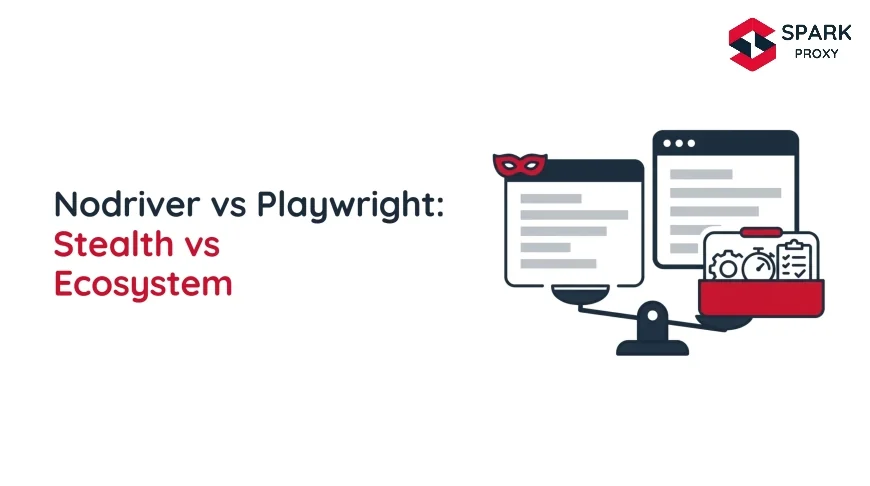
Nodriver vs Playwright is a trade between how a browser looks to a website and how much tooling you get to drive it. nodriver, the successor to undetected-chromedriver, controls Chrome directly over the DevTools Protocol with a minimal set of launch flags. Playwright is Microsoft's full automation framework: auto-waiting, tracing, a test runner, and Chromium, Firefox and WebKit from one API. We launched both against a local page on Chrome 157 on 21 November 2026 and recorded what any website script can see. This guide covers those results, the launch flags behind them, what you give up with nodriver, and which one to pick for which job.
The Short Answer
| If you need... | Pick |
|---|---|
| A Chrome that doesn't advertise `navigator.webdriver = true` | nodriver |
| Reliable clicks and forms on complex apps (auto-waiting, locators) | Playwright |
| Firefox or WebKit as well as Chromium | Playwright |
| Traces, video, codegen and a test runner | Playwright |
| A permissive licence for a commercial product | Playwright (Apache-2.0). nodriver is AGPL-3.0 |
| Minimal launch footprint with the system Chrome | nodriver |
| Playwright's API with fewer automation leaks | Patchright, a Playwright fork, or a middle path |
Neither tool fixes IP reputation, request pacing or behaviour. Those still decide most blocks on protected sites.
Measured: What a Page Sees
We ran the same probe script on a local data: page, with no third-party site involved, under nodriver 0.50.99 and Playwright 1.63 (Python), all on Google Chrome 157.0.8103.79 on a Windows server:
| Signal (page JavaScript) | nodriver headed | nodriver headless | Playwright + Chrome headed | Playwright + Chrome headless |
|---|---|---|---|---|
| `navigator.webdriver` | **false** | **false** | **true** | **true** |
| User agent token | `Chrome/157.0.0.0` | `HeadlessChrome/157.0.0.0` | `Chrome/157.0.0.0` | `HeadlessChrome/157.0.0.0` |
| `navigator.plugins.length` | 5 | 5 | 5 | 5 |
| `typeof window.chrome` | object | object | object | object |
| Screen / outer window | 1920x1080 / 945x1020 | 800x600 / 780x580 | 1280x720 / **1296x808** | 1280x720 / 1280x720 |
| WebGL renderer | Real GPU (ANGLE D3D11) | Real GPU | Real GPU | Real GPU |
Three things stand out:
- The headline difference is
navigator.webdriver. nodriver's Chrome reportedfalsein both modes. Playwright's reportedtrueeven in headed mode with real Chrome. The W3C WebDriver spec defines that flag as the browser saying it's under automation control, and it's the cheapest check a site can run. - Headless is still headless. nodriver's headless mode kept
webdriverfalse but announcedHeadlessChromein the User-Agent and used an 800x600 default window. A site that looks for either sees it straight away. The stealth case for nodriver is mainly headed Chrome. - Playwright's viewport emulation leaves a geometry tell. In headed mode the emulated 1280x720 screen was smaller than the real 1296x808 window. nodriver reported the machine's real 1920x1080 screen, with a smaller window inside it, which is what a normal desktop looks like.
This is a snapshot of client-side signals, not a pass/fail verdict on any anti-bot product. We didn't benchmark protected third-party sites. Those results depend as much on IP reputation and behaviour as on the browser, and change weekly. Our headless browser detection guide covers the rest of the signal list.
Scraping at scale? Skip the blocks.
Fast, unblockable datacentre proxies with unlimited bandwidth.
Why They Differ: Launch Flags
The difference comes from how each tool launches Chrome.
nodriver (from its core/config.py) starts Chrome with a short list: --remote-allow-origins=*, --no-first-run, --no-service-autorun, --no-default-browser-check, --homepage=about:blank, --no-pings, --password-store=basic, --disable-infobars, --disable-breakpad, --disable-dev-shm-usage, --disable-session-crashed-bubble and --disable-search-engine-choice-screen. It adds --headless=new only in headless mode, then connects with --remote-debugging-port. There's no --enable-automation and no pipe transport.
Playwright (from its chromiumSwitches) passes a much longer list aimed at deterministic testing: disabled background networking and throttling, disabled extensions, --enable-unsafe-swiftshader, --disable-popup-blocking and many --disable-features entries. It connects with --remote-debugging-pipe. In headless mode it adds --headless, --hide-scrollbars and --mute-audio. Those choices make tests reproducible. They also make the browser unlike a person's everyday Chrome.
Playwright also sends the CDP Runtime.enable command by default, which the Rebrowser patches project says anti-bot vendors detect. Two V8 changes in May 2025 broke the best-known version of that check in current Chrome, but older builds and other CDP side effects remain.
What Playwright Gives You That Nodriver Doesn't
Stealth is half the job. Playwright's ecosystem is the other half, and it's why most teams still choose it:
- Auto-waiting. Before every click or fill, Playwright checks that the locator "resolves to exactly one element" and that the element is visible, stable, receives events, is enabled and isn't inert. Flaky selectors become rare. With nodriver you write waits yourself (
tab.wait_for,tab.findwith timeouts). - Locators and assertions. Role, text and test-id locators with web-first assertions. nodriver offers
find,select,xpathandquery_selector, which are capable but lower level. - Tracing, video and codegen. The Playwright trace viewer replays every action with DOM snapshots and network logs. nodriver has no equivalent.
- Three engines. Chromium, Firefox and WebKit from one API. nodriver drives Chrome or Chromium only.
- Network interception.
page.route()for mocking and blocking. nodriver exposes raw CDP events and handlers instead. - Test runner and language bindings. Python, Node.js, Java and .NET, with official runners and parallelism. nodriver is Python-only and async-only.
If your scraper's failures are flaky selectors and timing, rather than blocks, Playwright fixes more of them.
Proxies and Sessions
Both tools take proxies. They do it differently:
- Playwright supports a
proxyoption withserver,usernameandpasswordat browser launch, and separately per browser context. One browser can run several isolated contexts, each with its own proxy and cookies. That's the cleanest way to run many identities in one process. - nodriver uses Chrome's
--proxy-serverargument per browser, orbrowser.create_context(proxy_server=...), which its docstring marks "(EXPERIMENTAL)". The same docstring says HTTP and HTTPS proxies withUSERNAME:PASSWORDare supported, and "socks5 with authentication is supported by using a forwarder proxy" viasocks://USERNAME:PASSWORD@SERVER:PORT.
For protected sites, keep one sticky IP per session in either tool. Cookies and challenge clearances are tied to the IP that earned them. Our guide to Playwright with proxies covers per-context rotation patterns.
Same Task, Both Ways
Here's opening a page through SparkProxy's sticky datacenter port, waiting for content and reading the title.
nodriver:
import nodriver as uc

async def main():
    browser = await uc.start(headless=False)
    tab = await browser.create_context(
        url="https://www.sparkproxy.io/",
        proxy_server="http://USER:PASS@gateway.sparkproxy.io:11002",   # experimental API
    )
    await tab.wait_for("h1", timeout=20)           # explicit wait: no auto-waiting
    html = await tab.get_content()
    print(len(html))
    browser.stop()

uc.loop().run_until_complete(main())
Playwright:
from playwright.sync_api import sync_playwright

with sync_playwright() as p:
    browser = p.chromium.launch(channel="chrome", headless=False)
    context = browser.new_context(proxy={
        "server": "http://gateway.sparkproxy.io:11002",
        "username": "USER", "password": "PASS",
    })
    page = context.new_page()
    page.goto("https://www.sparkproxy.io/")
    page.get_by_role("heading").first.wait_for()   # auto-waiting locator
    print(page.title())
    browser.close()
The Playwright version is more readable and more reliable on dynamic pages. The nodriver version starts a Chrome that doesn't declare itself automated. Which matters more depends on whether your failures are "element not found" or "access denied".
Licence, Activity and Maintenance
| nodriver | Playwright | |
|---|---|---|
| Licence | AGPL-3.0 | Apache-2.0 |
| Latest version (21 Nov 2026) | 0.50.99 on PyPI (26 Oct 2026). No GitHub releases | 1.65.2 on PyPI (14 Nov 2026) |
| GitHub | ~4,950 stars, last push 26 Oct 2026 | ~100,700 stars, pushed 20 Nov 2026 |
| Maintainer | Individual author (also wrote undetected-chromedriver) | Microsoft |
| Languages | Python (async) | Python, Node.js, Java, .NET |
The licence row matters more than it looks. AGPL-3.0 is fine for internal scraping, but if you distribute software containing nodriver, or run it as a network service, check the obligations with legal. Playwright's Apache-2.0 has no such concern.
Nodriver Alternatives, Including Camoufox
If you like nodriver's approach but not its licence, release process or API:
- Zendriver is a nodriver fork with tagged GitHub releases (v0.17.1, 2 October 2026), also AGPL-3.0. Our Zendriver vs nodriver comparison covers the differences.
- Patchright keeps Playwright's API but patches leaks such as
Runtime.enable. It's Apache-2.0 and Chromium-only. It's the closest thing to "Playwright ergonomics, nodriver stealth". - SeleniumBase CDP Mode is MIT-licensed, released several times a week, and suits Selenium shops.
- Camoufox is a patched Firefox that generates consistent fingerprints. "nodriver vs Camoufox" comes down to Chrome with minimal flags (nodriver) against Firefox with engineered fingerprints (Camoufox). Pick Camoufox when Firefox is acceptable for your targets, and nodriver or Patchright when they expect Chrome. Our Camoufox vs Playwright Firefox piece goes deeper on the Firefox side.
Our nodriver vs undetected-chromedriver post covers the migration from the older tool.
Which One to Pick
Pick nodriver when:
- your scraper runs headed Chrome on a desktop-class machine and the targets check automation flags;
- you're comfortable writing explicit waits and working closer to CDP;
- the AGPL licence is acceptable for how you use it.
Pick Playwright when:
- reliability on complex, dynamic UIs matters more than stealth;
- you need Firefox or WebKit, tracing, video or a test runner;
- you're shipping a commercial product, or need Node.js, Java or .NET.
Pick neither on its own when the target is heavily protected and your IPs are poor. A clean exit IP and sensible pacing matter more than any driver choice. For public pages where you'd rather not run browsers at all, a managed scraping API with JavaScript rendering, such as the SparkProxy Scraping API with render_js=true, does the rendering for you.
Frequently asked questions
FAQ
For avoiding the simplest automation checks, yes. In our Chrome 157 test nodriver reported navigator.webdriver as false, while Playwright reported true, even headed. For everything else, including auto-waiting, locators, tracing, multi-browser support and documentation, Playwright is stronger. Many teams use Playwright and switch to nodriver or Patchright only for sites that check automation flags.
Yes, in our test with Playwright 1.63 driving Google Chrome 157, navigator.webdriver was true in headless and headed modes alike. Playwright controls Chrome through --remote-debugging-pipe with a long list of testing-oriented launch switches, and the flag stayed on in every configuration we tried.
Easily. In our test nodriver's headless Chrome kept navigator.webdriver false but sent HeadlessChrome/157.0.0.0 in its User-Agent and used an 800x600 window. Headed nodriver reported a normal Chrome User-Agent and the machine's real screen size, so it's much harder to tell from an ordinary browser.
Zendriver is a nodriver fork with tagged releases. Patchright gives you Playwright's API with leak patches under Apache-2.0. SeleniumBase CDP Mode is MIT-licensed and frequently released. Camoufox suits teams that can use Firefox and want generated fingerprints rather than a minimally flagged Chrome.
Use nodriver when your targets expect Chrome and you want the real system Chrome with minimal automation flags. Use Camoufox when Firefox is acceptable and you want consistent, generated fingerprints per identity. Camoufox is MPL-2.0 and nodriver is AGPL-3.0, which matters if you distribute your scraper.
Yes. nodriver's create_context() accepts proxy_server values such as http://USERNAME:PASSWORD@SERVER:PORT, and supports authenticated SOCKS5 through a built-in forwarder using socks://USERNAME:PASSWORD@SERVER:PORT. The docstring marks this experimental. Playwright supports proxy credentials at both browser and context level.
Get 20% off your first month
Premium datacentre proxies with unlimited bandwidth. Use the code at checkout.
Save up to 15% more on quarterly, half-yearly and yearly plans
Related articles
SerpApi Alternatives: 7 SERP APIs Compared on Cost
SerpApi alternatives priced side by side: cost per 1,000 Google SERPs at 10k to 1M a month, top-100 tracking after num=100, AI Overview capture and city geo.
Loginways Alternatives: 6 Antidetect Browsers Compared
Loginways alternatives compared by price at 150, 500 and 2,000 profiles, team seats, API and engine freshness, after Loginways' download links returned 404.
Ghost Browser vs Multilogin: Which Fits Your Team?
Ghost Browser vs Multilogin (Nov 2026): session isolation vs fingerprint spoofing, per-user vs per-profile pricing, and proxy per tab vs per profile.