
How to Update Headless Chrome in Playwright and Puppeteer
Update headless Chrome before old builds bite: see which Chromium your Playwright or Puppeteer scraper really runs, compare it to Stable and patch Docker.
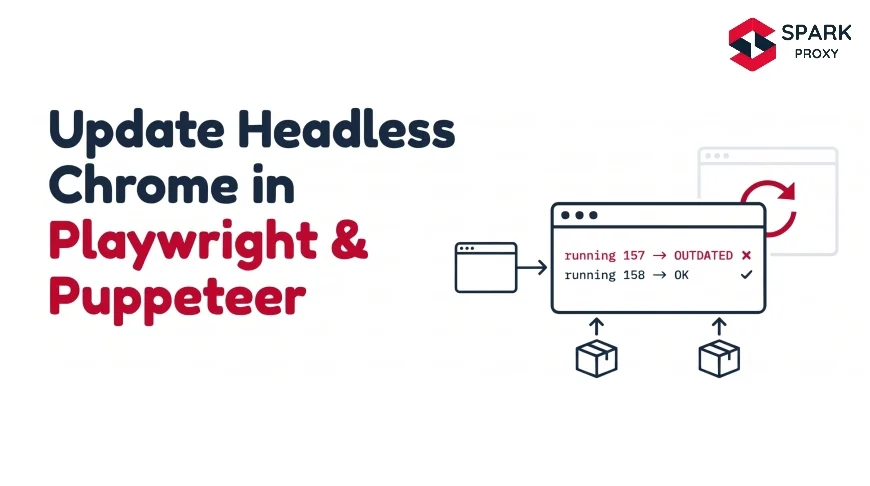
If you run scrapers, you need to update headless Chrome on your own schedule, because nothing does it for you. Your desktop Chrome patched itself twice this month. The Chromium build inside your Playwright or Puppeteer install did not, and it's the one loading untrusted pages all day. This guide shows how to find the build your scraper really launches, check it against Chrome Stable automatically, and update it in plain installs, Docker images and CI.
Why Scrapers Are the Worst Case for an Old Browser
Most browser bugs need the victim to visit a malicious page. A person avoids that most days. A scraper does nothing else: it opens thousands of pages chosen by a URL list, follows links nobody reviewed, and runs whatever JavaScript those pages ship. If one of those pages carries an exploit for a renderer bug, an unpatched headless browser is exactly the target it was written for.
Three habits make it worse:
- Bundled browsers don't auto-update. Playwright and Puppeteer download a specific build when you install or upgrade the library. It stays at that build until you change the library version and reinstall.
- Lockfiles freeze it. A
requirements.txtorpackage-lock.jsonthat pinsplaywright==1.64.1pins the browser too, on every machine that installs from it. - Containers often run as root. As Playwright's Docker docs put it, running as root "will disable the Chromium sandbox". The sandbox is the layer that contains a compromised renderer.
None of this means anyone is attacking your scraper today. It means the gap between "Google fixed it" and "your fleet has the fix" is entirely yours to close.
What Chrome Shipped in November 2026
Google promoted two milestones to Stable in two weeks. These numbers come straight from the Chrome Releases blog:
| Date (2026) | Release | Linux build | Security fixes | Critical / High |
|---|---|---|---|---|
| Nov 3 | Chrome 157 to Stable | 157.0.8103.38 | 212 | 7 / 77 |
| Nov 4 | Chrome 158 early Stable (small % of Windows users) | 158.0.8127.18 | not listed | n/a |
| Nov 17 | Chrome 158 to Stable | 158.0.8127.36 | 204 | 6 / 62 |
| Nov 18 | Chrome 159 early Stable | 159.0.8154.13 | not listed | n/a |
Neither Stable post says any of these bugs were exploited in the wild. You may see posts online claiming a November "XML zero-day". The Chrome 158 notes do list a use-after-free in XML (CVE-2026-131084), but nothing in Google's posts marks it as exploited, so treat stronger claims as unverified until Google says otherwise.
The practical point is volume. A scraper still on a mid-October build is missing more than 400 fixed security bugs, a dozen of them rated Critical.
Scraping at scale? Skip the blocks.
Fast, unblockable datacentre proxies with unlimited bandwidth.
Which Chromium Your Library Actually Bundles
We read the browser manifests shipped inside each package (browsers.json for Playwright and Patchright, revisions.js for Puppeteer). The PyPI wheel for Playwright 1.65.2 carries the same Chromium as npm 1.65.1.
| Package version (release date) | Bundled Chromium | Versus Stable 158.0.8127.36 |
|---|---|---|
| Playwright 1.63.0 | 153.0.8010.12 | 5 milestones behind |
| Playwright 1.64.0 / 1.64.1 (Oct 7 / Oct 14) | 156.0.8078.4 | 2 milestones behind |
| Playwright 1.65.0 (Nov 5) | 158.0.8127.18 | Same milestone, older patch |
| Playwright 1.65.1 npm (Nov 13), 1.65.2 PyPI | 159.0.8154.6 | Ahead: pre-Stable build |
| Puppeteer 25.16.0 (Oct 22) | 156.0.8078.47 | 2 milestones behind |
| Puppeteer 25.17.0 (Nov 10) | 157.0.8103.50 | 1 milestone behind |
| Puppeteer 25.18.0 / 25.18.1 (Nov 17) | 157.0.8103.78 | 1 milestone behind |
| Patchright 1.64.3 npm (Nov 2) | 156.0.8078.4 | 2 milestones behind |
Two patterns stand out.
Playwright ships ahead of Stable, Puppeteer ships behind it. Playwright rolls its Chromium from upcoming branches, so the newest release runs a 159 build before 159 reaches Stable. That's usually fine, but Google doesn't publish security notes for those builds, so you can't check them against an advisory. Puppeteer pins Stable builds, and Puppeteer 25.18.1 was released on the same day Chrome 158 went Stable, still pinned to 157. If you upgraded Puppeteer on Nov 17 and assumed you were current, you weren't.
Stealth forks trail their upstream. Patchright's latest npm release is based on Playwright 1.64 and bundles 156.0.8078.4. Its own README launches with channel="chrome", meaning installed Google Chrome, and that's the setting to use with forks: it hands browser updates to Google's channel instead of the fork's release schedule. (We compared the main forks in rebrowser-patches vs Patchright.)
Check the Version Your Scraper Really Launches
Don't trust the package version or what's on your laptop. Ask the browser your code actually starts, on the machine that actually runs it. In Python with Playwright:
from playwright.sync_api import sync_playwright

with sync_playwright() as p:
    browser = p.chromium.launch()
    print(browser.version)                # e.g. 158.0.8127.36
    print(p.chromium.executable_path)     # which binary it resolved
    browser.close()
In Node with Puppeteer:
import puppeteer from 'puppeteer';

const browser = await puppeteer.launch();
console.log(await browser.version());   // e.g. HeadlessChrome/157.0.8103.78
await browser.close();
Note the different formats. Playwright returns the bare version, while Puppeteer prefixes it with HeadlessChrome/ (or Chrome/ in headful mode). Any script that compares versions has to strip that prefix, which the checker below does.
Run the check inside the container or on the worker, not on your workstation. The most common finding is a laptop on 1.65 and a production image still built from a 1.64 tag.
Compare Against Chrome Stable Automatically
Google publishes the current version of every channel as JSON at the Chrome for Testing endpoint. This script compares the running version against Stable and exits non-zero when you're behind, so it can fail a CI job or a health check:
import json
import re
import sys
import urllib.request

CFT = "https://googlechromelabs.github.io/chrome-for-testing/last-known-good-versions.json"

def parse(v: str) -> tuple:
    # Puppeteer returns "HeadlessChrome/158.0.8127.36", Playwright returns "158.0.8127.36"
    m = re.search(r"(\d+)\.(\d+)\.(\d+)\.(\d+)", v)
    if not m:
        raise ValueError(f"no version in {v!r}")
    return tuple(int(x) for x in m.groups())

def channels() -> dict:
    with urllib.request.urlopen(CFT, timeout=10) as r:
        data = json.load(r)
    return {name: parse(c["version"]) for name, c in data["channels"].items()}

def verdict(running: tuple, ch: dict) -> tuple:
    stable = ch["Stable"]
    if running >= stable:
        if running[0] > stable[0]:
            return "pre-stable", f"milestone {running[0]} is ahead of Stable {stable[0]}: no security notes published for it yet"
        return "ok", "at or above current Stable"
    if running[0] == stable[0]:
        return "patch-behind", "same milestone, older patch: missing Stable point-release fixes"
    return "outdated", f"{stable[0] - running[0]} milestone(s) behind Stable"

if __name__ == "__main__":
    ch = channels()
    running = parse(sys.argv[1])
    status, why = verdict(running, ch)
    print(f"running={'.'.join(map(str, running))} stable={'.'.join(map(str, ch['Stable']))} -> {status}: {why}")
    sys.exit(0 if status in ("ok", "pre-stable") else 1)
Save it as check_chrome.py and feed it the version from the previous step. We ran it on November 19, 2026, when Stable was 158.0.8127.36:
| Input | Result | Exit code |
|---|---|---|
| `158.0.8127.36` | ok | 0 |
| `HeadlessChrome/158.0.8127.36` | ok (prefix stripped) | 0 |
| `159.0.8154.6` (Playwright 1.65.1) | pre-stable | 0 |
| `158.0.8127.18` (Playwright 1.65.0) | patch-behind | 1 |
| `157.0.8103.78` (Puppeteer 25.18.1) | outdated, 1 milestone | 1 |
| `156.0.8078.4` (Playwright 1.64.1) | outdated, 2 milestones | 1 |
The patch-behind case is the one people miss. Playwright 1.65.0 says 158, and so does Stable, but 1.65.0 carries the early-Stable build from Nov 4, not the Nov 17 build with the fixes. Comparing only the major number would wrongly pass it.
Update Playwright's Browsers
Playwright's browser is tied to the library version, so updating the browser means upgrading the package and reinstalling:
# Python
pip install -U playwright
python -m playwright install --with-deps chromium

# Node (inside the project, after npm install)
npm install -D playwright@latest
npx playwright install --with-deps chromium
--with-deps installs the Linux system libraries the new build needs. If your scraper only runs headless, --only-shell downloads just the smaller headless shell instead of the full browser.
One trap: run npx playwright install inside a project that has its dependencies installed. Run outside one, npx fetches the newest Playwright and installs browsers for that version. We tried it in an empty folder and got the 159.0.8154.6 build. A project pinned to 1.64.1 can't use that browser, and Playwright errors out saying it can't find its browser executables.
If you'd rather track Google's Stable channel than Playwright's chosen build, launch branded Chrome instead:
browser = p.chromium.launch(channel="chrome")
Install it once with python -m playwright install chrome. From then on it updates like any Chrome install, which on a server means through your OS package manager, so it still needs your patching routine. For setup with proxies, see our Playwright web scraping guide.
Update Puppeteer or Pin a Stable Build
The quick path is upgrading the package, which pulls its pinned Chrome on install:
npm install puppeteer@latest
As the table above shows, the latest Puppeteer can still sit a milestone behind on release day. When you need the current Stable build now, install it directly with Puppeteer's own browser manager and point your code at it:
npx @puppeteer/browsers install chrome-headless-shell@stable --path ./browsers
# prints: chrome-headless-shell@158.0.8127.36 <path to executable>
import puppeteer from 'puppeteer-core';

const browser = await puppeteer.launch({
  executablePath: process.env.CHROME_PATH,   // the path printed above
});
console.log(await browser.version());        // HeadlessChrome/158.0.8127.36
await browser.close();
We ran exactly this on November 19. @stable resolved to 158.0.8127.36, and Puppeteer 25.18.1 drove it without complaint. Playwright accepts the same binary through executable_path, and in our test even Playwright 1.63 launched it. That's outside Playwright's support matrix, though, so use it as a stopgap until the library catches up, not as your permanent setup.
Wiring up proxies stays the same after the switch; our Puppeteer proxy guide covers it.
Docker: Pin the Tag and Keep the Sandbox On
Microsoft's images ship browsers matched to one Playwright version, and the tag says which: mcr.microsoft.com/playwright/python:v1.65.2-noble. Playwright's docs recommend pinning the tag, and they warn that if it doesn't match your project's Playwright version, "Playwright will be unable to locate browser executables." Bump the tag and the package together, in the same commit:
FROM mcr.microsoft.com/playwright/python:v1.65.2-noble

WORKDIR /app
COPY requirements.txt .
# requirements.txt pins playwright==1.65.2, matching the tag above
RUN pip install --no-cache-dir -r requirements.txt

COPY . .
USER pwuser
CMD ["python", "scraper.py"]
Then run it the way the Playwright docs advise for untrusted sites, as a separate user with their seccomp profile so the Chromium sandbox works:
docker run --init --ipc=host --user pwuser \
  --security-opt seccomp=seccomp_profile.json my-scraper
--init handles zombie processes from crashed browsers, and --ipc=host stops Chromium running out of shared memory. Many scraping tutorials skip all of this and add --no-sandbox to the launch args. Don't copy that: on a box that loads arbitrary pages, the sandbox is the part you most want working. Our Docker proxy guide covers the network side of the same containers.
Automate the Bumps
Two weeks between Stable milestones means manual updates won't keep up. Let a bot open the PRs and make CI refuse an old browser.
A Dependabot config that groups the library and the image tag:
version: 2
updates:
  - package-ecosystem: "pip"
    directory: "/"
    schedule:
      interval: "weekly"
    groups:
      browser-automation:
        patterns: ["playwright", "patchright"]
  - package-ecosystem: "docker"
    directory: "/"
    schedule:
      interval: "weekly"
Swap pip for npm and add "puppeteer*" to the patterns for Node projects. Dependabot opens the Dockerfile PR and the pip PR separately, so merge them together. Check the first docker PR keeps the -noble suffix on the tag.
Then gate the build on the version check, run inside the built image:
docker run --rm -i my-scraper python - <<'EOF' > version.txt
from playwright.sync_api import sync_playwright
with sync_playwright() as p:
    b = p.chromium.launch()
    print(b.version)
    b.close()
EOF
python check_chrome.py "$(cat version.txt)"
A failing exit code blocks the deploy. It also tells you to go looking, which is the real goal: on the day Chrome 158 went Stable, every project using the newest Puppeteer's bundled Chrome would have failed this check until it pinned a Stable build.
Or Stop Running the Browser Yourself
Every step above is maintenance you take on by running Chromium on your own servers. For jobs where you only need the rendered HTML, you can hand the rendering off. With SparkProxy's Scraping API, render_js runs the page in a browser on our infrastructure and returns the result, so the target's JavaScript never executes on your machines:
import os
import requests

API = "https://scrape.sparkproxy.io/api/v1"
KEY = os.environ["SPARKPROXY_API_KEY"]

r = requests.get(
    API,
    headers={"X-API-Key": KEY},
    params={
        "url": "https://www.sparkproxy.io/pricing",
        "render_js": "true",
        "block_resources": "true",
    },
    timeout=90,
)
r.raise_for_status()
html = r.text
block_resources skips images and fonts you don't need. Keep your own browser fleet for interactive flows (logins, multi-step forms, clicking through a checkout) and send plain page fetches to the API. Either way, the version check above still applies to whatever browsers you do run.
Frequently asked questions
FAQ
Upgrade the Playwright package, then reinstall its browsers: pip install -U playwright followed by python -m playwright install --with-deps chromium, or the npm equivalents inside your project. The browser build is tied to the library version, so installing browsers alone won't move you forward.
No. Puppeteer downloads one pinned Chrome build when the package installs, and it stays there until you upgrade Puppeteer. On November 17, 2026, the newest Puppeteer still pinned Chrome 157 while Chrome 158 had just reached Stable.
Launch the browser from your code and print it: browser.version in Playwright or await browser.version() in Puppeteer. Run that on the server or inside the container that does the scraping, because that's often a different build from your laptop.
It's fine if you keep it current and run it with the sandbox on. Newer Playwright releases bundle pre-Stable builds that Google hasn't published security notes for. If you need to match Google's Stable channel exactly, use channel="chrome" and keep that Chrome install patched.
The installed browsers don't match the Playwright version in your project. That usually means a Docker tag that doesn't match the package version, or npx playwright install run outside the project. Pin both to the same version and reinstall.
Avoid it for scraping. Run the container as a non-root user with Playwright's seccomp profile so the sandbox can work. That's the setup Playwright's docs recommend for untrusted websites.
Get 20% off your first month
Premium datacentre proxies with unlimited bandwidth. Use the code at checkout.
Save up to 15% more on quarterly, half-yearly and yearly plans
Related articles
DataDome Device Check vs Slider CAPTCHA Explained
DataDome captcha explained: what triggers Device Check, the Slider and a hard block, what each inspects, how they escalate, and how real bots get verified.
ChromeDriver Only Supports Chrome Version X: Fix
Fix 'This version of ChromeDriver only supports Chrome version' in Selenium, Docker and undetected-chromedriver: the real N+1 rule, Selenium Manager, CfT pins.
cf_clearance Cookie Explained: What Cloudflare Stores
The cf_clearance cookie explained from Cloudflare's docs: clearance levels, lifetime, Precursor, Turnstile pre-clearance, attributes, and what it's tied to.