
Browser Does Not Support SOCKS5 Proxy Auth: Fix
Fix Playwright's 'Browser does not support socks5 proxy authentication' and Puppeteer's ERR_NO_SUPPORTED_PROXIES: why Chromium can't, and three tested fixes.
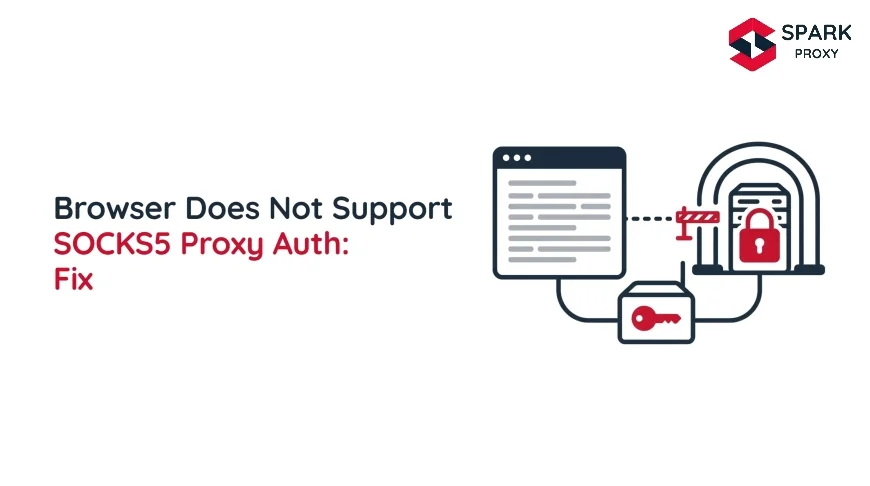
"Browser does not support socks5 proxy authentication" is the error Playwright throws the moment you pass a socks5:// proxy together with a username and password. Puppeteer users hit the same wall from a different angle: net::ERR_NO_SUPPORTED_PROXIES when the credentials are in --proxy-server, or ERR_SOCKS_CONNECTION_FAILED when they're left out. The cause is the same in both: Chromium's SOCKS5 client only speaks the "no authentication" method, so there's nowhere for a username and password to go.
We reproduced every variant on 23 November 2026 against a local SOCKS5 server that requires username/password auth and logs what each client offers. Below are the results, the reason behind each message, and three fixes that worked, from a one-line change to a local relay.
Which error you see, and what it means
| Where | Exact message | What actually happened |
|---|---|---|
| Playwright `launch(proxy=...)` or `new_context(proxy=...)` with `username`/`password` and a `socks5://` server | `Browser does not support socks5 proxy authentication` | Playwright refused before starting the browser. Same message for Chromium and Firefox. |
| Playwright with credentials inside the URL, `socks5://user:pass@host:port` | `net::ERR_SOCKS_CONNECTION_FAILED` | Playwright silently stripped the credentials, the browser connected without them, and the proxy refused. |
| Puppeteer, Selenium or raw Chrome with `--proxy-server=socks5://user:pass@host:port` | `net::ERR_NO_SUPPORTED_PROXIES` | Chrome rejected the proxy string because it contains credentials. |
| Any Chromium browser pointed at an authenticated SOCKS5 proxy, no credentials | `net::ERR_SOCKS_CONNECTION_FAILED` | Chrome offered "no authentication", the proxy required username/password, and the handshake ended. |
| Playwright with `socks4://` and credentials | `Socks4 proxy protocol does not support authentication` | SOCKS4 has no password method at all. |
The second row is the nasty one, because nothing tells you your credentials were thrown away. In Playwright's source the check lives in normalizeProxySettings: if the protocol is socks5: and a username or password field is set, it throws; otherwise it rebuilds the server string as protocol + "//" + host, which drops any user:pass@ you put in the URL.
What we measured
The rig runs entirely on 127.0.0.1: an HTTP target on port 8765, a SOCKS5 server on 1080 that requires username/password (RFC 1929), and a no-auth relay on 1081 that forwards to 1080 with the credentials. The SOCKS server logs the authentication methods each client offers in its greeting. We used Playwright 1.63 (Python) with its bundled Chromium 156 and Firefox 155, and Google Chrome 157.0.8103.79 for the raw-flag tests that mirror Puppeteer and Selenium.
| Test | Result |
|---|---|
| Playwright Chromium, `proxy` with username/password | `Browser does not support socks5 proxy authentication` |
| Playwright Firefox, `proxy` with username/password | same error, thrown before launch |
| Playwright `new_context(proxy=...)` with username/password | same error |
| Playwright Chromium, credentials in the `server` URL | `ERR_SOCKS_CONNECTION_FAILED` |
| Chrome 157, `--proxy-server=socks5://user:pass@...` | `ERR_NO_SUPPORTED_PROXIES` |
| Chrome 157, `--proxy-server=socks5://...` to the auth proxy | `ERR_SOCKS_CONNECTION_FAILED` |
| Chrome 157 and Playwright Chromium/Firefox via the local relay | page loaded |
| Playwright `request.new_context`, credentials in the URL | HTTP 200 |
| Playwright `request.new_context`, `username`/`password` fields | `Received invalid Socks5 initial handshake (no accepted authentication type)` |
The server log settles the "why". Every Chrome connection opened with a greeting listing exactly one method, 0 (no authentication). The proxy needed method 2 (username/password), so it answered "no acceptable methods" and closed. Chrome retried several times per page load, which is why a single navigation can produce a burst of failed connections on the proxy side.
One trap if you test this yourself: Chrome bypasses the proxy for loopback addresses by default, so a local test can look like it "works" when the request never touched the proxy. Add --proxy-bypass-list=<-loopback> to force it through. Playwright does this for you, Puppeteer doesn't.
Scraping at scale? Skip the blocks.
Fast, unblockable datacentre proxies with unlimited bandwidth.
Why Chromium can't send SOCKS5 credentials
SOCKS5 itself supports passwords; the username/password sub-negotiation is defined in RFC 1929. Chromium's network stack just never implemented it for SOCKS. It does implement authentication for HTTP proxies, where the proxy answers 407 Proxy Authentication Required and the browser (or your automation tool) replies with credentials. That's the hook Puppeteer's page.authenticate(), Playwright's username/password and Selenium's auth extensions all use. A SOCKS5 proxy never sends a 407; it simply refuses the handshake, so there's no challenge for any of those tools to answer.
Playwright's error is a guard rail on top of that limitation. Because the browsers it drives can't do SOCKS5 auth, it fails loudly at launch rather than letting you discover it as a vague connection error later. It applies the same check to Firefox and WebKit, so switching engines in Playwright doesn't get you around it.
If you want the background on how the two protocols differ, our SOCKS5 vs HTTP proxies comparison covers it, and how proxy authentication works explains the 407 flow.
Fix 1: use the HTTP endpoint of the same proxy
Most providers expose the same pool over HTTP and SOCKS5 with the same credentials. For a browser, HTTP is the better choice anyway: the browser tunnels HTTPS through it with CONNECT, the TLS session stays end to end, and authentication works natively.
With SparkProxy datacenter proxies, port 11000 is rotating HTTP and 11002 is sticky HTTP, on the same gateway as SOCKS5 on 13000:
# Playwright (Python): same proxy, HTTP endpoint, credentials work
from playwright.sync_api import sync_playwright

with sync_playwright() as p:
    browser = p.chromium.launch(proxy={
        "server": "http://gateway.sparkproxy.io:11002",   # was socks5://gateway.sparkproxy.io:13000
        "username": "user-session-run42",
        "password": "your-password",
    })
    page = browser.new_page()
    page.goto("https://ipinfo.io/json")
    print(page.inner_text("body"))
    browser.close()
For Puppeteer, put only the host in the flag and answer the 407 with page.authenticate():
// Puppeteer: HTTP endpoint + page.authenticate() for the 407 challenge
import puppeteer from "puppeteer";

const browser = await puppeteer.launch({
  args: ["--proxy-server=http://gateway.sparkproxy.io:11002"],
});
const page = await browser.newPage();
await page.authenticate({ username: "user-session-run42", password: "your-password" });
await page.goto("https://ipinfo.io/json");
console.log(await page.$eval("body", (b) => b.innerText));
await browser.close();
If you get a 407 here instead of a page, the credentials are wrong or not being sent; our guide to fixing 407 Proxy Authentication Required walks through the causes. If you need SOCKS5 specifically (UDP, a non-HTTP protocol in the same session), go to fix 2 or 3.
Fix 2: whitelist your IP and drop the credentials
If your provider supports IP whitelisting, the proxy authenticates the connection by your source IP instead of a password. Chromium then has nothing to send, and a plain socks5:// server works in every tool:
browser = p.chromium.launch(proxy={"server": "socks5://gateway.sparkproxy.io:13000"})
SparkProxy offers IP whitelisting on every plan alongside username/password endpoints (the Starter plan allows 5 whitelisted IPs). Add the public IP of the machine running the browser in your dashboard, then confirm in the dashboard that the whitelist applies to the port you're using.
The catch is that your source IP has to be stable. It suits a fixed server or office line, and it's awkward on laptops, CI runners and serverless functions whose outbound IPs change. You also lose per-request session control through the username, since there's no username to carry a session token; use the sticky port instead.
Fix 3: run a local relay that adds the credentials
When you must use an authenticated SOCKS5 upstream and can't whitelist, run a small proxy on localhost that accepts unauthenticated connections from the browser and forwards them upstream with the credentials. This is exactly the setup that loaded pages in all our tests.
Node, with proxy-chain. Apify's proxy-chain (3.0.3 at the time of writing) documents SOCKS4/5 upstreams with credentials in upstreamProxyUrl. It exposes a local HTTP proxy, which any browser can use:
// local-relay.mjs: browser -> http://127.0.0.1:8000 (no auth) -> authenticated SOCKS5 upstream
import { Server } from "proxy-chain";

const server = new Server({
  port: 8000,
  host: "127.0.0.1",
  prepareRequestFunction: () => ({
    upstreamProxyUrl: "socks5://user-session-run42:your-password@gateway.sparkproxy.io:13000",
  }),
});
await server.listen();
console.log("relay on http://127.0.0.1:8000");
Then launch Playwright or Puppeteer with http://127.0.0.1:8000 as the proxy and no credentials. Bind the relay to 127.0.0.1, not 0.0.0.0, or you've published an open proxy carrying your paid credentials to the whole network.
Python, with pproxy. pproxy (2.7.9) takes upstream credentials after a # and can listen as SOCKS5 or HTTP:
pip install pproxy
pproxy -l socks5://127.0.0.1:1081 -r "socks5://gateway.sparkproxy.io:13000#user-session-run42:your-password"
Point the browser at socks5://127.0.0.1:1081. Playwright accepts it because there's no username field to trip its check, and Chrome's no-auth greeting is exactly what the relay expects.
Two practical notes. A relay adds one local hop, which costs well under a millisecond on loopback but means one more process to keep alive in production, so run it as a sidecar or service. And if your target needs a different session per browser context, run one relay port per session token, since the relay can't see which context a connection came from.
The Playwright request API exception
Playwright's APIRequestContext (playwright.request.new_context()) doesn't drive a browser, so it doesn't go through the browser check. It hands the server URL to a Node SOCKS agent, which does implement username/password auth. In our test, credentials embedded in the URL returned HTTP 200:
ctx = p.request.new_context(proxy={"server": "socks5://user-session-run42:your-password@gateway.sparkproxy.io:13000"})
The separate username and password fields are ignored for SOCKS there, and the connection fails with no accepted authentication type, so put the credentials in the URL. This only helps for API-style requests made from Playwright; pages loaded in the browser still need one of the three fixes. For a broader Playwright proxy setup, see web scraping with Playwright and proxies.
Which fix to choose
| Situation | Best fix |
|---|---|
| Provider offers HTTP and SOCKS5 with the same credentials | Fix 1, switch to the HTTP endpoint |
| Fixed server IP, SOCKS5 required | Fix 2, IP whitelist |
| Changing IPs, SOCKS5 required, credentials unavoidable | Fix 3, local relay on 127.0.0.1 |
| Only API calls from Playwright, no browser pages | credentials inside the `socks5://` URL of `request.new_context` |
| Selenium with Chrome | Fix 1 with an auth helper, or Fix 3; our [Selenium proxy auth popup](https://www.sparkproxy.io/blog/selenium-chrome-proxy-auth-popup) guide covers the Selenium side |
For most scraping and automation work, fix 1 is the answer: it's one line, it needs no extra process, and HTTP proxies carry HTTPS traffic without losing anything a browser needs. For language-level SOCKS5 setup outside the browser, our SOCKS5 setup guide for Python, Node.js and browsers has working snippets.
Frequently asked questions
FAQ
Because Chromium, and Playwright's builds of Firefox and WebKit, have no way to send a SOCKS5 username and password. Playwright checks for this before launch and throws the error whenever a socks5:// proxy is combined with username or password, for every browser engine.
Use the provider's HTTP endpoint with the same credentials, whitelist your IP so no credentials are needed, or run a local relay such as proxy-chain or pproxy that accepts unauthenticated connections and adds the credentials upstream. Putting user:pass@ in the server URL doesn't work: Playwright strips it and the connection fails.
No. Puppeteer passes --proxy-server to Chrome, which returns ERR_NO_SUPPORTED_PROXIES if the SOCKS5 URL contains credentials and ERR_SOCKS_CONNECTION_FAILED if the proxy requires them. page.authenticate() only answers HTTP proxy 407 challenges, so use an HTTP endpoint or a local relay.
Chrome couldn't use any proxy in the --proxy-server value. With SOCKS5 the usual cause is credentials in the URL, such as socks5://user:pass@host:port, which Chrome doesn't accept. Remove the credentials and authenticate another way.
No. For HTTPS pages the browser opens a CONNECT tunnel through the HTTP proxy and runs TLS end to end with the site, so the proxy can't read the traffic, just as with SOCKS5. The difference is the proxy credentials themselves, which travel in a Proxy-Authorization header to the proxy.
No flag enables it. Chromium's SOCKS client offers only the "no authentication" method, which our local test confirmed from the proxy's side. The workarounds are an HTTP endpoint, IP whitelisting, or a local relay.
Get 20% off your first month
Premium datacentre proxies with unlimited bandwidth. Use the code at checkout.
Save up to 15% more on quarterly, half-yearly and yearly plans
Related articles
cf_clearance Cookie Explained: What Cloudflare Stores
The cf_clearance cookie explained from Cloudflare's docs: clearance levels, lifetime, Precursor, Turnstile pre-clearance, attributes, and what it's tied to.
Web Bot Auth: Sign Your Agent's HTTP Requests
Web Bot Auth explained and implemented: Ed25519 keys, the key directory, RFC 9421 signatures in Python and Node, who verifies them, and the header format trap.
Turnstile Token Missing, Rejected or Expired: Fixes
Fix Turnstile token errors on your own forms: missing-input-response, invalid-input-response, timeout-or-duplicate, the 300-second rule and test keys.