
Crawl4AI Proxy Configuration, Rotation and Sticky Sessions
Set up a Crawl4AI proxy with authentication, rotate exits across runs, pin session_id crawls to Sticky Sessions, and catch blocks that return success=True.
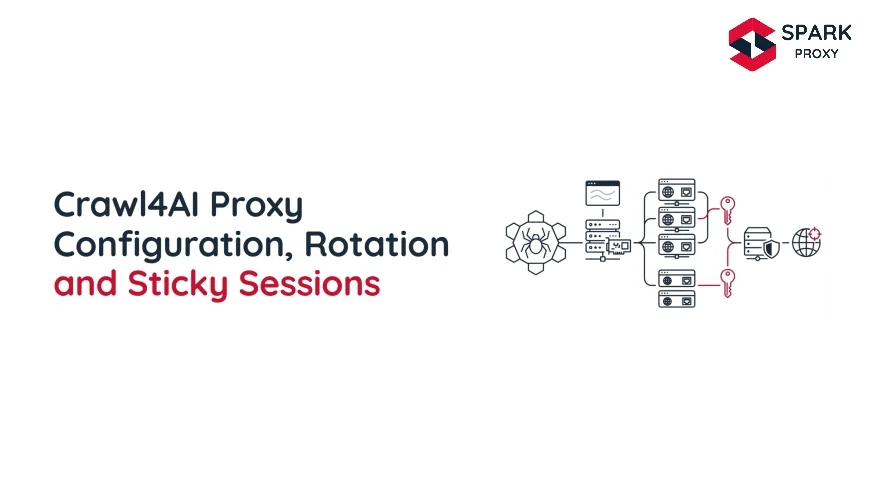
A crawl4ai proxy setup usually works on the first fifty URLs and falls apart on the next five thousand. The failure rarely looks like an error. result.success is True, status_code is 200, and result.markdown.raw_markdown is an empty string or three lines of cookie banner. This guide wires authenticated proxies into Crawl4AI at the right layer, rotates exits across runs, pins session_id crawls to one IP, and adds the check that turns those quiet successes back into failures you can retry.
Everything Crawl4AI-specific here was read from the v0.9.5 source (released on GitHub on 2026-10-14; the latest commit on main when we checked was dated 2026-10-26). The error strings come from our own run of Chromium 156 through Playwright 1.63.0 against SparkProxy's gateway on 2026-10-31, and the detector results come from running Crawl4AI's own antibot_detector.py on test pages. Both are labelled where they appear.
What a blocked Crawl4AI run looks like
Here is the loop most people start with, followed by an illustrative example of what it prints once a target starts pushing back:
import asyncio
from crawl4ai import AsyncWebCrawler

URLS = [f"https://shop.sparkproxy.io/catalog?page={n}" for n in range(1, 4)]


async def main():
    async with AsyncWebCrawler() as crawler:
        for url in URLS:
            r = await crawler.arun(url=url)
            words = len(r.markdown.raw_markdown.split()) if r.markdown else 0
            print(r.success, r.status_code, words, url)


asyncio.run(main())
True 200 1873 https://shop.sparkproxy.io/catalog?page=1
True 200 12 https://shop.sparkproxy.io/catalog?page=2
True 200 0 https://shop.sparkproxy.io/catalog?page=3
Pages two and three are not real pages. They're a challenge interstitial and a JavaScript shell that never hydrated, and Crawl4AI marked both as successes. Before touching proxies, run three cheap checks in this order, because each rules out a cause that no IP change will fix:
- Cache.
CrawlerRunConfig.cache_modedefaults toCacheMode.BYPASSin 0.9.5, but many scripts setCacheMode.ENABLED. The cache write inasync_webcrawler.pystores the result whether or not it was blocked, so one bad fetch keeps coming back from disk without touching the network. - Render timing. If the content arrives by XHR after load, an empty page is a wait problem. Add
wait_for="css:and see whether words appear." - Exit IP. Only after the first two are clean is the IP the likely suspect.
The rest of this guide is about step 3 and about catching the false successes reliably.
BrowserConfig or CrawlerRunConfig: where proxy_config belongs
Crawl4AI 0.9.5 accepts a proxy_config in two places, and they behave differently.
| Setting | Scope | Applied at | Typical use |
|---|---|---|---|
| `BrowserConfig(proxy_config=...)` | Every page the browser opens | Browser launch (Playwright `launch` proxy, or `--proxy-server` for CDP-managed browsers) | One proxy for the whole job |
| `CrawlerRunConfig(proxy_config=...)` | One `arun()` call | A new browser context, keyed by server, username and password | Different exits per URL class |
| `CrawlerRunConfig(proxy_config=[...])` | One call, tried in order | One context per list entry | Escalation on blocks |
| `CrawlerRunConfig(proxy_rotation_strategy=...)` | Each call draws an entry | Context per drawn entry | Rotating a list of endpoints |
The project's own proxy page recommends the per-request form: "Crawl4AI recommends configuring proxies per request through CrawlerRunConfig.proxy_config." The reason is visible in browser_manager.py: run-level proxies are hashed into a context signature, so two runs with different credentials get separate contexts (separate cookies and storage) instead of sharing one browser identity.
A browser-wide setup is still the shortest path when every URL uses the same exit. Keep credentials in the environment rather than in code:
import os
from crawl4ai import BrowserConfig, ProxyConfig

ROTATING = ProxyConfig(
    server="http://gateway.sparkproxy.io:11000",
    username=os.environ["SPARK_USER"],
    password=os.environ["SPARK_PASS"],
)

browser_cfg = BrowserConfig(headless=True, proxy_config=ROTATING)
For per-run control, build two configs once and pass whichever a URL needs. Port 11000 is SparkProxy's Random Rotation port; 11002 is Sticky Sessions, which holds an exit for up to five minutes.
import os
from crawl4ai import CrawlerRunConfig, ProxyConfig

USER, PASS = os.environ["SPARK_USER"], os.environ["SPARK_PASS"]
ROTATING = ProxyConfig("http://gateway.sparkproxy.io:11000", USER, PASS)
STICKY = ProxyConfig("http://gateway.sparkproxy.io:11002", USER, PASS)

listing_cfg = CrawlerRunConfig(proxy_config=ROTATING, wait_for="css:.product-card")
checkout_cfg = CrawlerRunConfig(proxy_config=STICKY, session_id="cart-1")
ProxyConfig.from_string() also accepts http://user:pass@host:port and host:port:user:pass, and it URL-decodes the username and password, so a password containing @ or : should be percent-encoded in the string form. Passing the three fields separately, as above, avoids the question entirely.
Scraping at scale? Skip the blocks.
Fast, unblockable datacentre proxies with unlimited bandwidth.
Credentials: HTTP ports, SOCKS5 and IP whitelisting
Crawl4AI hands credentials to Playwright as a {server, username, password} object. It deliberately never puts user:pass@ into Chromium's --proxy-server flag, and the source says why: "Chromium's --proxy-server flag silently ignores inline user:pass@." So the credentials have to travel in the separate fields, which the code above does.
The trap is SOCKS5. Crawl4AI's docs list socks5:// among the supported formats, and they're right that the scheme parses. But Playwright's proxy option documents username and password only "if HTTP proxy requires authentication", and a Playwright maintainer closed issue #12065 with the plain statement that "browsers do not support socks5 with authentication." We reproduced it: pointing a context at socks5://gateway.sparkproxy.io:13000 with a username and password fails before any request is made with Browser does not support socks5 proxy authentication.
That leaves three working options for a browser-based Crawl4AI run:
| Option | How | When |
|---|---|---|
| HTTP port with user:pass | `http://gateway.sparkproxy.io:11000` or `:11002` plus `username`/`password` | Default. Works from anywhere, including CI runners with changing IPs |
| IP whitelist | Allow your server's IP in the SparkProxy dashboard, then set only `server` | Fixed-IP servers; keeps credentials out of config files |
| SOCKS5 without auth | `socks5://gateway.sparkproxy.io:13000` with the server whitelisted | Only if you specifically need SOCKS; HTTP covers HTTPS targets through CONNECT |
How the 407 challenge and the Proxy-Authorization header work underneath is covered in our explainer on how proxy authentication works.
Errors that mean the proxy layer is wrong
When the proxy itself is misconfigured, Playwright raises during navigation and Crawl4AI wraps the message into result.error_message (after the prefix Failed on navigating ACS-GOTO:), with success=False. These are the strings we captured on 2026-10-31 with Chromium 156.0.8078.4 and Playwright 1.63.0, each test a fresh context loading https://www.sparkproxy.io/:
| What we configured | Verbatim error | Meaning |
|---|---|---|
| Port 11000, no username or password | `net::ERR_INVALID_AUTH_CREDENTIALS` | Gateway answered 407 and the browser had nothing to send |
| Port 11000, wrong username and password | `net::ERR_HTTP_RESPONSE_CODE_FAILURE` | Credentials sent and rejected; same result on 11002 |
| `socks5://...:13000` with credentials | `Browser does not support socks5 proxy authentication` | Raised at context creation, before any traffic |
| A port the gateway doesn't serve (11999) | `net::ERR_PROXY_CONNECTION_FAILED` | Nothing listening; check host and port |
The second row is the confusing one. A wrong password doesn't produce an "auth" error in Chromium; it produces a generic response-code failure. curl through the same port with the same bad credentials prints CONNECT tunnel failed, response 407, which is the quickest way to confirm the diagnosis outside the browser:
curl -sS -o /dev/null -w "%{http_code}\n" \
  -x "http://$SPARK_USER:$SPARK_PASS@gateway.sparkproxy.io:11000" \
  https://www.sparkproxy.io/
A 200 there with an error in Crawl4AI points at how the config was built (credentials in the wrong field, a stale environment variable), not at the account.
Rotation across runs with a gateway
Crawl4AI's rotation feature, RoundRobinProxyStrategy, cycles through a Python list of ProxyConfig objects. Read proxy_strategy.py and the mechanism is itertools.cycle over that list: each arun() without a session draws the next entry.
That design assumes one entry per IP. A rotating gateway inverts it. SparkProxy's port 11000 hands out a new exit from a pool of 1M+ IPs on its side, so the list you give Crawl4AI should usually contain one gateway entry, and rotation happens at the gateway. A RoundRobinProxyStrategy wrapped around that single entry is harmless but does nothing.
The strategy earns its place when you genuinely hold several endpoints: a list of static IPs, or credentials for more than one plan. ProxyConfig.from_env() reads a comma-separated PROXIES variable, and in 0.9.5 each item may be a full http://user:pass@host:port URL:
from crawl4ai import CrawlerRunConfig, ProxyConfig, RoundRobinProxyStrategy

# PROXIES="http://userA:passA@gateway.sparkproxy.io:11000,http://userB:passB@gateway.sparkproxy.io:11000"
pool = ProxyConfig.from_env("PROXIES")
if not pool:
    raise SystemExit("PROXIES is empty or malformed")

strategy = RoundRobinProxyStrategy(pool)
run_cfg = CrawlerRunConfig(proxy_rotation_strategy=strategy)
The emptiness check matters: from_env() catches parse errors, prints them and returns whatever it managed to parse, so a typo can leave you crawling with no proxy at all.
One subtlety matters for "rotation across runs". Chromium keeps connections to the proxy alive and reuses them, so on the rotating port a single context may hold one exit for a burst of requests and pick up a new one on the next connection. If a run must start on a fresh IP, give it a fresh context: a different session_id, or close the crawler between scheduled runs. Restarting AsyncWebCrawler per run is the bluntest and most predictable way to guarantee new connections.
Sticky Sessions for session_id crawls
Crawl4AI has two parameters with "session" in the name, and they solve different problems:
| Parameter | What it pins | Lifetime |
|---|---|---|
| `session_id` | The browser page and context, so cookies, localStorage and DOM state survive between `arun()` calls | Until `kill_session()` or the crawler closes |
| `proxy_session_id` (with a rotation strategy) | Which list entry the session uses | `proxy_session_ttl` seconds, or until released |
Neither one pins an IP address. proxy_session_id binds a session to a ProxyConfig entry, and with a gateway that entry is a hostname and port, so the exit is decided by the gateway. That's why session crawls belong on the Sticky Sessions port: session_id keeps the page alive in the browser, and port 11002 keeps the same exit behind it for up to five minutes. On the rotating port, a login made from one IP and a "next page" click from another is exactly the pattern many sites treat as a hijacked session. The concept is explained in our sticky session proxy explainer; here's the Crawl4AI wiring for a paginated crawl that clicks "next":
import asyncio
import os
from crawl4ai import AsyncWebCrawler, CrawlerRunConfig, ProxyConfig

STICKY = ProxyConfig(
    "http://gateway.sparkproxy.io:11002",
    os.environ["SPARK_USER"],
    os.environ["SPARK_PASS"],
)
SID = "catalog-run-1"
NEXT = "document.querySelector('a.next')?.click();"


async def crawl_pages(start_url, max_pages=20):
    pages = []
    async with AsyncWebCrawler() as crawler:
        first = CrawlerRunConfig(proxy_config=STICKY, session_id=SID,
                                 wait_for="css:.product-card")
        r = await crawler.arun(url=start_url, config=first)
        pages.append(r)
        for _ in range(max_pages - 1):
            step = CrawlerRunConfig(proxy_config=STICKY, session_id=SID,
                                    js_code=NEXT, js_only=True,
                                    wait_for="css:.product-card")
            r = await crawler.arun(url=start_url, config=step)
            if not r.success:
                break
            pages.append(r)
        await crawler.crawler_strategy.kill_session(SID)
    return pages


if __name__ == "__main__":
    asyncio.run(crawl_pages("https://shop.sparkproxy.io/catalog"))
Two rules keep this reliable. First, budget the sequence inside the sticky window: if twenty pages take longer than about four minutes, checkpoint the last page number and resume in a new session rather than letting the exit change mid-flow. Second, run parallel sessions as separate session_id values. We haven't verified how the sticky port distributes concurrent connections that share one set of credentials, so confirm it on your account before relying on it: open two sessions, load an IP echo service such as https://ipinfo.io/json in each, and compare.
Why a blocked page passes Crawl4AI's detector
Crawl4AI 0.9.5 ships an anti-bot check, is_blocked() in antibot_detector.py, and runs it on every fetch. If it fires, the result gets success=False and error_message starts with Blocked by anti-bot protection:. It's a good detector for loud blocks. It looks for vendor markers (Akamai reference numbers, Cloudflare challenge forms, PerimeterX, DataDome, Imperva, Kasada), treats any HTML 403 or 503 as blocked, treats 429 as blocked, and runs a structural check on small pages.
The size limits are where false successes slip through. Generic phrases such as "Just a moment" and "Access Denied" are only checked on 4xx/5xx responses, and the structural "empty shell" check only runs on pages under 50,000 bytes. We imported the module directly and fed it eight synthetic pages. These results are our measurement of the detector's logic, not of any live site:
| Test page | Bytes | `is_blocked()` result |
|---|---|---|
| 200, SPA shell, empty `#root`, inline JS | 20,077 | Blocked: `Structural: minimal_text, no_content_elements, script_heavy_shell` |
| 200, same shell with more inline JS | 96,077 | **Not blocked** |
| 200, ` | 4,077 | **Not blocked** |
| 403, same page | 4,077 | Blocked: `Cloudflare interstitial (HTTP 403, 4077 bytes)` |
| 200, "Unusual traffic from your network" plus CSS | 70,098 | **Not blocked** |
| 200, cookie consent wall | 7,112 | **Not blocked** |
| 429, any body | 42 | Blocked: `HTTP 429 Too Many Requests` |
| 200, `` | 13 | Blocked: `Near-empty content (13 bytes) with HTTP 200` |
The pattern: a block served with status 200 inside a heavy page passes. Modern frameworks routinely inline 100 KB of JavaScript, so the most common real-world shell is the one the structural check skips. A consent wall isn't a block at all in the detector's eyes, yet it produces the same empty markdown. The general catalogue of 200-status failures is in how to detect when your scraper is blocked; for Crawl4AI the fix is a check that knows what your page should contain.
A content gate that fails closed
The cheapest strong signal is the one the detector can't have: you know what a real page from this site looks like. Gate every result on that before it's stored, and record why it failed so the retry logic can choose a remedy.
from dataclasses import dataclass


@dataclass
class Verdict:
    ok: bool
    reason: str


def judge(result, min_words=150, must_contain=("Add to cart",)):
    """Treat a Crawl4AI result as real only if it looks like a real page."""
    if not result.success:
        return Verdict(False, f"crawl failed: {(result.error_message or '')[:120]}")
    if result.status_code != 200:
        return Verdict(False, f"status {result.status_code}")
    md = result.markdown.raw_markdown if result.markdown else ""
    words = len(md.split())
    if words < min_words:
        return Verdict(False, f"thin markdown: {words} words")
    missing = [s for s in must_contain if s not in md]
    if missing:
        return Verdict(False, f"missing marker: {missing[0]}")
    final = result.redirected_url or result.url
    if final.rstrip("/") != result.url.rstrip("/"):
        return Verdict(False, f"redirected to {final}")
    return Verdict(True, f"{words} words")
Set min_words from a known-good run of the same template, not from a guess, and pick a marker that only a fully rendered page contains (a price label, a "next page" link, a table header). The redirect check catches geo and login redirects, which return 200 and real-looking markdown for the wrong page.
Read result.crawl_stats alongside the verdict. It lists every attempt with its proxy, status code, and whether the detector flagged it, plus resolved_by ("direct", "proxy", "fallback_fetch", or None). If your gate fails a page that crawl_stats says resolved cleanly via "proxy", you've found a silent block the detector missed, and that's the number to log per target.
Escalation: max_retries, proxy lists and a fallback fetch
Crawl4AI 0.9.5 has a built-in escalation loop, driven entirely by is_blocked(). max_retries sets extra rounds; each round tries every entry in a proxy_config list in order and stops at the first unblocked response. The docs give the total as "(1 + max_retries) x len(proxy_config)" attempts. ProxyConfig.DIRECT (or the string "direct") in the list means "try without a proxy". When every round is blocked, fallback_fetch_function, an async (url) -> html callable, gets one last try, and whatever HTML it returns goes through the normal markdown pipeline.
A sensible ladder for a paid pool: direct first for cheap unprotected pages, then the rotating gateway, then the Scraping API as fallback. The fallback must return raw HTML, so ask the API for format=html and decode the envelope body, which is base64 when json_response=true:
import base64
import os

import httpx
from crawl4ai import CrawlerRunConfig, ProxyConfig

API = "https://scrape.sparkproxy.io/api/v1"
ROTATING = ProxyConfig("http://gateway.sparkproxy.io:11000",
                       os.environ["SPARK_USER"], os.environ["SPARK_PASS"])


async def spark_fallback(url: str) -> str:
    params = {
        "url": url,
        "render_js": "true",       # the default; 5 credits base
        "format": "html",          # fallback must hand back HTML
        "json_response": "true",   # envelope: job_id, status_code, body...
    }
    async with httpx.AsyncClient(timeout=200) as client:
        r = await client.get(API, params=params,
                             headers={"X-API-Key": os.environ["SPARK_API_KEY"]})
    r.raise_for_status()
    env = r.json()
    if env.get("status_code") != 200:
        raise RuntimeError(f"upstream {env.get('status_code')} for {url}")
    return base64.b64decode(env["body"]).decode("utf-8", errors="replace")


escalating_cfg = CrawlerRunConfig(
    proxy_config=[ProxyConfig.DIRECT, ROTATING],
    max_retries=2,
    fallback_fetch_function=spark_fallback,
    wait_for="css:.product-card",
)
That config makes up to six browser attempts before the fallback. Keep the direct entry only if your server's own IP is acceptable to use; otherwise drop it.
There's a catch the loop can't solve on its own: it only escalates when is_blocked() fires, so the 96 KB shell from the previous section never triggers a retry. Run your judge() after arun() and, on failure, call arun() again with a fresh context or call the fallback yourself. The timeout in the fallback is long on purpose: the API docs say the first navigation attempt times out at 90 seconds with up to three automatic retries, and a failed request returns 530 with credits refunded.
Concurrency, scheduling, storage and cost
For batches, arun_many() with a dispatcher controls how many browser pages run at once. SemaphoreDispatcher defaults to semaphore_count=5; its RateLimiter backs off on [429, 503] by default, between base_delay (1 to 3 seconds) and max_delay (60 seconds). Size the semaphore to your proxy plan's concurrency, not to your CPU:
import asyncio
import json
from crawl4ai import AsyncWebCrawler, RateLimiter, SemaphoreDispatcher

dispatcher = SemaphoreDispatcher(
    semaphore_count=20,
    rate_limiter=RateLimiter(base_delay=(1.0, 3.0), max_delay=60.0, max_retries=3),
)


async def run_batch(urls, cfg, out_path="pages.jsonl"):
    async with AsyncWebCrawler() as crawler:
        results = await crawler.arun_many(urls, config=cfg, dispatcher=dispatcher)
    retry = []
    with open(out_path, "a", encoding="utf-8") as fh:
        for r in results:
            v = judge(r)
            if v.ok:
                fh.write(json.dumps({"url": r.url,
                                     "markdown": r.markdown.raw_markdown}) + "\n")
            else:
                retry.append((r.url, v.reason))
    return retry
judge() is the gate from the content-gate section. Append-only JSONL keeps partial runs useful, and the returned retry list is what you feed to the fallback or a later pass. Store the failure reasons too; a jump in "thin markdown" for one domain is your earliest block signal.
Scheduling is plain cron. Restarting the process per run gives each run new connections and therefore new exits on the rotating port:
# crontab: crawl at 02:15 UTC daily, one fresh process per run
15 2 * * * cd /srv/crawl && /srv/crawl/.venv/bin/python run.py >> logs/crawl.log 2>&1
Cost has two meters. SparkProxy proxy plans start from $75/month (USD, list price read from sparkproxy.io on 2026-10-09) and are sold as packs with unlimited bandwidth, so a page that drags in 5 MB of scripts costs the same as one that doesn't; the thing you buy is concurrency. That changes the usual tuning advice: you don't need to block images or fonts to save money, only to save time. The Scraping API fallback is metered in credits, so it should handle the residue only:
| Item | Detail (from sparkproxy.io, read 2026-10-09 and 2026-10-31) |
|---|---|
| Proxy plans | From $75/month, packs, unlimited bandwidth |
| Pool | 1M+ premium IPs, 80+ countries |
| Modes | Random Rotation (port 11000), Sticky Sessions (port 11002), SOCKS5 (port 13000) |
| Auth | user:pass or IP whitelist |
| Trial | 24 hours, no credit card |
| Term discounts | 3 months 5%, 6 months 10%, 12 months 15% |
| API fallback | 5 credits per rendered fetch, 1 with `render_js=false`; `country_code` +5 |
| API trial | 1,000 free credits |
If you need a specific exit country for a whole run, use the country targeting included with the proxy plan, or pass country_code per request on the API. The credit arithmetic for the fallback tier is broken down in Scraping API credit pricing explained.
Problems a new IP will not solve
Rotation fixes reputation and rate limits tied to an address. It does nothing for the rest, and burning through exits on these just costs time:
| Cause | Fixed by a new IP? | What fixes it |
|---|---|---|
| Exit flagged or rate-limited (429, vendor block page) | Yes | Rotating port, or a fresh sticky session |
| Wrong country content or geo redirect | Yes, if the exit is in the right country | Country setting or `country_code` |
| Session cookie bound to the IP that received it | Yes | Sticky Sessions for the whole sequence |
| Content loads by XHR after your snapshot | No | `wait_for`, `delay_before_return_html` |
| Cached blocked page replayed | No | `CacheMode.BYPASS`, purge the cache |
| Cookie consent or login wall | No | `js_code` to accept, or a saved `storage_state` |
| Headless or TLS fingerprint detected | No | Stealth options, or the API's rendered fetch |
| Selector changed after a redesign | No | Update `wait_for` and `must_contain` |
If you're still choosing tools, our Crawl4AI vs Firecrawl vs Scrapy comparison covers output formats and cost, and ScrapeGraphAI vs Crawl4AI covers schema extraction. Neither tool changes the table above. The order that works: rule out cache and timing, fix the proxy layer until the error table is clear, put a content gate on every result, and only then tune rotation.
Frequently asked questions
FAQ
Pass a ProxyConfig with server, username and password to CrawlerRunConfig(proxy_config=...), or to BrowserConfig for a browser-wide proxy. Use an HTTP URL such as http://gateway.sparkproxy.io:11000; credentials inline in Chromium's --proxy-server flag are ignored, which is why Crawl4AI sends them separately.
Because its is_blocked() check only flags a 200 response when it finds a vendor marker or the page is small. A block page or JavaScript shell over 50,000 bytes, or a consent wall, passes as a success. Gate results on word count and a page-specific marker before storing them.
Yes, but the rotation happens at the gateway. RoundRobinProxyStrategy cycles a list of endpoints, so with one gateway entry it changes nothing. Use it to mix ports or accounts, and restart the crawler or use a new context when a run needs fresh connections.
session_id keeps the same browser page and cookies across arun() calls. proxy_session_id binds a session to one entry of a rotation strategy's list. Neither pins an IP; for that, send session crawls through a sticky port such as SparkProxy's 11002.
Not in a browser crawl. Playwright raises Browser does not support socks5 proxy authentication, because browsers don't implement SOCKS5 auth. Use the HTTP port with credentials, or whitelist your server IP and connect to SOCKS5 without credentials.
In our tests it was what Chromium reported when the proxy rejected the username and password with a 407. A missing password showed net::ERR_INVALID_AUTH_CREDENTIALS instead. Confirm with curl through the same proxy: CONNECT tunnel failed, response 407 means fix the credentials.
Get 20% off your first month
Premium datacentre proxies with unlimited bandwidth. Use the code at checkout.
Save up to 15% more on quarterly, half-yearly and yearly plans
Related articles
How to Bulk Check Google Index Status for Thousands of URLs
Bulk check Google index status past the 2,000-a-day URL Inspection API quota: impressions first, inspections next, proxied site: checks, and a reasons report.
Cloud Run Static Outbound IP for Proxy Whitelisting
Set a Cloud Run static outbound IP with Cloud NAT and whitelist it on your proxy, or skip NAT with user:pass auth. Commands, egress check, NAT ports and costs.
Reddit Keyword Alerts: Catch Buying Threads in Slack
Build Reddit keyword alerts that watch subreddits, poll new posts and comments, flag recommendation asks and complaints, and post them to Slack within rules.