
Google's Sign-In Prompt on Search: Keep Rank Data Clean
Google sign in to continue search prompts are showing up for scrapers and rank trackers. Here's how to detect the gate, avoid fake ranking drops and back off.
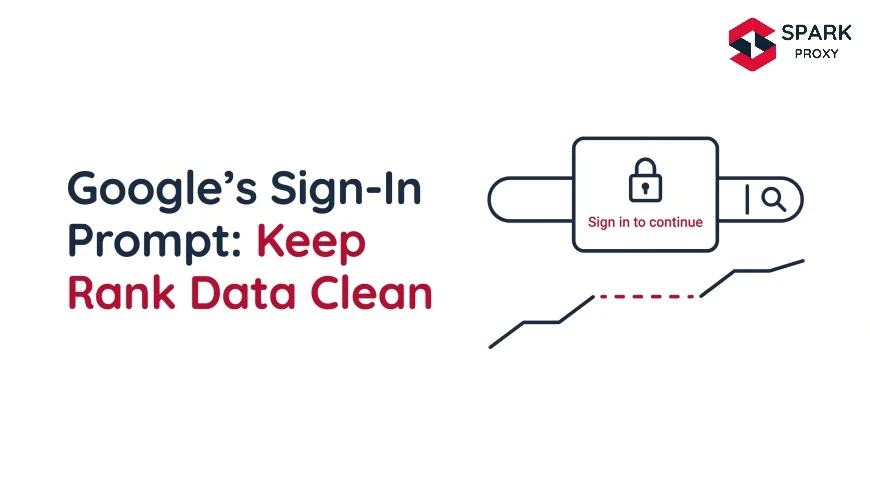
A Google sign in to continue search prompt is the newest wall between automated tools and Google's results. On November 17, 2026, Search Engine Roundtable reported that Google is testing a sign-in gate that can appear right after the first search, where a human or a bot is asked to log in before seeing results. If you run a rank tracker or a SERP scraper, the gate itself is the smaller problem. The bigger one is what your tool records when it hits the gate. This guide covers how to detect it, how to keep it from corrupting your ranking data, and how to adjust your request pattern.
What Google Is Testing
The report started with Brodie Clark of SERP Alerts, who posted a video on X of Google asking him to sign in on his very first search in an incognito window. He said that had never happened to him before, and that he'd been seeing the login screen regularly for a couple of days. Barry Schwartz, writing up the report, noted that the prompt normally takes a few queries to trigger rather than appearing after the first one.
Google's Rajan Patel replied that he was looking into it, adding: "I don't believe it's meant to happen on the first page of results like this." He also said Google "may be testing something here."
So the facts are narrow. It's a test, it's not rolled out to everyone, and Google itself suggests the first-page behaviour may be unintended. Treat it as a direction of travel, not a finished policy. Your tooling should handle it whether it lasts a week or becomes permanent.
How It Fits Google's Recent Changes
The sign-in test isn't isolated. Google has been raising the cost of automated access to its results in steps:
| When | Change | Effect on automated tools |
|---|---|---|
| January 2025 | Google Search began requiring JavaScript | Plain HTTP fetches started getting a JS-required page instead of results |
| September 2025 | The `num=100` results parameter stopped working | Tools needed ten requests to cover 100 positions instead of one |
| Earlier sign-in test | Sign-in requested after browsing several result pages | Deep pagination became a trigger |
| September 30, 2026 | Google Maps required sign-in to read all reviews, sort them or leave one | Logged-out review collection only sees part of the list |
| November 17, 2026 | Sign-in prompt reported after the first search | Even single-query checks can be gated |
Each step pushes in the same direction: more requests per data point, more signals per request, and more friction for traffic that isn't signed in. If you collect review data, the Maps change already affects you. Our guide on scraping Google reviews covers what's still visible logged out.
Scraping at scale? Skip the blocks.
Fast, unblockable datacentre proxies with unlimited bandwidth.
The Real Damage: Fake Ranking Drops
Here's the failure that costs SEO teams money. A rank tracker fetches a results page, parses it for your domain, and doesn't find it. Most trackers then record "not in top 100" or a position like 101. If the page was actually a sign-in prompt, an "unusual traffic" page or a consent screen, there were no results to parse. Your domain didn't drop. Your tool went blind.
At small scale this shows up as noise: a keyword "falls out" for a day and comes back. At larger scale, when a whole proxy range gets gated for a few hours, it looks like a site-wide ranking crash. People have rewritten title tags and filed panicked tickets over charts like that.
The fix is simple to state: a response you couldn't parse is missing data, never a ranking. The next three sections implement that rule.
Classify Every SERP Response
Before you look for your domain, decide what kind of page you got. Google's markup changes, so build the classifier around a few durable signals and log the rest for review. A results page has organic result containers. A gate page doesn't, and usually points at a Google interstitial or login host.
import re

def classify_serp(html: str, final_url: str = "") -> str:
    """Return one of: results, sorry, consent, signin, js_required, unknown."""
    h = html or ""
    url = final_url or ""
    if "/sorry/" in url:
        return "sorry"
    if re.search(r'id="(rso|search)"', h):
        return "results"             # checked early: a SERP about "unusual traffic" is still a SERP
    if "unusual traffic" in h.lower():
        return "sorry"
    if "consent.google." in url or 'action="https://consent.google.' in h:
        return "consent"
    if "accounts.google.com" in url or re.search(r'accounts\.google\.com/(ServiceLogin|v3/signin|signin)', h):
        return "signin"
    if "enablejs" in h or ("<noscript>" in h and len(h) < 20000):
        return "js_required"
    return "unknown"
Two details matter. First, a normal logged-out results page also contains a "Sign in" link to accounts.google.com, so check for result containers before checking for sign-in. Otherwise every good page looks gated. Second, unknown is a real bucket. Save a sample of those pages and look at them weekly, because that's where the next Google change will show up first.
Fetching through SparkProxy's Scraping API with JavaScript rendering on gets you the rendered page, which is what Google now requires:
import os, requests

API = "https://scrape.sparkproxy.io/api/v1"
KEY = os.environ["SPARKPROXY_API_KEY"]

def fetch_serp(query: str, country: str = "US") -> tuple[str, str]:
    params = {
        "url": "https://www.google.com/search?hl=en&q=" + requests.utils.quote(query),
        "render_js": "true",
        "country_code": country,
        "block_resources": "true",
    }
    r = requests.get(API, headers={"X-API-Key": KEY}, params=params, timeout=90)
    r.raise_for_status()
    html = r.text
    return html, classify_serp(html)
block_resources skips images and fonts, which you don't need for parsing positions. Note that country_code adds 5 credits per request, so only set it for keywords where location changes the results.
Record a Gate as Missing Data
Now store the classification next to the result, and only write a position when the page was actually a results page.
import sqlite3, datetime

db = sqlite3.connect("ranks.db")
db.execute("""CREATE TABLE IF NOT EXISTS checks (
  ts TEXT, keyword TEXT, country TEXT, page_type TEXT, position INTEGER)""")

def record(keyword, country, page_type, position=None):
    if page_type != "results":
        position = None              # blind, not "not ranking"
    db.execute("INSERT INTO checks VALUES (?,?,?,?,?)",
               (datetime.datetime.utcnow().isoformat(timespec="seconds"),
                keyword, country, page_type, position))
    db.commit()
Then make your reporting honest. When you chart a keyword, carry the last good position forward or leave a gap, and mark the gap. Never fill it with 101.
-- Daily position per keyword, ignoring gated checks
SELECT date(ts) AS day, keyword, MIN(position) AS best_position,
       SUM(page_type = 'results') AS good_checks,
       SUM(page_type <> 'results') AS blind_checks
FROM checks
GROUP BY day, keyword
ORDER BY day, keyword;
If good_checks is zero for a day, that day has no data. Say so in the report instead of showing a drop. For the full pipeline around this table, see our DIY rank tracker in Python.
Back Off Per Exit, Not Globally
A gate is feedback about the specific IP and session that triggered it. The worst response is to retry the same query immediately from the same exit. That confirms the pattern Google flagged. The second worst is to pause the whole job, which throws away the exits that are still working.
Track gates per exit and cool down only the one that got gated:
import time, random
from collections import defaultdict

cooldown_until = defaultdict(float)     # exit_id -> unix time
strikes = defaultdict(int)

def on_result(exit_id: str, page_type: str):
    if page_type == "results":
        strikes[exit_id] = 0
        return
    if page_type in ("signin", "sorry", "unknown"):
        strikes[exit_id] += 1
        wait = min(3600, 60 * 2 ** strikes[exit_id]) + random.uniform(0, 30)
        cooldown_until[exit_id] = time.time() + wait

def usable(exit_id: str) -> bool:
    return time.time() >= cooldown_until[exit_id]
The backoff doubles with each consecutive gate (2, 4, 8 minutes and up to an hour) and resets after a clean page. Add jitter so a whole pool doesn't wake up at the same second.
Beyond backoff, three habits lower the gate rate:
- Fewer queries per exit per hour. Spread the same daily keyword list across more exits and more of the day rather than bursting it at 09:00.
- Don't paginate deep from one session. Deep pagination was the trigger in Google's earlier sign-in test. If you need positions 11 to 100, spread those pages across separate exits.
- Keep sessions short and clean. A fresh session per small group of queries looks less like a crawler than one session running hundreds of searches.
If you hit Google's older "unusual traffic" page as well, our guide on the Google unusual traffic error with proxies covers that page specifically.
Why Logging Your Scraper In Is a Bad Fix
The obvious workaround is to give the scraper a Google account. Don't.
- It ties your traffic to an identity. Google can now act against the account, not just an IP. Accounts used for automated querying get challenged, rate-limited or suspended, and you lose whatever else the account was used for.
- It breaks your data. Signed-in results are personalised by search history and account signals. A rank tracker's whole value is a neutral, repeatable view of the results page, and a logged-in session isn't that.
- It doesn't scale. You'd need many accounts to spread load, and creating and rotating accounts for automation runs into Google's terms and phone verification.
The same applies to Maps reviews. Collect what's visible logged out, and accept the partial view as the honest dataset.
Use Search Console for Your Own Rankings
For your own site there's a better source than scraping: Google Search Console. It reports average position from Google's own data, it's never gated, and it's free. The Search Console API returns it by query and page:
from google.oauth2 import service_account
from googleapiclient.discovery import build

creds = service_account.Credentials.from_service_account_file(
    "sa.json", scopes=["https://www.googleapis.com/auth/webmasters.readonly"])
gsc = build("searchconsole", "v1", credentials=creds)

resp = gsc.searchanalytics().query(
    siteUrl="sc-domain:sparkproxy.io",
    body={"startDate": "2026-11-01", "endDate": "2026-11-17",
          "dimensions": ["query"], "rowLimit": 250}).execute()

for row in resp.get("rows", []):
    print(row["keys"][0], round(row["position"], 1), row["clicks"])
Add the service account's email as a user on the property first. The position is an average across impressions, not a single snapshot, and data lags by about two days. Use it as the baseline and keep scraping for what it can't give you: competitors' positions, the layout of the results page, and exact rankings in a specific city or country.
Watch the Gate Rate
Once every check is classified, the share of gated responses is the best early-warning metric you have. It tells you when Google changes something, before your charts mislead anyone.
-- Share of checks that hit a gate, by day and page type
SELECT date(ts) AS day,
       ROUND(100.0 * SUM(page_type = 'signin')  / COUNT(*), 1) AS signin_pct,
       ROUND(100.0 * SUM(page_type = 'sorry')   / COUNT(*), 1) AS sorry_pct,
       ROUND(100.0 * SUM(page_type = 'unknown') / COUNT(*), 1) AS unknown_pct
FROM checks GROUP BY day ORDER BY day DESC LIMIT 14;
A sudden jump in signin_pct across all exits means Google widened the test, so slow down and wait. A jump on a few exits means those exits are burned, so rest them. A jump in unknown_pct means the markup changed and your classifier needs updating. In all three cases, you'll know before your report shows a fake crash. For proxy choices for this kind of work, see datacenter proxies for SEO rank tracking.
Frequently asked questions
FAQ
Google is testing a sign-in prompt as a way to check that a searcher is human, and it appears when Google's systems suspect automated activity. As of November 17, 2026, it's a test, and Google said the first-page behaviour may not be intended.
Yes, if your tracker doesn't recognise it. A tracker that parses a sign-in page finds no results and may record your site as not ranking, which creates fake drops. Classify each response and store gated checks as missing data.
Check for organic result containers first, because normal logged-out pages also contain a sign-in link. A page with no result containers that points at accounts.google.com is the gate.
No. It links your automated traffic to an account Google can suspend, and signed-in results are personalised, which ruins the neutral view a rank tracker needs.
For your own site's average positions, clicks and impressions, Search Console is the better and ungated source. It can't show competitors' rankings, the full results layout or a specific city's results, so most teams use both.
Since September 30, 2026, Google Maps requires sign-in to read all reviews, sort them or leave one. Logged-out visitors, and logged-out scrapers, see only part of the list.
Get 20% off your first month
Premium datacentre proxies with unlimited bandwidth. Use the code at checkout.
Save up to 15% more on quarterly, half-yearly and yearly plans
Related articles
Turnstile Token Missing, Rejected or Expired: Fixes
Fix Turnstile token errors on your own forms: missing-input-response, invalid-input-response, timeout-or-duplicate, the 300-second rule and test keys.
Claude Code Web Fetch 403: Why Agents Get Blocked
Why Claude Code's WebFetch gets 403 errors: the Claude-User agent, Cloudflare agent policies, JS challenges and no JS execution, plus fixes that respect sites.

Cloudflare Error 1020 Access Denied: Scraper Fixes
Cloudflare error 1020 means a site's security rule blocked you, not a rate limit. Tell it apart from 'Sorry, you have been blocked', 1010 and 1015, and fix it.