
Claude Code Web Fetch 403: Why Agents Get Blocked
Why Claude Code's WebFetch gets 403 errors: the Claude-User agent, Cloudflare agent policies, JS challenges and no JS execution, plus fixes that respect sites.
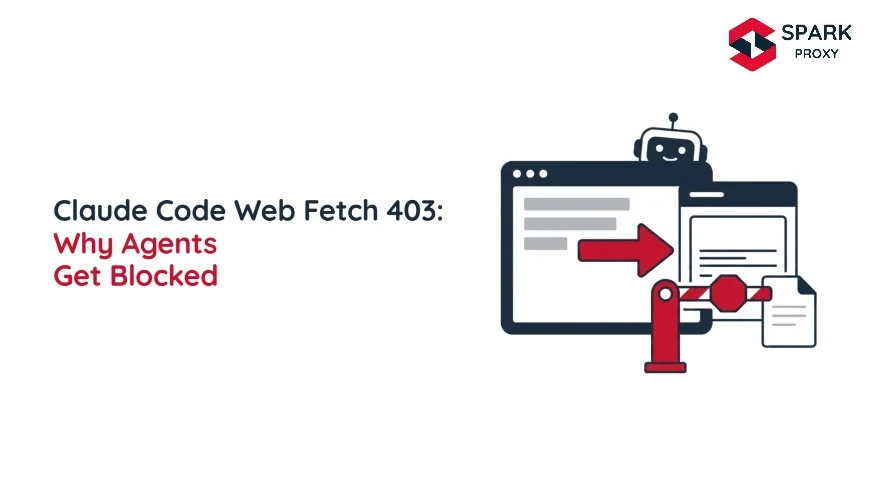
A Claude Code web fetch 403 means the website, or the security service in front of it, refused the request Claude Code's WebFetch tool made on your behalf. It's rarely a bug in Claude Code. WebFetch announces itself honestly with a User-Agent beginning with Claude-User, it doesn't run JavaScript challenges, and a growing number of sites now have explicit policies about AI agents. This guide explains what WebFetch actually does (from Anthropic's documentation), the five common reasons it gets a 403, the errors that look like a 403 but aren't, and the fixes that work without fighting a site that has said no.
What WebFetch Does Under the Hood
Anthropic's Claude Code tools reference describes WebFetch precisely:
- It fetches, converts and summarises. "WebFetch takes a URL and a prompt describing what to extract. It fetches the page and converts the response to Markdown when the server returns HTML. For most fetches, it then runs the prompt against the content in a separate model call, and Claude receives the result of that call rather than the raw page." Anthropic calls it "lossy by design".
- It identifies itself. "WebFetch sets a
User-Agentheader beginning withClaude-User, and anAcceptheader that prefers Markdown over HTML so servers that support content negotiation can return Markdown directly." - Limits: it reads "up to 100,000 characters of a page's content per call". A page that hasn't finished downloading within five minutes fails with a deadline error (adjustable with
CLAUDE_CODE_WEBFETCH_DEADLINE_MS). - Caching: it "caches each response for 15 minutes by default" (
CLAUDE_CODE_WEBFETCH_CACHE_TTL_MS). A 403 you just got may simply be the cached copy. - Redirects: "When a URL redirects to a different host, WebFetch returns a text result that names the original URL and the redirect target instead of following it." HTTP URLs are upgraded to HTTPS.
- Local hosts: it refuses
localhostand any hostname without a dot. - A safety check before every new host: WebFetch "sends the requested hostname to
api.anthropic.comto check it against a safety blocklist maintained by Anthropic". Only the hostname is sent.
The documentation doesn't say whether WebFetch executes JavaScript. Its behaviour (fetch, convert HTML, summarise) is that of an HTTP client, not a browser, so treat JavaScript-only pages and JavaScript challenges as out of reach.
WebFetch vs WebSearch
The two tools are often confused when diagnosing failures:
| WebSearch | WebFetch | |
|---|---|---|
| What it does | "runs a query against Anthropic's web search backend and returns result titles and URLs" | Fetches one URL, converts it to Markdown, extracts with a prompt |
| Contacts the target site? | No: "It doesn't fetch the result pages" | Yes, with a `Claude-User` User-Agent |
| Can a site 403 it? | No | Yes |
| Permission rule | Bare `WebSearch` | `WebFetch(domain:example.com)`, wildcards like `*.example.com` |
| Limits | Up to eight backend searches per call. 200 calls per interactive session | 100,000 characters per call, 15-minute cache, 5-minute deadline |
So "search found it but fetch got 403" is normal. The search index saw the page earlier through Anthropic's backend, while the fetch is a live request the site can judge for itself.
Scraping at scale? Skip the blocks.
Fast, unblockable datacentre proxies with unlimited bandwidth.
Five Reasons WebFetch Gets a 403
1. The site blocks AI user agents. WebFetch's Claude-User prefix is easy to match. Anthropic's support article explains the agent: "When individuals ask questions to Claude, it may access websites using a Claude-User agent." Sites that don't want AI fetches, often news and other ad-funded publishers, add WAF rules on that string or on AI agents in general.
2. A CDN's AI-agent policy matched. Cloudflare's 2026 controls put "chat fetch bots and browser-use agents" in an Agent category that zone owners can allow, block, or block only "on pages where Cloudflare detects ads". Zones that used Cloudflare's older one-click "Block AI Bots" switch were migrated to "Block on pages with ads". The tell is a 403 on an article page while the same site's ad-free docs or pricing pages load fine.
3. A JavaScript challenge. Bot-management products answer suspicious clients with a challenge page that needs JavaScript to solve. An HTTP client can't complete it, so the fetch ends on the challenge response. On Cloudflare that response carries a cf-mitigated: challenge header. Our overview of Cloudflare's anti-bot layers explains how challenges differ from outright blocks.
4. The page needs a session. Dashboards, paywalled articles and account pages return 401 or 403 without your login cookies. WebFetch doesn't carry your browser session, which is how it should be.
5. Network or geo rules. Some sites block whole hosting networks or countries. Whether a WebFetch request reaches the site from your own machine's network isn't specified in Claude Code's docs. Either way, if the same URL also fails with curl from your machine, the block is about the network, not the agent.
Errors That Aren't a 403
Several WebFetch failures look like "blocked" but come from a different place:
| Message or symptom | Real cause | Fix |
|---|---|---|
| "Unable to verify if domain ... is safe to fetch" or "The safety check for domain ... is rate-limited" | The pre-fetch hostname check to `api.anthropic.com` failed or was rate-limited | Allow `api.anthropic.com` through your network. Anthropic documents a `skipWebFetchPreflight` setting for networks that can't reach it, to be paired with WebFetch domain rules |
| WebFetch refuses `localhost` or an intranet name | Hostnames without a dot are refused before any request | Use `curl` through Bash for local servers, as the error suggests |
| A redirect message instead of content | Cross-host redirect, not followed automatically | Let Claude fetch the target URL it names |
| Deadline error after five minutes | Slow or huge page | Raise `CLAUDE_CODE_WEBFETCH_DEADLINE_MS`, or fetch a lighter URL |
| WebFetch missing entirely on a Team or Enterprise login | Organisation policy couldn't load | Check `/status` or `claude doctor` |
| Same 403 a minute after the site fixed it | 15-minute response cache | Wait, or shorten `CLAUDE_CODE_WEBFETCH_CACHE_TTL_MS` |
Diagnose the Block in One Command
Before changing anything, look at what the server actually returned. Request only the headers, identify yourself the way WebFetch does, and read who answered:
curl -sI -A "Claude-User (diagnostic)" -H "Accept: text/markdown, text/html;q=0.9" \
  https://www.example.com/some/article | grep -iE "^(HTTP|server|cf-ray|cf-mitigated|content-type|content-signal|retry-after)"
How to read it:
| What you see | Meaning |
|---|---|
| `server: cloudflare`, `cf-ray`, status 403, no `cf-mitigated` | A Cloudflare rule blocked the request: AI-agent policy, WAF rule or bot block |
| `cf-mitigated: challenge` | A Cloudflare challenge page that needs a browser. Cloudflare documents this header as present on every challenge type |
| 401 or 403 from the origin's own server | Login or authorisation required |
| 429 with `Retry-After` | Rate limited: slow down |
| 200 with `content-type: text/markdown` | The site serves Markdown to agents. WebFetch should succeed |
Then check the site's stated preferences. Read /robots.txt for agent rules and Content-Signal: lines (ai-input, search, ai-train). Our post on honouring AI opt-outs in robots.txt covers parsing those correctly.
Markdown for Agents: the Friendly Path
Some sites now want agents and make it cheap for them. Cloudflare's Markdown for Agents (launched February 2026) converts HTML to Markdown at the edge when a client's Accept header includes text/markdown. WebFetch's Markdown-preferring Accept header is exactly that request. When a zone has it enabled:
- the response is
content-type: text/markdown; charset=utf-8withvary: accept; - navigation, headers, footers, scripts and styles are stripped, and JSON-LD is kept in a fenced block;
- origin responses up to 2 MB are converted (raised from 1 MB on 16 February 2026);
- if the origin sets no
content-signalheader, Cloudflare addsContent-Signal: ai-train=yes, search=yes, ai-input=yes.
Markdown for Agents only makes allowed fetches efficient. It doesn't override a site's Agent block. If you run a site and want Claude Code users to read your docs, enabling it and allowing the Agent category is the most effective thing you can do.
Fixes That Respect the Site
Match the fix to the cause:
| Cause | Fix |
|---|---|
| Site blocks AI agents (cause 1 or 2) | Respect it. Use the site's official API, an RSS or JSON feed, its docs on a different host, or a cached or archived copy you're allowed to use. Ask the owner if you need ongoing access |
| JavaScript challenge (cause 3) on a site that permits automated access | Use a real browser: an MCP browser tool, or a managed scraping API that renders JavaScript |
| Login required (cause 4) | Use the service's API with your own token. Don't paste session cookies into agent tools |
| Network or geo rule (cause 5) | Run from a network the site serves, within its terms |
| Not a 403 at all | See the table in the previous section |
About "just use curl". Anthropic's docs suggest "curl via Bash for the unprocessed page" when WebFetch's summarisation loses detail. That's sensible for pages that allow access. If a site blocked the Claude-User agent on purpose, re-requesting through curl with a browser User-Agent is evasion, not a fix. Keep your tooling honest about being automated, and it stays welcome on the sites that do allow agents.
Locking it down. Claude Code permissions accept WebFetch(domain:docs.example.com) and WebFetch(domain:*.example.com) rules. Anthropic notes that "using WebFetch alone doesn't prevent network access. If Bash is allowed, Claude can still use curl, wget, or other tools to reach any URL." If you're restricting what an agent can reach, deny the shell network tools too.
Routing Permitted Sites Through a Scraping API
For public pages you're allowed to collect that WebFetch can't render, such as JavaScript-heavy apps or sites behind a JavaScript challenge that still permit automated access, a scraping API acts as the browser. Claude Code can call it from Bash, or you can wrap it in a small MCP server. SparkProxy's Scraping API renders with headless Chromium and returns Markdown directly, which keeps token use down:
curl -s -G "https://scrape.sparkproxy.io/api/v1" \
  -H "X-API-Key: $SPARKPROXY_API_KEY" \
  --data-urlencode "url=https://www.example.com/pricing" \
  --data-urlencode "render_js=true" \
  --data-urlencode "format=md" | head -c 2000
Two honest notes. SparkProxy doesn't ship a hosted MCP server today, so for agent-native tool calls you'd write a thin wrapper or use a vendor that does. And no API changes a site's policy: a page that blocks agents should stay blocked for yours. Our guide to proxies for AI agents covers giving an agent stable, attributable egress IPs, which is far easier for site owners to allowlist than shared cloud addresses.
The Claude API's Web Fetch Tool Is Different
If you hit "web fetch 403" through the Claude API, not Claude Code, you're using a different system. The API's server-side web fetch tool:
- runs on Anthropic's side. For Claude Platform on AWS, Anthropic's IP-address page says outbound tool calls, web fetch included, "originate from the Anthropic ranges listed", including
160.79.104.0/21; - returns errors inside a successful (HTTP 200) API response. An HTTP failure at the target appears as
url_not_accessible("Failed to fetch content (HTTP error)"), andurl_not_allowedcovers domain filters and "Anthropic-side restrictions, such as private addresses,robots.txt" and URLs that appear to contain credentials; - "does not support websites dynamically rendered with JavaScript", and Anthropic points to the browser use tool for those pages;
- supports
allowed_domainsandblocked_domains(not both),max_uses(failed fetches count), citations and ause_cacheswitch in newer versions.
So in the API, the "403" you're debugging is a url_not_accessible error. The causes are the same five, minus the Claude Code-specific messages.
Frequently asked questions
FAQ
Usually because the target site or its CDN blocked the request. WebFetch sends a User-Agent beginning with Claude-User, which sites can block. Cloudflare's Agent policies can block AI agents, often on pages with ads. JavaScript challenges can't be solved by an HTTP client, and pages behind a login return 401 or 403.
WebFetch fetches a URL, converts HTML to Markdown, and runs your extraction prompt against it in a separate model call, so Claude receives a summary rather than the raw page. It reads up to 100,000 characters per call, caches responses for 15 minutes, and asks for Markdown through its Accept header.
WebSearch queries Anthropic's search backend and returns titles and URLs without visiting the result pages, so sites can't block it. WebFetch makes a live request to one URL with a Claude-User User-Agent, so the site can allow, challenge or block it.
That message comes from WebFetch's pre-fetch safety check, which sends the hostname to api.anthropic.com. It isn't a 403 from the site. Allow api.anthropic.com through your network or proxy. Anthropic documents a skipWebFetchPreflight setting for networks that can't reach it, best combined with WebFetch domain rules.
Yes, if it honours it. Anthropic says its bots respect robots.txt directives and documents ClaudeBot, Claude-User and Claude-SearchBot as separate agents. Separately, CDNs such as Cloudflare enforce site owners' AI-agent choices at the edge with a 403, whatever the client intends.
Don't block the Claude-User agent in your WAF or robots.txt. If you use Cloudflare, set the Agent category to Allow, and enable Markdown for Agents so WebFetch receives clean Markdown through content negotiation. Keep important content in server-rendered HTML rather than JavaScript-only pages.
Get 20% off your first month
Premium datacentre proxies with unlimited bandwidth. Use the code at checkout.
Save up to 15% more on quarterly, half-yearly and yearly plans
Related articles
Turnstile Token Missing, Rejected or Expired: Fixes
Fix Turnstile token errors on your own forms: missing-input-response, invalid-input-response, timeout-or-duplicate, the 300-second rule and test keys.
Cloudflare Error 1020 Access Denied: Scraper Fixes
Cloudflare error 1020 means a site's security rule blocked you, not a rate limit. Tell it apart from 'Sorry, you have been blocked', 1010 and 1015, and fix it.
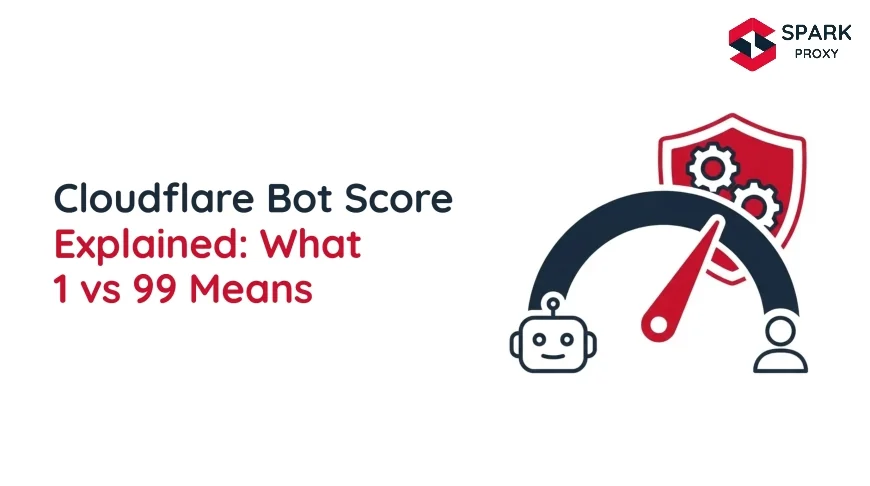
Cloudflare Bot Score Explained: What 1 vs 99 Means
Cloudflare bot score explained: 1 is automated, 99 human. The engines behind it, why scores of 1 and 29 appear, the cf-bot-score header and how to test it.