
Jina Reader vs Firecrawl: Prefix vs Crawl API
Jina Reader vs Firecrawl, tested today: auth tiers, egress IPs, what each does on a challenge, Markdown fidelity, crawl depth and cost per 1,000 pages.
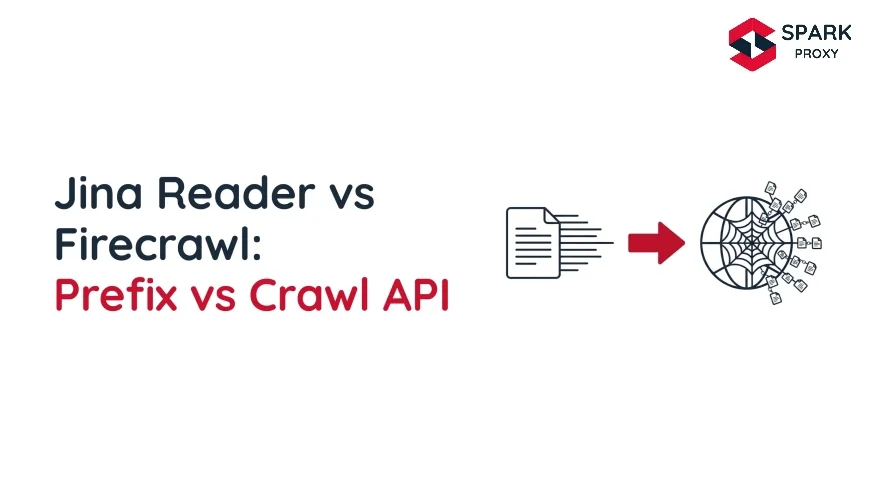
Jina Reader vs Firecrawl is not really a feature-list argument. Reader is invoked by gluing r.jina.ai/ in front of a URL, which means Jina picks the exit IP, the browser and the retry policy on your behalf. Firecrawl is a POST body with crawl semantics, a proxy strategy and a country field. On an open page both hand back clean Markdown and the choice barely matters. On a page that challenges the request, the difference decides whether you get content or a status code, and that is what this post measures.
Every price, limit, version and licence below was read from the vendor's own page, documentation or repository on 9 October 2026, and the source is named in the text. Three of the tests are ours, run from one machine in India on the same date. They are single observations, not benchmarks, and they are labelled as such.
What you are actually choosing between
Jina Reader is a URL-prefix fetcher. Jina's own Reader page describes the invocation as "prepend r.jina.ai" to a URL, and the product surface is two hostnames: r.jina.ai converts a URL to text, and s.jina.ai runs a search and converts the top results. There is no third hostname for crawling. We checked: c.jina.ai does not resolve at all, and s.jina.ai answered a keyless request with HTTP 401, which matches Jina's published table showing search as unavailable without a key.
Firecrawl is a hosted API with a versioned base, https://api.firecrawl.dev/v2, bearer auth on keys prefixed fc-, and separate endpoints for /scrape, /crawl, /map, /search and /interact. Crawl is asynchronous: you POST a start URL, get a job ID back, and collect results by polling, WebSocket or webhook. The Firecrawl docs state that crawl "Discovers pages via sitemap and recursive link traversal".
One thing has changed in 2026 that most comparisons of these two still get wrong. The old dividing line was "the prefix needs no key, the API does". That is no longer true. Firecrawl's rate-limits page now documents a keyless tier: "The hosted Firecrawl MCP keyless endpoint exposes exactly Search, Scrape, and Parse without an API key", with keyless access through the CLI, SDKs and REST API also including Interact, and "No other endpoints (crawl, extract, map, batch scrape, etc.) are available without a key". Both products will answer an unauthenticated request. So the real axis is not the key. It is how much of the request you are allowed to specify.
| Contract | Jina Reader | Firecrawl |
|---|---|---|
| Base | `https://r.jina.ai/ | `https://api.firecrawl.dev/v2` |
| Auth | Optional `Authorization: Bearer jina_...` | Optional `Authorization: Bearer fc-...` |
| Request shape | GET with the target URL in the path, or POST with `{"url": ...}` | POST JSON body per endpoint |
| Tuning surface | Roughly 30 `X-*` request headers | Typed JSON fields and a `formats` array |
| Crawl | None | `/crawl`, `/map`, async jobs |
| Billing unit | Output tokens | Credits, 1 per page |
| Blocked page | Returned to you as the outcome | One automatic retry on better proxies |
Read the last two rows together. Those are the rows that decide the bill and the success rate, and they are the ones the rest of this post takes apart.
Invocation: one URL versus a POST body
Reader's prefix form is genuinely the shortest integration in this category. No SDK, no key, no JSON:
curl "https://r.jina.ai/https://www.sparkproxy.io/docs/scraping-api/"
The prefix form has one sharp edge worth knowing before you build on it. The target URL goes into the path unencoded, so its query string collides with Reader's own parsing. We ran the same URL both ways with a two-parameter query string. The prefix form resolved to ?page=2 and dropped utm_source=test; the POST form resolved identically. So Reader normalises away parameters it treats as tracking, in both invocation styles. If a target serves different content based on a parameter Reader classifies that way, you will quietly get the wrong page. Use the POST form when the URL carries meaningful parameters, and check the url field that comes back:
curl -X POST "https://r.jina.ai/" \
  -H "Content-Type: application/json" \
  -H "Accept: application/json" \
  -d '{"url":"https://www.sparkproxy.io/docs/scraping-api/"}'
With Accept: application/json, Reader wraps the result in an envelope. On a keyless call against https://example.com we got back data.content as Markdown, data.httpStatus of 200, a data.warning string, and a usage block reporting outputTokens: 29. That usage block is the billing meter exposed per request, which matters later when we cost this out.
Firecrawl's equivalent is a typed body. The same page, as Markdown, cache bypassed:
curl -X POST "https://api.firecrawl.dev/v2/scrape" \
  -H "Authorization: Bearer fc-YOUR-API-KEY" \
  -H "Content-Type: application/json" \
  -d '{
    "url": "https://www.sparkproxy.io/docs/scraping-api/",
    "formats": ["markdown"],
    "maxAge": 0
  }'
The documented defaults on /v2/scrape are onlyMainContent true, blockAds true, and timeout 60000 ms with a permitted range of 1000 to 300000. The formats array accepts markdown, html, rawHtml, links, screenshot, json, summary, images and several newer shapes including branding, product, query, question and highlights.
In Python the asymmetry in effort is obvious:
import requests

TARGET = "https://www.sparkproxy.io/docs/scraping-api/"


def reader_markdown(url: str, api_key: str | None = None) -> dict:
    """Jina Reader: POST form, JSON envelope, token meter visible."""
    headers = {"Content-Type": "application/json", "Accept": "application/json"}
    if api_key:
        headers["Authorization"] = f"Bearer {api_key}"
    r = requests.post("https://r.jina.ai/", headers=headers,
                      json={"url": url}, timeout=120)
    r.raise_for_status()
    payload = r.json()["data"]
    return {
        "markdown": payload["content"],
        "tokens": payload["usage"]["outputTokens"],
        "resolved_url": payload["url"],
    }


def firecrawl_markdown(url: str, api_key: str) -> dict:
    """Firecrawl: typed body, credit meter is on your account, not the response."""
    r = requests.post(
        "https://api.firecrawl.dev/v2/scrape",
        headers={"Authorization": f"Bearer {api_key}",
                 "Content-Type": "application/json"},
        json={"url": url, "formats": ["markdown"], "maxAge": 0},
        timeout=120,
    )
    r.raise_for_status()
    doc = r.json()["data"]
    return {"markdown": doc.get("markdown", ""), "meta": doc.get("metadata", {})}


if __name__ == "__main__":
    out = reader_markdown(TARGET)
    print(out["tokens"], "output tokens for", out["resolved_url"])
Note what is missing from the Reader call: there is nowhere to put a proxy, a country or a session. On the keyless tier those parameters do not exist, which is the subject of the next two sections.
Scraping at scale? Skip the blocks.
Fast, unblockable datacentre proxies with unlimited bandwidth.
Auth tiers and rate limits, as published
Jina publishes a single table covering every product. For Reader, read from jina.ai/api-dashboard/rate-limit on 9 October 2026:
| Endpoint | No key | Free key | Paid key | Premium key | Published average latency |
|---|---|---|---|---|---|
| `r.jina.ai` | 20 RPM | 500 RPM | 500 RPM | 5,000 RPM | 7.9s |
| `s.jina.ai` | blocked | 100 RPM | 100 RPM | 1,000 RPM | 2.5s |
Two details on that table carry more weight than the headline numbers. First, Jina states that limits are tracked two ways, "RPM (requests per minute) and TPM (tokens per minute)", enforced per IP or key, and triggered "when either the RPM or TPM threshold is reached first". A Reader workload on long pages can therefore hit a ceiling well below its nominal RPM. Second, without a key the limit is tracked per IP address, so every process behind one NAT shares the 20 RPM.
Firecrawl splits its limits by endpoint group and adds a concurrency dimension, from docs.firecrawl.dev/rate-limits:
| Plan | `/scrape`, `/map`, `/search` | `/crawl`, `/agent` | `/interact` | Concurrent browsers | Max queued jobs |
|---|---|---|---|---|---|
| Free | 10 / min | 2 / min | 2 / min | 2 | 50,000 |
| Hobby | 100 / min | 20 / min | 20 / min | 5 | 50,000 |
| Standard | 500 / min | 100 / min | 100 / min | 25 | 50,000 |
| Growth | 5,000 / min | 1,000 / min | 1,000 / min | 50 | 100,000 |
| Scale | 10,000 / min | 2,000 / min | 1,500 / min | 100+ | 200,000+ |
Batch scrape shares the crawl limit, and extract shares the agent limit. Exceeding either a rate limit or the queue cap returns 429.
For a crawl workload the RPM column is mostly decoration. Crawl is asynchronous, so your real throughput ceiling is the concurrent-browser count, and the queue behaviour behind it has two traps the docs state plainly: time spent waiting in the concurrency queue counts against the request's own timeout, and "Jobs that are waiting in your concurrency queue will time out after a maximum of 48 hours". Submit 50,000 pages on a 5-browser Hobby plan and most of that work sits in a queue burning its timeout budget. Firecrawl also exposes a queue-status endpoint so you can check availability before submitting, which is the right thing to call in a scheduler.
Firecrawl's keyless caps are the one number neither vendor publishes. The docs say keyless usage is "capped per IP address per day by two limits", a maximum number of requests and a maximum number of credits, with heavier operations reaching the credit cap sooner, but no figures are given. Treat keyless Firecrawl as a demo path, not a tier you can plan capacity against.
Egress: which IP the request leaves from
This is the section that decides whether either product can read your target at all, and it is the one almost no comparison covers, because it needs measurement rather than a docs page.
We pointed keyless Reader at an IP-echo service seven times on 9 October 2026, with caching disabled, and recorded the address the target saw:
| Call | Egress IP seen by the target |
|---|---|
| 1 | 34.34.253.90 |
| 2 | 34.34.253.135 |
| 3 | 34.34.253.91 |
| 4 | 34.96.52.40 |
| 5 | 34.34.253.178 |
| 6 | 34.34.253.215 |
| 7 | 34.34.253.117 |
Six of the seven landed in a single 34.34.253.0/24. We checked both sampled addresses against Google's own published range file at https://www.gstatic.com/ipranges/goog.json, creation time 2026-10-08, and both resolve inside 34.32.0.0/11. So Reader's keyless egress is Google cloud infrastructure, concentrated in roughly one /24, shared by every anonymous user of the service. For comparison, our own machine's address was 49.37.250.31, an Indian residential line, which is what the target would have seen had we fetched the page ourselves.
Then we tried to change it. Jina documents an X-Proxy header taking a country code, auto or none, and an X-Proxy-Url header for your own proxy. Sending X-Proxy: de without a key returned HTTP 401 with the message "Authentication is required to use this feature (Proxy allocation). Please provide a valid API key." Sending X-Proxy: none returned 200 from 34.34.253.135. Country selection is therefore a keyed feature, and on the free prefix you get one shared datacentre /24 and no say in it.
Firecrawl is more explicit but not more generous. Its proxies page states that Firecrawl routes all requests through proxies by default even when you specify nothing, that location.country takes an ISO 3166-1 alpha-2 code defaulting to US, and that "If you do not specify a proxy or location, Firecrawl will automatically use US proxies". The supported-location table lists 26 countries: AE, AT, AU, BE, BR, CA, CH, CN, DE, DK, EG, ES, FR, GB, GR, IL, IN, IT, JP, MX, NL, PL, QA, SE, TR and US.
The important column in that table is the second one. Basic proxy support is marked Yes for all 26 countries. Enhanced proxy support is marked Yes for exactly two: NL and US. Every other country reads No. Firecrawl adds that if you request a country where a proxy is not available it uses the closest available region, EU or US, and sets the browser location to your requested country, which is a different thing from egressing there. The page also warns that "The list of supported proxy locations will change over time" and recommends leaving location unspecified unless you are sure you need it.
Put those two findings next to each other and the practical conclusion is uncomfortable. If your target is protected and geo-sensitive, say a retail catalogue that only serves correct prices to Japanese addresses behind a bot check, neither hosted product covers it. Firecrawl can egress from Japan on basic proxies, which the bot check is likely to reject, or escalate to enhanced proxies that only exist in the US and the Netherlands. Reader can give you a country with a key, but not a pool you can inspect, rotate or swap. Geo-targeting that is this narrow is a sourcing constraint, not a parameter, and our explainer on what geo-targeting actually means in proxies covers why browser locale and exit IP are not interchangeable.
What each one does when the target pushes back
Jina's position is documented and deliberate. The Reader FAQ states: "Reader operates as a standard web client and respects website access controls. If a website blocks the request, that outcome is respected." There is no stealth mode, no escalation, no fingerprint work. That is a defensible product decision and it is also a hard ceiling: a target that rejects datacentre traffic rejects Reader, forever, and no header in the roughly thirty it supports changes that.
There is a second failure mode on the keyless tier that is not in any documentation we could find, and we hit it by accident on the first request of our egress test. Asking keyless Reader to fetch an HTTP testing service returned HTTP 403 with this body:
{
  "data": null,
  "code": 403,
  "name": "AbuseAlleviationError",
  "status": 40305,
  "message": "Anonymous access to domain httpbin.org blocked until Sun Sep 30 2035 09:51:36 GMT+0000 (Coordinated Universal Time) due to previous abuse found on https://httpbin.org: DDoS attack suspected"
}
Read the shape of that. The block is scoped to the target domain, not to us: a keyless call to example.com seconds later returned 200. The expiry is nine years out. And the stated cause is "previous abuse" by other anonymous users of the shared pool. On the keyless tier you inherit the entire anonymous population's history with each domain you ask for, and a domain someone else hammered can be unavailable to you for years, with no dashboard to check it against.
Firecrawl's keyless tier has the mirror-image problem, which we also hit. A keyless POST to /v2/scrape from our address returned HTTP 403 with: "Unfortunately, your IP address looks suspicious, so Firecrawl can't be used without an API key from here." Jina gates keyless access on the reputation of the target; Firecrawl gates it on the reputation of the caller. Both are reasonable defences and both mean a keyless integration can stop working for reasons you cannot see or fix.
On the keyed path, Firecrawl does something Reader explicitly will not. Its enhanced-mode page documents a single automatic escalation: Firecrawl starts on basic proxies, and if the target responds with 401, 403 or 429 it treats that as a sign the proxy was not good enough and retries the same URL through enhanced proxies. Other status codes, including 404 and 5xx, do not trigger an escalation, on the stated reasoning that a different proxy would not change the answer. The escalation happens at most once per request, and a further 401, 403 or 429 on enhanced proxies is returned to you as the final result. Firecrawl states that enhanced requests cost the same as basic ones, 1 credit per request, and that the escalated retry is not billed separately.
One retry is a real advantage over zero retries. It is also one retry, into a pool that exists in two countries.
| Behaviour on a challenge | Jina Reader | Firecrawl |
|---|---|---|
| Automatic escalation | None, documented as intentional | Once, on 401 / 403 / 429 |
| Escalation pool geography | Country via `X-Proxy` with a key | NL and US only |
| Second challenge after escalating | n/a | Returned as the result |
| Billed for a blocked page | Output tokens only, so near zero | 1 credit, per the pricing page |
| Keyless gate | Per target domain, abuse history | Per caller IP, reputation |
| Supply your own egress | Yes, `X-Proxy-Url` | No documented field |
That last row is the one to remember, and we come back to it at the end.
The billing asymmetry is worth stating plainly because it changes how you budget hard targets. Firecrawl's pricing page says a scrape that returns no result is not charged, while a page that responds with an error status such as 403 or 404 is still returned to you and costs 1 credit. A protected target that answers every request with a styled 403 page therefore bills at full rate while returning nothing you want. Jina meters output tokens, so a block costs almost nothing, which is cheaper and equally useless. Either way you need block detection in your own pipeline rather than trust in the status code, and detecting when your scraper is blocked walks through the markers that actually work.
Markdown fidelity on tables and code
Converter quality is the thing teams assume is equivalent and then discover is not, usually three weeks into a RAG build when a model starts quoting navigation menus.
We ran one of our own published posts through keyless Reader on 9 October 2026 with caching disabled, so we could diff the output against the Markdown source we wrote. The source page contains two fenced code blocks, one tagged bash and one tagged python, one seven-row comparison table, and inline code spans.
What survived: the table came back as a proper GFM pipe table, separator row included, 14 pipe-prefixed lines in total and every cell in the right column. Inline code spans such as render_js kept their backticks. Links came back as Markdown links with working targets. Headings kept their levels. For a converter with no configuration at all, that is a good result.
What did not survive: both fences came back as bare triple-backticks with the language tag stripped. The bash and python hints we wrote were gone. If your chunker splits on code-block language, or your retrieval filters for Python examples, or you syntax-highlight retrieved snippets in a UI, that metadata is simply not in the output and no X-* header we found restores it. The response also opened with the line "Warning: This is a cached snapshot of the original page, consider retry with caching opt-out." on the cached call, which is a useful signal to parse for rather than ignore.
We could not run the same diff through Firecrawl. Its keyless scrape refused our IP, as described above, and we hold no paid key, so no measured Firecrawl fidelity result appears in this post. Its docs claim clean Markdown with onlyMainContent true and blockAds true by default. Treat that as the vendor's claim until you have diffed it against your own corpus, which takes about twenty minutes on fifty URLs and is the single highest-value test before you commit.
Where Reader is clearly ahead is the tuning surface, and it is not close. Its documented headers include X-Target-Selector and X-Remove-Selector for CSS-scoped extraction, X-Return-Format to switch the output shape, X-With-Links-Summary and X-With-Images-Summary to append reference sections, X-Token-Budget to cap the response, X-With-Iframe and X-With-Shadow-Dom for content that normal extraction misses, X-No-Gfm, and a family of formatting controls: X-Md-Heading-Style, X-Md-Hr, X-Md-Bullet-List-Marker, X-Md-Em-Delimiter, X-Md-Strong-Delimiter and X-Md-Link-Style. We confirmed X-Return-Format: html returns cleaned HTML rather than Markdown on a keyless call. If your pipeline needs Markdown shaped a particular way to keep a diff stable between crawls, Reader lets you pin the shape and Firecrawl's formats array does not.
# Scope extraction to the article body, pin the Markdown dialect, skip the cache
curl "https://r.jina.ai/https://www.sparkproxy.io/blog/firecrawl-alternatives" \
  -H "X-Target-Selector: article" \
  -H "X-Md-Heading-Style: atx" \
  -H "X-Md-Bullet-List-Marker: -" \
  -H "X-No-Cache: true"
Crawl depth and sitemaps: only one of them crawls
Reader has no crawl. That is the single largest functional gap between these two products and it cannot be closed with a header. You supply the URL list, every time, one URL per request, against a 20 RPM keyless or 500 RPM keyed budget.
Firecrawl's /v2/crawl is a real crawler with the controls you would expect, and the defaults are where the money goes:
| Parameter | Documented default | What it does |
|---|---|---|
| `limit` | 10000 | Maximum pages to crawl |
| `sitemap` | `"include"` | `include` uses sitemap plus link discovery, `skip` uses HTML links only, `only` uses the sitemap plus the start URL |
| `maxDiscoveryDepth` | none | Depth from the root URL in link-discovery hops |
| `crawlEntireDomain` | false | Follow links to sibling or parent URLs, not just child paths |
| `allowSubdomains` | false | Follow links to subdomains |
| `allowExternalLinks` | false | Follow links off-site |
| `includePaths` / `excludePaths` | none | Pathname regex filters |
| `delay` | none | Seconds between scrapes, and it forces concurrency to 1 |
Firecrawl states that each page crawled consumes 1 credit and that the default limit is 10,000 pages. Those two facts multiply: a crawl submitted without a limit, on a site with deep pagination, can bill 10,000 credits before you notice. On the Standard plan's 100,000 credits that is ten careless crawls and the month is gone. Set limit, set excludePaths against your facet and pagination parameters, and prefer sitemap: "only" when the site publishes a complete one, because link discovery is where page counts explode.
The /v2/map endpoint is the cheap reconnaissance step and the docs are refreshingly clear about both its price and its limits: it returns an ordered list of URLs with titles and descriptions, "consumes 1 credit per call, regardless of the number of URLs returned", and "may not capture all website links". Map first, inspect the list, then crawl what you actually want. One credit to avoid a ten-thousand-credit mistake is the best trade in the product.
If you want Reader to cover a whole site, you own discovery and you own the rate budget. The budget is the part people get wrong: with a free key you have 500 RPM, but the TPM dimension is enforced at the same time, so a documentation site with long pages will throttle on tokens first. The pattern that holds up is a fixed-rate worker pool that measures its own token draw and backs off on 429, rather than a thread pool sized by guesswork:
import time
import threading
import requests

READER = "https://r.jina.ai/"


class RateBudget:
    """Fixed-interval gate. 500 RPM keyed, 20 RPM keyless."""

    def __init__(self, rpm: int) -> None:
        self.interval = 60.0 / rpm
        self.lock = threading.Lock()
        self.next_slot = time.monotonic()

    def wait(self) -> None:
        with self.lock:
            now = time.monotonic()
            slot = max(now, self.next_slot)
            self.next_slot = slot + self.interval
        delay = slot - now
        if delay > 0:
            time.sleep(delay)


def fetch(url: str, budget: RateBudget, api_key: str, tries: int = 4) -> dict:
    headers = {
        "Authorization": f"Bearer {api_key}",
        "Content-Type": "application/json",
        "Accept": "application/json",
    }
    for attempt in range(tries):
        budget.wait()
        r = requests.post(READER, headers=headers, json={"url": url}, timeout=120)
        if r.status_code == 429:
            time.sleep(2 ** attempt)
            continue
        r.raise_for_status()
        data = r.json()["data"]
        return {"url": data["url"], "tokens": data["usage"]["outputTokens"],
                "markdown": data["content"]}
    raise RuntimeError(f"rate limited after {tries} attempts: {url}")


def run(urls: list[str], api_key: str, rpm: int = 500) -> int:
    budget = RateBudget(rpm)
    spent = 0
    for url in urls:
        page = fetch(url, budget, api_key)
        spent += page["tokens"]
        print(f"{page['tokens']:>6} tok  {page['url']}")
    return spent
Count the tokens as you go. That running total is the only honest forecast of a Reader bill, and it is the input to the next section.
The caching defaults nobody reads
Both products cache, with defaults four orders of magnitude apart, and neither default is wrong for the use case it was chosen for.
| Cache behaviour | Jina Reader | Firecrawl |
|---|---|---|
| Default freshness | Repeat within 5 minutes served from cache | `maxAge` 172800000 ms, about 2 days |
| Bypass | `X-No-Cache: true` | `maxAge: 0` |
| Tolerance control | `X-Cache-Tolerance`, in seconds | `maxAge`, in milliseconds |
| Signal that you got a cached copy | `warning` field in the JSON envelope | Not surfaced in the same way |
Jina's FAQ states that repeating the same URL within five minutes is served from cache and returns almost immediately. That is a sensible default for an agent that may read the same page twice in a conversation, and short enough that it rarely lies to you.
Firecrawl's documented maxAge default of 172800000 ms is two days. A scrape with default settings can therefore return a page as it looked 47 hours ago, instantly, for the same 1 credit. For a documentation corpus refreshed weekly that is a feature and a cost saving. For price monitoring, stock levels, job listings, flight availability or anything with a clock on it, it is a silent correctness bug that looks exactly like success: HTTP 200, clean Markdown, stale numbers. If your workload is time-sensitive, set maxAge: 0 on every call and treat the default as a trap rather than an optimisation.
This is also the cheapest way to cut a Firecrawl bill when your workload tolerates it. Leaving maxAge at its default on a corpus you refresh daily means repeat pages come from cache, and cached pages still cost a credit, so the saving is latency rather than money. The money saving comes from not requesting pages whose lastmod has not moved.
Cost per 1,000 pages from published prices
Firecrawl's prices are published, dated and easy to divide. Read from firecrawl.dev/pricing on 9 October 2026, marked "Effective September 4, 2026", in USD, with the headline figures billed annually:
| Plan | Price / month | Credits / month | Implied $ per 1,000 pages | Top-up rate | Top-up $ per 1,000 pages |
|---|---|---|---|---|---|
| Free | $0 | 1,000 | $0 | none | n/a |
| Hobby | $16 annual, $19 monthly | 5,000 | $3.20 / $3.80 | 1,000 per $5 | $5.00 |
| Standard | $83 annual | 100,000 | $0.83 | 2,000 per $5 | $2.50 |
| Growth | $333 annual | 500,000 | $0.67 | 2,500 per $5 | $2.00 |
| Scale | $599 annual | 1,000,000 | $0.60 | 5,000 per $5 | $1.00 |
The implied column is arithmetic on Firecrawl's own figures, nothing more, and it only holds if you consume the whole allowance. Buy Standard and use 20,000 pages and your real cost is $4.15 per 1,000. The stated annual discount is 16.7% on Hobby, Standard and Growth and 20% on Scale. Credit rollover exists only on Scale and above, one month. Surcharges on top of the 1-credit page: the JSON, Question and Highlight formats add 4 credits per page on scrape and crawl, search costs 2 credits per 10 results, Interact costs 2 credits per browser minute, and Monitor bills a flat 7 credits per page per check.
That JSON surcharge is the number that reshapes a budget, because it turns a 1-credit page into a 5-credit page and most RAG pipelines want structured output somewhere. Our Firecrawl alternatives comparison breaks the product into its four billable stages if that is the line item you are trying to cut.
Jina cannot be reduced to a per-page figure, and this is a difference in kind rather than degree. Jina's documentation states that Reader pricing is based on token usage and counts "the number of tokens in the output response", with every new API key carrying 10M free tokens, and its FAQ confirms that supplying a key "charges tokens based on content length". Firecrawl bills the page; Jina bills the bytes.
So we measured our own corpus instead of assuming an average. Three of our published posts, keyless Reader, POST form, caching disabled, 9 October 2026:
| Page | `outputTokens` | Markdown characters | Wall-clock |
|---|---|---|---|
| web-scraping-api-vs-self-managed-proxies | 3,156 | 13,539 | 7.14s |
| firecrawl-alternatives | 4,476 | 19,080 | 5.29s |
| web-scraping-vs-api | 4,436 | 19,807 | 6.12s |
Mean 4,023 output tokens per page. At that size the 10M free allowance covers roughly 2,485 pages, against Firecrawl's free 1,000 credits for 1,000 pages. The wall-clock column includes our own latency to Jina's edge from India and is not a throughput benchmark; Jina's published average latency for r.jina.ai is 7.9s, which our numbers are broadly consistent with.
What we are not going to do is quote a dollar figure for Jina tokens. The per-million token price sits behind the authenticated top-up widget on jina.ai's pricing page, and we could not read a current rate from any Jina-owned page today. That figure is explicitly unverified here, and a per-token price lifted from a third-party blog is how stale numbers spread. Measure your own corpus with the snippet above, get a token total, then price it in your Jina dashboard.
The structural lesson survives the missing number. A thousand 2 KB product pages and a thousand 200 KB documentation pages cost Firecrawl exactly the same and differ by around 100x on Reader. Short pages favour the token meter; long pages favour the page meter. If you have never counted the token distribution of your real targets, you cannot say which of these is cheaper for you, and anyone who tells you otherwise is quoting their corpus, not yours. The same reasoning applies to any credit-metered fetcher, which we unpack in scraping API credit pricing explained.
Maintenance and licence, checked today
Both projects have public repositories, and the two tell very different stories. Figures below come from the GitHub API on 9 October 2026.
| Signal | `jina-ai/reader` | `firecrawl/firecrawl` |
|---|---|---|
| Stars | 12,128 | 189,720 |
| Forks | 892 | 10,064 |
| Open issues | 34 | 543 |
| Licence | Apache-2.0 | AGPL-3.0 |
| Created | 2024-04-10 | 2024-04-15 |
| Latest commit on default branch | 2026-05-22, `1574bfd3` | 2026-10-09, `e5df790e` |
| Published GitHub releases | none | latest v2.11.0, 2026-06-19 |
| Archived | No | No |
The Reader repository's most recent commit on main is 1574bfd3, "ci: alias docker image oss tag", dated 2026-05-22. That is roughly four and a half months of quiet, with no tagged releases at all. It would be wrong to read that as an abandoned product: every one of our tests against r.jina.ai today returned a live, working service, and the hosted product has features the headers document that the repository does not advertise. The honest reading is that the open-source mirror lags the hosted service, so if your plan was to self-host Reader to escape token billing, check how far behind the code is before you commit engineering time.
Firecrawl's repository was committed to the morning we wrote this, with v2.11.0 the most recent tagged release on 2026-06-19 and 543 open issues against 189,720 stars. That is an actively developed codebase moving faster than its tags.
The licence row deserves more attention than it usually gets. Firecrawl's server is AGPL-3.0, which is the thing to put in front of your lawyers before you embed it in a commercial product. And Reader's Apache-2.0 badge does not cover everything: Jina's own FAQ states that the models Reader uses, including ReaderLM-v2 and jina-vlm, are licensed CC-BY-NC 4.0, "which is not an open-source license", that they are free for non-commercial use but commercial production use requires a commercial licence, and that Elastic has sold that licence separately since 10 August 2026. "Reader is open source" is true of the service code and not of the models.
Routing protected targets through egress you control
Everything above converges on one point. Both products are excellent at the conversion half of the job and both hide the fetch half. When a target rejects you, the prefix has no answer by design, and the crawl API has exactly one answer that lives in two countries. At that point the thing you need is not a better converter. It is an exit IP you chose.
SparkProxy sells that layer: 1M+ premium IPs across 80+ countries, HTTP, HTTPS and SOCKS5, random rotation or 5-minute auto-rotation, IP whitelist or user:pass auth, and 1 Gbps port speed. Plans are packs rather than per-GB, unlimited bandwidth is included, so the billing unit is the plan and its concurrency rather than the traffic you consume. Entry pricing starts from $75/month, there is a 24-hour free trial with no card, and term discounts run 5% at three months, 10% at six and 15% at twelve. The comparison between buying requests and running your own pool is laid out in web scraping API vs self-managed proxies.
If you want the fetch handled but still want to pick the country and the pool, the SparkProxy Scraping API sits at https://scrape.sparkproxy.io/api/v1 behind an X-API-Key header, with 1,000 free credits to test it. The parameter that matters for this comparison is proxy_type=premium, which selects the pool, alongside country_code for the exit country. Both are explicit, both are yours to set:
curl -G "https://scrape.sparkproxy.io/api/v1" \
  --data-urlencode "url=https://example.com/product/123" \
  --data-urlencode "render_js=true" \
  --data-urlencode "proxy_type=premium" \
  --data-urlencode "country_code=jp" \
  --data-urlencode "format=md" \
  -H "X-API-Key: YOUR_API_KEY"
Two cost rules to internalise before you run that at volume. render_js defaults to true and costs 5 credits; passing render_js=false makes it a plain fetch at 1 credit. And country_code adds 5 credits, as does js_scenario, which needs render_js=true and allows at most 50 steps. So the call above is a deliberate 10-credit request, not an accident. On a Markdown pipeline over mostly static pages, pass render_js=false explicitly on every call or every page bills at the rendered rate.
The format parameter is content conversion only: html, md, mdx, json, screenshot or pdf. It does not give you a response envelope. If you want the metadata, that is json_response=true, and the body it returns is base64, which has to be decoded before you match any marker against it:
import base64
import requests

API = "https://scrape.sparkproxy.io/api/v1"
HEADERS = {"X-API-Key": "YOUR_API_KEY"}


def fetch_markdown(url: str, country: str | None = None, render: bool = False) -> dict:
    """Markdown plus the request envelope, with the exit country under your control."""
    params = {
        "url": url,
        "format": "md",
        "render_js": "true" if render else "false",  # true costs 5 credits, false costs 1
        "proxy_type": "premium",
        "json_response": "true",                     # the ONLY source of the envelope
    }
    if country:
        params["country_code"] = country             # +5 credits

    r = requests.get(API, headers=HEADERS, params=params, timeout=180)
    r.raise_for_status()
    env = r.json()

    # The envelope body is base64. Decode before matching anything.
    markdown = base64.b64decode(env["body"]).decode("utf-8", errors="replace")

    return {
        "job_id": env.get("job_id"),
        "status_code": env.get("status_code"),
        "duration_ms": env.get("duration_ms"),
        "credits_used": env.get("credits_used"),
        "markdown": markdown,
    }


if __name__ == "__main__":
    page = fetch_markdown("https://example.com/product/123", country="jp")
    print(page["status_code"], page["credits_used"], "credits",
          page["duration_ms"], "ms")
    print(page["markdown"][:400])
Two more rules worth knowing so you do not design around them wrongly. extract_rules replaces the response with an extracted object, so never stack it with json_response. And batch mode requires render_js=false, with the whole batch costing a single credit, which makes it the cheapest way to pull a list of static URLs.
There is also a hybrid that keeps the part of Reader people actually like. Jina documents X-Proxy-Url for routing Reader's fetch through your own proxy, so you can keep its Markdown converter and its selector headers while replacing the shared datacentre /24 that caused the problem in the first place:
# Reader's converter, your egress. Requires a Jina API key.
curl "https://r.jina.ai/https://example.com/product/123" \
  -H "Authorization: Bearer jina_YOUR_KEY" \
  -H "X-Proxy-Url: http://USER:PASS@gateway.sparkproxy.io:11000" \
  -H "X-No-Cache: true" \
  -H "X-Timeout: 45"
Verify that it took effect before trusting it: point the same call at an IP-echo service and confirm the address it reports is yours and not a 34.34.253.x address. That one check is the difference between believing you changed the egress and knowing it.
Short version of the choice. Pick Reader when an agent reads individual public pages on demand, you want zero infrastructure, your pages are short, and you need Markdown shaped precisely. Pick Firecrawl when you need discovery, depth control and sitemap handling, your pages can be any size, and one automatic retry on a US or Dutch exit is enough for your targets. Pick a proxy layer you control when the blocker is the IP, because that is the one variable neither hosted default will hand you.
Frequently asked questions
FAQ
Yes, at low volume. Jina's FAQ states that Reader is free for basic usage by prepending r.jina.ai to a URL, with a keyless limit of 20 requests per minute tracked per IP address. Supplying an API key raises that to 500 RPM and starts charging output tokens, and every new key includes 10M free tokens.
No. Reader is a single-URL fetcher with no crawl endpoint: Jina publishes only r.jina.ai for URLs and s.jina.ai for search. If you need site-wide discovery you supply the URL list yourself and pay per request, or you use a product with a crawler such as Firecrawl's /v2/crawl.
Not as of 9 October 2026. Firecrawl's enhanced-mode documentation states that enhanced proxy requests cost the same as basic requests, 1 credit per request, and that an escalated retry is not billed separately. Older comparisons quoting a 5-credit stealth surcharge are out of date.
Firecrawl, structurally, because it will retry once on better proxies after a 401, 403 or 429, while Jina's FAQ says a block is respected and returned to you. Neither is reliable on hard targets, and we did not measure success rates, so treat this as an architectural difference rather than a tested win rate.
Both offer it with limits. Reader takes a country code in the X-Proxy header, but only with an API key: a keyless attempt returned HTTP 401 for us. Firecrawl takes location.country across 26 listed countries, though its enhanced proxy pool is marked available in only the United States and the Netherlands.
Partly. Running one of our own posts through Reader today, GFM pipe tables came back intact with their separator rows, and inline code kept its backticks, but the language tags on fenced code blocks were stripped: a fence opened as python came back as a bare triple-backtick fence. Plan for that if your chunker or your UI depends on code-block language.
Get 20% off your first month
Premium datacentre proxies with unlimited bandwidth. Use the code at checkout.
Save up to 15% more on quarterly, half-yearly and yearly plans
Related articles
Nodriver vs Playwright: Stealth vs Ecosystem
Nodriver vs Playwright, measured: navigator.webdriver, headless tells and launch flags in Chrome 157, plus auto-waits, proxies, licences and when each one wins.
Loginways Alternatives: 6 Antidetect Browsers Compared
Loginways alternatives compared by price at 150, 500 and 2,000 profiles, team seats, API and engine freshness, after Loginways' download links returned 404.
Ghost Browser vs Multilogin: Which Fits Your Team?
Ghost Browser vs Multilogin (Nov 2026): session isolation vs fingerprint spoofing, per-user vs per-profile pricing, and proxy per tab vs per profile.