
How to Set Up a Proxy on a Router for Every Device
How to set up proxy on router hardware that has no proxy field: OpenWrt with redsocks, or a Raspberry Pi LAN proxy, plus the DNS, QUIC and IPv6 leak fixes.
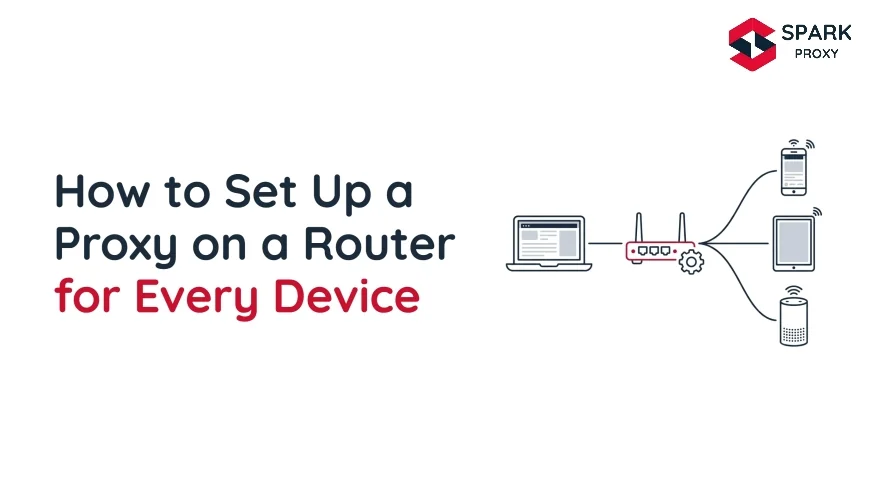
If you searched how to set up proxy on router and then opened your router's admin page, you probably found DNS fields, a VPN client tab, maybe port forwarding, and no proxy setting anywhere. That isn't you missing a menu. Consumer router firmware almost never ships a proxy client, so the TV, the console and the laptops can't be pointed at one proxy from that box as it stands. This guide gives you two builds that do work, an OpenWrt router running redsocks and a Raspberry Pi acting as the house proxy, along with the leak and authentication traps each one carries.
Why Your Router Has No Proxy Setting
A proxy and a VPN solve the same "change my exit address" problem in different places. A VPN wraps every packet at layer 3, so a router can run one client and the whole LAN rides inside the tunnel without knowing. A proxy works per connection: each app opens a TCP session to the proxy and asks it to reach a destination. That only happens if the app knows the proxy exists. Your laptop browser does, because you can type a proxy address into it. A smart TV app usually doesn't, and the router can't ask it to.
So routing a whole home through a proxy needs a translator: something that catches ordinary outbound connections from devices that have never heard of a proxy and re-opens them through one. That is a transparent proxy redirect. The redirect itself is old, well-understood Linux plumbing (our explainer on what a transparent proxy is covers the concept and the headers it exposes). Stock firmware from ISPs and most retail brands doesn't expose the netfilter rules or let you install the daemon, which is why both builds below either replace the firmware or add a second box.
One honest limit before you start. Every build here proxies TCP cleanly. UDP is a different story: online game traffic, voice chat and QUIC video often run over UDP, and a TCP-only redirect won't carry them. You'll decide below whether to block that traffic, let it bypass the proxy, or use a build that can tunnel it.
Pick a Build Before You Buy Anything
| OpenWrt + redsocks | Raspberry Pi explicit proxy (tinyproxy) | Raspberry Pi gateway (tun2socks) | |
|---|---|---|---|
| Changes the main router | Yes, needs OpenWrt-capable hardware | No | No |
| Devices need a proxy field | No | Yes | No, but each device needs its gateway changed |
| Carries TCP | Yes | Yes (HTTP and HTTPS via CONNECT) | Yes |
| Carries UDP | Not in this config | No | Only if the SOCKS5 server supports UDP ASSOCIATE |
| Where DNS gets resolved | Router, needs the DoH fix below | At the upstream proxy, from the CONNECT hostname | Pi, needs its own resolver fix |
| Proxy credentials live on | Router (`/etc/redsocks.conf`) | Pi (`/etc/tinyproxy/tinyproxy.conf`) | Pi (command line or unit file) |
| Effort | Medium, plus a firmware flash | Low | Medium |
Choose OpenWrt if your router is on the OpenWrt hardware list (or you're willing to buy one that is) and you want everything on the LAN covered without touching each device. Choose the Pi explicit proxy if most of the devices you care about have a manual proxy field and you don't want to flash anything. The Pi gateway build covers the gap: TVs and streaming sticks with no proxy field at all.
Versions used in this guide, read from each project's own source on 2026-10-31: OpenWrt 25.12.6 (released 2026-10-18, the current stable per downloads.openwrt.org), the OpenWrt redsocks package 0.5-r2, https-dns-proxy 2026.05.06, Raspberry Pi OS Lite 64-bit dated 6 Oct 2026 on Debian 13 "trixie", tinyproxy 1.11.2 from Debian trixie, and tun2socks v2.7.0.
Scraping at scale? Skip the blocks.
Fast, unblockable datacentre proxies with unlimited bandwidth.
Choosing the SparkProxy Endpoint for a Household
All three builds point at the same place, gateway.sparkproxy.io. The port picks the behaviour:
| Port | Protocol | Behaviour | Good for at home |
|---|---|---|---|
| 11000 | HTTP/HTTPS | Random Rotation, a new exit IP per connection | Rarely; logged-in sites see your address jump |
| 11002 | HTTP/HTTPS | Sticky Sessions, the exit IP holds for 5 minutes | Browsing and apps that dislike address changes |
| 13000 | SOCKS5 | SOCKS5 endpoint | redsocks, tun2socks, DoH upstream |
Rotation is the setting people get wrong for a house. A household isn't a scraper. If your banking site sees three different addresses inside one login, it will challenge you, and streaming apps can drop a session when the address moves. Sticky Sessions keep one exit for 5 minutes, which is much calmer, but it still changes. Expect occasional re-verification on sites that pin a session to an IP.
Authentication has two modes, and the choice matters more for a home than for a server:
- IP whitelist. You register your home's public IP in the SparkProxy dashboard and connect with no credentials. That's tidy, because a console with a proxy field but no username box can point straight at the gateway. The catch is that most residential connections get a dynamic IP. When your ISP hands you a new address, every proxied device fails until you update the whitelist.
- user:pass. Works from any address, but the credentials have to sit somewhere: on the router, on the Pi, or typed into each device. Many TVs and consoles that accept a proxy host and port have no field for a password, which is a big reason the Pi build exists.
On cost, SparkProxy plans start from $75/month (USD, read from sparkproxy.io on 2026-10-09), sold as packs with unlimited bandwidth. A house full of 4K streams won't run up a per-gigabyte bill. The thing to size is concurrency, because a home makes far more simultaneous connections than you'd guess: every browser tab, app update and background sync is its own TCP session through the gateway. The 24-hour free trial needs no credit card, which is long enough to run the verification script below on every device before you pay for a term (3 months saves 5%, 6 months 10%, 12 months 15%).
Build 1: OpenWrt With redsocks
redsocks is a small daemon that accepts redirected TCP connections and re-opens them through a SOCKS4, SOCKS5 or HTTP CONNECT proxy, with login and password support for SOCKS5 and HTTP (Basic and Digest only). Its maintenance status is worth knowing up front: the last commit to darkk/redsocks is dated 2019-07-16, and the OpenWrt package still builds from the release-0.5 tag, which is dated 2016-12-27. It works and it's small, but nobody is fixing bugs in it. Treat it as stable-but-frozen.
OpenWrt 25.12 replaced opkg with apk, so older tutorials' opkg install lines won't run. Install over SSH:
apk update
apk add redsocks https-dns-proxy
Now replace /etc/redsocks.conf. Two settings trip people up. First, local_ip must be the router's LAN address (or 0.0.0.0), not the default 127.0.0.1: the nftables redirect statement sends packets to the primary address of the interface they arrived on, so a daemon bound to loopback never sees them. Second, keep the TCP block only. Delete the sample redudp, dnstc and dnsu2t blocks, because their placeholder addresses will fail.
base {
    log_debug = off;
    log_info = on;
    log = "syslog:local7";
    daemon = on;
    redirector = iptables;   // name is historical; works with nft redirect
}

redsocks {
    local_ip = 192.168.1.1;
    local_port = 12345;
    ip = gateway.sparkproxy.io;
    port = 13000;
    type = socks5;
    login = "YOUR_USER";
    password = "YOUR_PASS";
}
To get Sticky Sessions instead, change the last four lines to port = 11002; and type = http-connect;. That sends every redirected connection as an HTTP CONNECT, including plain port-80 traffic, so run the curl test at the end of this section against an http:// URL before relying on it.
Here's a detail from the redsocks source (parser.c, function vp_in_addr) that most guides miss: a hostname in ip = is resolved once, when the config is parsed, IPv4 only, with one A record picked at random. Two consequences follow. If the router boots and redsocks starts before the WAN has DNS, parsing fails and redsocks exits. And if the gateway's address ever changes, redsocks keeps using the old one until restarted. A hotplug script fixes both by restarting redsocks whenever the WAN comes up:
cat > /etc/hotplug.d/iface/99-redsocks <<'EOF'
[ "$ACTION" = "ifup" ] && [ "$INTERFACE" = "wan" ] && /etc/init.d/redsocks restart
EOF
/etc/init.d/redsocks enable
Next, the redirect. OpenWrt has used firewall4 on nftables since 22.03, and fw4 automatically includes any /etc/nftables.d/*.nft file at the top of its inet fw4 table. That means the file holds bare chain definitions, no table wrapper. Using a set of device addresses lets you choose which devices get proxied, which is handy when one device (say, a work laptop on a corporate VPN) must stay direct:
# /etc/nftables.d/50-redsocks.nft
set proxied_lan {
    type ipv4_addr
    flags interval
    elements = { 192.168.1.0/24 }
}

chain redsocks_pre {
    type nat hook prerouting priority dstnat - 5; policy accept;
    iifname != "br-lan" return
    ip daddr { 0.0.0.0/8, 10.0.0.0/8, 100.64.0.0/10, 127.0.0.0/8,
               169.254.0.0/16, 172.16.0.0/12, 192.168.0.0/16,
               224.0.0.0/4, 240.0.0.0/4 } return
    ip saddr != @proxied_lan return
    meta l4proto tcp redirect to :12345
}
Swap the 192.168.1.0/24 element for individual addresses (with DHCP reservations) once you know which devices should go through the proxy. redsocks' own outbound connection to the gateway starts on the router, so it travels through the output hook, not prerouting, and can't loop back into this chain.
Apply and test from the router itself, which bypasses the redirect and checks the upstream directly:
fw4 reload
/etc/init.d/redsocks restart
logread -e redsocks | tail -n 5
curl -s --socks5-hostname YOUR_USER:YOUR_PASS@gateway.sparkproxy.io:13000 https://1.1.1.1/cdn-cgi/trace | grep -E '^(ip|loc)='
If curl isn't installed, apk add curl. The ip= line should show a SparkProxy address, not the one your ISP gave you.
Closing the DNS, QUIC and IPv6 Gaps
At this point web traffic exits through the proxy, and three things still leave by the front door.
DNS. Devices ask dnsmasq on the router, and dnsmasq asks your ISP's resolver over UDP from your home address. The destinations are hidden behind the proxy, but every lookup is still visible to the ISP and tied to your real IP. Our DNS leak testing guide explains how to detect this; the router-side fix is to send DNS over HTTPS through the same SOCKS5 endpoint. The https-dns-proxy package accepts a proxy_server option that it hands to its HTTP client, and its default config already sets force_dns '1', which redirects LAN clients' port 53 and 853 traffic to the local resolver so devices with hardcoded resolvers get caught too.
There's a circular dependency to break first. The DoH client needs to resolve gateway.sparkproxy.io to reach the proxy, and the router's resolver is about to become the DoH client. Pin that one domain to a plain resolver:
uci add_list dhcp.@dnsmasq[0].server='/sparkproxy.io/1.1.1.1'
uci set https-dns-proxy.config.proxy_server='socks5h://YOUR_USER:YOUR_PASS@gateway.sparkproxy.io:13000'
uci commit dhcp
uci commit https-dns-proxy
/etc/init.d/dnsmasq restart
/etc/init.d/https-dns-proxy restart
The trade is deliberate: one lookup for sparkproxy.io goes out in the clear, and everything else resolves through the proxy exit. This also makes the redsocks boot-time resolution reliable.
QUIC. Browsers and video apps try HTTP/3 over UDP port 443 first. redsocks in this config only takes TCP, so QUIC would leave directly. Reject it and clients fall back to TCP, which is redirected. IPv6 is the other bypass: if your ISP gives you IPv6, the redirect above (IPv4 only) never sees that traffic. Rejecting forwarded IPv6 from the LAN makes dual-stack clients fall back to IPv4. Add to the same nft file:
chain proxy_leak_guard {
    type filter hook forward priority filter - 5; policy accept;
    iifname "br-lan" udp dport 443 reject
    iifname "br-lan" meta nfproto ipv6 reject
}
Run fw4 reload again. Be clear about the cost: this also cuts off UDP game traffic on 443 and all IPv6. If a console's multiplayer breaks, take its address out of proxied_lan and make the reject rules match ip saddr @proxied_lan instead of the whole interface.
Build 2: A Raspberry Pi as the House Proxy
This build leaves your router alone. A Pi (any model that runs 64-bit Raspberry Pi OS) sits on the LAN with a fixed address, runs tinyproxy, and devices point their proxy setting at it. tinyproxy then forwards every request to SparkProxy with the credentials attached, so the password lives on one box you control instead of on every device. tinyproxy is actively maintained: release 1.11.3 shipped on 2026-03-07 and the latest commit to tinyproxy/tinyproxy is dated 2026-09-17. Debian trixie packages 1.11.2.
Give the Pi a DHCP reservation (here, 192.168.1.50), then:
sudo apt update
sudo apt install -y tinyproxy
sudo cp /etc/tinyproxy/tinyproxy.conf /etc/tinyproxy/tinyproxy.conf.orig
Replace the config. The key line is Upstream, whose documented form is upstream type user:pass@host:port, with type one of http, socks4, socks5 or none:
# /etc/tinyproxy/tinyproxy.conf
User tinyproxy
Group tinyproxy
Port 8888
Listen 192.168.1.50
Timeout 600
LogLevel Info
MaxClients 200

# Only these LAN clients may use the proxy (the default allows 127.0.0.1 only)
Allow 192.168.1.0/24

# Don't announce the hop on plain-HTTP requests
DisableViaHeader Yes

# Everything goes to SparkProxy, Sticky Sessions port
Upstream http YOUR_USER:YOUR_PASS@gateway.sparkproxy.io:11002

# Keep LAN names direct
Upstream none "192.168.1.0/24"
Upstream none ".lan"
sudo systemctl restart tinyproxy
sudo systemctl enable tinyproxy
curl -s -x http://192.168.1.50:8888 https://1.1.1.1/cdn-cgi/trace | grep -E '^(ip|loc)='
Then, on each device, set the manual proxy to host 192.168.1.50, port 8888, and leave username and password empty. On laptops, the OS proxy setting covers browsers and most apps; for command-line tools and code, the SOCKS5 and HTTP proxy setup guide shows the per-library syntax.
Two caveats specific to this build:
- Auth is now network position. tinyproxy has no password in this config, so anyone on your Wi-Fi, including guests, can spend your plan. Tighten
Allowto single addresses, put guests on a separate SSID or VLAN, or add aBasicAuth user passline for the devices that can send one. - DNS behaves better here than on the router. A client using an explicit proxy sends the hostname inside the CONNECT request, so the name is resolved upstream at the proxy, not by your ISP. The leak is the apps that ignore the system proxy entirely: they resolve and connect directly, and you'll only catch them with the verification step.
DisableViaHeader matters because tinyproxy otherwise adds a Via header to unencrypted HTTP requests, which tells the destination a proxy is in the path. HTTPS through CONNECT isn't affected, since tinyproxy can't see inside the TLS session.
Devices With No Proxy Field: Pi Gateway With tun2socks
The TV with no proxy setting is the reason people want router-level routing in the first place. Without OpenWrt, you can make the Pi that device's default gateway: give the TV a static IP whose gateway is 192.168.1.50, and have the Pi push its forwarded traffic into a TUN interface that tun2socks drains through SparkProxy's SOCKS5 port.
tun2socks is the healthiest project in this guide by activity: v2.7.0 was published on 2026-07-12 and the latest commit to xjasonlyu/tun2socks is dated 2026-10-29. Its wiki documents the authenticated form socks5:// and lists UDP as supported for SOCKS5. "Supported" is about the client. UDP only works end to end if the SOCKS5 server supports UDP ASSOCIATE, so check with your provider before counting on it for games or calls.
# Download the linux-arm64 build from github.com/xjasonlyu/tun2socks/releases, then:
sudo ip tuntap add mode tun dev tun0
sudo ip addr add 198.18.0.1/15 dev tun0
sudo ip link set dev tun0 up
sudo sysctl -w net.ipv4.ip_forward=1

# Policy routing: traffic from the TV uses table 100, which points into the tunnel
sudo ip route add default dev tun0 table 100
sudo ip rule add from 192.168.1.60 lookup 100

sudo ./tun2socks -device tun0 \
  -proxy socks5://YOUR_USER:YOUR_PASS@gateway.sparkproxy.io:13000 \
  -interface eth0
The -interface eth0 flag binds tun2socks' own connection to the physical NIC so its traffic to the gateway doesn't loop into the tunnel. Policy routing keeps the Pi's own traffic, and every device you didn't list, on the normal path.
DNS is this build's weak spot. The TV still sends DNS to whatever its static config says. Point its DNS server at 1.1.1.1, which will then travel through the tunnel as UDP (fine if the server relays UDP, broken if it doesn't), or run a local DoH client on the Pi with a proxy option as in the OpenWrt section and give the TV 192.168.1.50 as its DNS server. Commands run this way vanish on reboot; wrap them in a systemd unit once the setup proves out.
Proving Each Device Exits Through the Proxy
Don't trust the config. Trust what the far end sees. This stdlib-only script runs on any LAN machine with Python 3 (including the Pi) and needs nothing installed. Pass your home WAN address (shown on the router status page) and it fails loudly if the device still leaves from it:
#!/usr/bin/env python3
"""Report the public IP and country this device exits from."""
import sys
import urllib.request

TRACE_URL = "https://1.1.1.1/cdn-cgi/trace"


def trace(proxy=None):
    # An empty ProxyHandler ignores HTTP(S)_PROXY env vars, so we test the network path itself.
    handler = urllib.request.ProxyHandler({"http": proxy, "https": proxy} if proxy else {})
    opener = urllib.request.build_opener(handler)
    with opener.open(TRACE_URL, timeout=15) as resp:
        text = resp.read().decode()
    return dict(line.split("=", 1) for line in text.splitlines() if "=" in line)


def main():
    home_ip = sys.argv[1] if len(sys.argv) > 1 else None
    proxy = sys.argv[2] if len(sys.argv) > 2 else None
    info = trace(proxy)
    print(f"exit ip : {info.get('ip')}")
    print(f"country : {info.get('loc')}")
    if home_ip and info.get("ip") == home_ip:
        print("LEAK: traffic is leaving from the home WAN address")
        sys.exit(1)
    print("ok: exit address is not the home WAN address")


if __name__ == "__main__":
    main()
Run it as python3 exitcheck.py 203.0.113.7 on an OpenWrt-routed device, or python3 exitcheck.py 203.0.113.7 http://192.168.1.50:8888 to test the Pi proxy explicitly. For devices that can't run Python, open the trace URL in the device's browser if it has one.
To see whether you're on Random Rotation or Sticky Sessions, watch the exit change over time. On 11002 you should see the same address for roughly 5 minutes before it moves:
import time
import urllib.request

PROXY = "http://YOUR_USER:YOUR_PASS@gateway.sparkproxy.io:11002"
opener = urllib.request.build_opener(urllib.request.ProxyHandler({"https": PROXY}))

for _ in range(12):
    body = opener.open("https://1.1.1.1/cdn-cgi/trace", timeout=15).read().decode()
    ip = next(l.split("=", 1)[1] for l in body.splitlines() if l.startswith("ip="))
    print(time.strftime("%H:%M:%S"), ip)
    time.sleep(60)
Finish with a DNS check from a browser on a proxied device, using the method in the leak testing guide linked above. Your ISP's resolver should not appear.
When It Breaks: Symptom, Cause, Fix
| Symptom | Likely cause | Fix |
|---|---|---|
| Every site times out right after a router reboot | redsocks failed to resolve `gateway.sparkproxy.io` before WAN was up and exited | The hotplug script and the `/sparkproxy.io/` dnsmasq pin |
| `logread` shows redsocks running, devices get "connection refused" | `local_ip = 127.0.0.1`, so redirected packets hit a closed port on the LAN address | Set `local_ip` to the LAN IP or `0.0.0.0` |
| `407 Proxy Authentication Required` from tinyproxy clients | Wrong or URL-unsafe characters in the `Upstream` credentials | Percent-encode `@`, `:` and `/` in the password, or switch to IP whitelist |
| Everything broke one morning with no config change | Whitelisted home IP changed after an ISP lease renewal | Update the whitelist, or move to user:pass |
| Sites keep logging you out | Random Rotation on port 11000 | Use Sticky Sessions on 11002 |
| Game lobbies or voice chat fail, browsing works | UDP isn't carried by redsocks or tinyproxy | Exclude the console from `proxied_lan` |
| Leak test still shows your ISP's DNS | Device uses its own DoH or a resolver outside port 53/853 | Turn off the device's private DNS setting, then retest |
A proxy can fix the exit address. It can't fix a device that ignores its settings, UDP-only protocols the server doesn't relay, or a service that blocks proxy address ranges outright. If a streaming app refuses to play through the proxy, the right move is to take that device off the proxied set, not to keep tuning the router. Also check the service's terms: many prohibit access through proxies.
Frequently asked questions
FAQ
Almost never. ISP and retail firmware rarely includes a proxy client or lets you add netfilter rules, so you need OpenWrt-capable hardware, or a second box like a Raspberry Pi that devices use as their proxy or gateway.
It covers their TCP traffic, which includes most app browsing, store downloads and streaming over HTTPS. UDP traffic such as multiplayer game sessions and voice chat isn't carried by redsocks or tinyproxy, so those either bypass the proxy or fail if you block UDP.
Not actively. The last commit to darkk/redsocks is dated 2019-07-16, and OpenWrt 25.12 packages version 0.5 from the 2016-12-27 release tag. It still works for TCP redirection; tun2socks (v2.7.0, July 2026) is the actively developed alternative.
Because the transparent redirect only catches TCP connections, while dnsmasq on the router still queries your ISP's resolver over UDP from your home IP. Route DNS over HTTPS through the same SOCKS5 endpoint with https-dns-proxy's proxy_server option.
Sticky Sessions. Random Rotation gives each connection a new exit IP, which triggers logouts and security challenges on sites you stay signed in to. Sticky Sessions hold one exit IP for 5 minutes, which suits household browsing far better.
No. With the Raspberry Pi build, the credentials live in tinyproxy's Upstream line and devices connect to the Pi without any. With IP whitelist authentication, devices can reach the gateway directly with no credentials as long as your home IP doesn't change.
Get 20% off your first month
Premium datacentre proxies with unlimited bandwidth. Use the code at checkout.
Save up to 15% more on quarterly, half-yearly and yearly plans
Related articles
Turnstile Token Missing, Rejected or Expired: Fixes
Fix Turnstile token errors on your own forms: missing-input-response, invalid-input-response, timeout-or-duplicate, the 300-second rule and test keys.

Claude Code Web Fetch 403: Why Agents Get Blocked
Why Claude Code's WebFetch gets 403 errors: the Claude-User agent, Cloudflare agent policies, JS challenges and no JS execution, plus fixes that respect sites.

Cloudflare Error 1020 Access Denied: Scraper Fixes
Cloudflare error 1020 means a site's security rule blocked you, not a rate limit. Tell it apart from 'Sorry, you have been blocked', 1010 and 1015, and fix it.