
Skyvern vs browser-use for Multi-Step Forms
Skyvern vs browser-use on the write path: form-fill primitives, 2FA interrupts, what retry does after a partial submit, and cost per finished workflow.
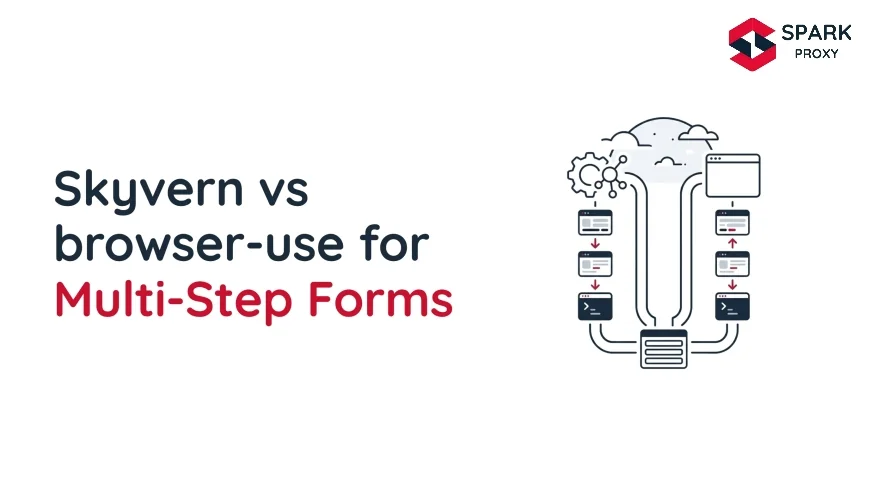
Skyvern vs browser-use is usually argued on how well each one understands a page. That argument is settled by a benchmark and costs you a retry when it goes wrong. The argument that costs money is the other one: what happens after the agent has already pressed Submit on page 2 of a 4-page application and step 7 of 9 dies. A read you can repeat for free. A write you cannot.
This post stays on that side of the line: which form primitives each project ships, who notices a validation error, how each handles an OTP interrupt, what the retry endpoint does to a half-submitted application, what you can see when a middle step fails, and what a finished workflow costs rather than what a page costs. We have a separate comparison of browser-use against Stagehand and Playwright MCP for the page-reading side, so none of that is repeated here.
Everything below comes from the two projects' own docs, OpenAPI specifications, pricing pages, PyPI metadata and the GitHub API, read on 9 October 2026. Every price is USD on that date. Where a number is a vendor's own claim rather than something we measured, it says so.
A read is retryable, a write is not
The asymmetry decides everything else. If an extraction agent misreads a product page, you run it again and pay twice for one record. If a form agent half-files an insurance claim, running it again can create a second claim, and no amount of model quality fixes that. The failure is in your counterparty's database, not in your pipeline.
Both projects aim at that second job, from opposite directions.
Skyvern is a workflow engine with an agent inside it. You compose named blocks on a canvas or in YAML, wire outputs into later blocks with Jinja ({{extract_block.product_name}}), and the platform tracks a run through a defined lifecycle. The core concepts page lists the vocabulary: Navigate, Action, Go to URL, Login, Wait and Human Interaction; Extract, File Download, File Upload, File Parser and PDF Parser; Conditional, For Loop, While Loop, Validation and Code; HTTP Request, Text Prompt and Send Email. The unit of thought is the step, and Skyvern's own docs warn: "You're billed per step. A step is one AI decision + action cycle."
browser-use is the agent loop itself, with no workflow layer underneath. You hand Agent a task string and it looks, decides, acts, looks again. The structure lives in your prompt and in your Python. There are no named blocks to point at, which means there is nothing to resume from either.
Neither framing is wrong. They put the burden in different places, and on a write-heavy job the burden is where the bugs live.
Skyvern vs browser-use: the write primitives
This is the most concrete difference between them and the one most comparisons skip entirely. Skyvern ships a form-filling API. browser-use ships a generic action set and expects the model to compose it.
| Write operation | Skyvern (Python SDK) | browser-use (open source) |
|---|---|---|
| Fill a single-page form | `page.fill_form(data={...})` | `input` tool, one field per action |
| Fill a form across pages | `page.fill_multipage_form(data=..., max_pages=10)` | no equivalent, the loop re-reads each page |
| Discover the fields first | `page.extract_form_fields()` returns name, type, options, index | model re-reads the serialised DOM each step |
| Fill from an explicit map | `page.fill_from_mapping(form_fields=..., mapping={0: "John"})` | none |
| Check the map before submit | `page.validate_mapping(...)` returns `bool` | none |
| Typeahead and autocomplete | `page.fill_autocomplete(...)` | `input`, then `click` the suggestion |
| Dropdowns | `page.select_option(...)` | `dropdown_options` then `select_dropdown` |
| File inputs | `page.upload_file(selector or prompt=...)` | `upload_file` tool |
| Character-by-character typing | `page.type(...)`, documented for OTP inputs | `send_keys` |
| OTP into a field | `page.type("#otp", totp_identifier=...)` or `totp_url=...` | `bu_2fa_code` placeholder in `sensitive_data` |
| Iframe hopping | `frame_switch`, `frame_list`, `frame_main` | `evaluate` with your own JavaScript |
Two entries deserve a closer look.
fill_multipage_form is the only first-party multi-page form API either project publishes. Its parameters, straight from the SDK reference, are data, an optional prompt defaulting to "Fill out the form", an optional next_button selector or description, max_pages defaulting to 10, and timeout_seconds defaulting to 300. It returns an int: the number of pages it filled. That return value is more useful than it looks, because a partial count is the first signal you get that a run stopped mid-application.
On the browser-use side the equivalent lever is max_actions_per_step, default 5, documented as "for form filling the agent can output 4 fields at once. We execute the actions until the page changes." That last clause is the important one. A batch of queued actions stops executing the moment the page changes under it, which is exactly what a client-side validation handler or a multi-step wizard does. The agent then re-reads and tries again, and your step count climbs on the fields it already typed.
Here is the Skyvern pattern in full, with the pre-submit check wired in:
import asyncio

from skyvern import Skyvern

skyvern = Skyvern(api_key="YOUR_API_KEY")


async def file_claim(claim: dict) -> str:
    browser = await skyvern.launch_cloud_browser()
    page = await browser.get_working_page()
    await page.goto("https://portal.example.com/claims/new")

    fields = await page.extract_form_fields()
    mapping = {0: claim["policy_no"], 1: claim["loss_date"], 2: claim["amount"]}

    ok = await page.validate_mapping(
        form_fields=fields,
        mapping=mapping,
        prompt="Every required field has a value and the amount is numeric",
    )
    if not ok:
        await browser.close()
        raise ValueError("mapping rejected before anything was submitted")

    await page.fill_from_mapping(form_fields=fields, mapping=mapping)
    await page.click("#submit", prompt="Submit the claim")

    result = await page.extract("Extract the claim reference number shown on screen")
    await browser.close()
    return result


asyncio.run(
    file_claim({"policy_no": "P-1", "loss_date": "2026-09-30", "amount": "412.00"})
)
The browser-use equivalent is shorter to write and gives you nothing to assert against before the click happens:
import asyncio

from browser_use import Agent, Browser, ChatBrowserUse


async def file_claim(claim: dict):
    browser = Browser(allowed_domains=["portal.example.com"])
    agent = Agent(
        task=(
            "Open https://portal.example.com/claims/new, fill the claim form with "
            f"policy {claim['policy_no']}, loss date {claim['loss_date']}, "
            f"amount {claim['amount']}, submit it, and report the reference number."
        ),
        browser=browser,
        llm=ChatBrowserUse(),
        max_actions_per_step=3,
        max_failures=3,
    )
    history = await agent.run(max_steps=25)
    return history.final_result()


asyncio.run(
    file_claim({"policy_no": "P-1", "loss_date": "2026-09-30", "amount": "412.00"})
)
allowed_domains is not decoration. It is the only structural guard either library gives you against an agent wandering off a form and clicking something expensive on another host.
Scraping at scale? Skip the blocks.
Fast, unblockable datacentre proxies with unlimited bandwidth.
Who notices the red validation text
A rejected field is the most common thing that goes wrong on a real form, and it is where the two designs diverge hardest.
browser-use notices it the same way it notices everything else: the next screenshot and DOM serialisation include the error, the model reads them, and it tries something. That works surprisingly often and is impossible to constrain. The model decides whether "Please enter a valid ZIP" means retype the field, pick a different state, or give up and call done, and you find out which by reading history.model_actions() afterwards.
Skyvern gives you an assertion. The Validation block, documented on the error-handling page, takes a complete_criterion that must hold to continue, a terminate_criterion that stops the run immediately, and an error_code_mapping that turns the stop into a code you can branch on:
- block_type: validation
  label: verify_form_data
  complete_criterion: |
    Review page shows correct values:
    - Name matches {{name}}
    - Email matches {{email}}
  terminate_criterion: Data mismatch or missing required fields
  error_code_mapping:
    field_rejected: "A field shows an inline validation error"
    duplicate_record: "The site says this application already exists"
The mapping values are evaluated by an LLM against the page, not matched as strings, so "The login credentials are incorrect" catches "Invalid password", "Wrong username" and "Authentication failed" alike. When one matches, the code lands in output.error and the free-text description in failure_reason. Branch on the first, log the second.
Skyvern's own reliability guide prints the limit of this in a warning box, and it is the kind of thing you would otherwise learn at 2am: "Validation blocks read from the current page, not from prior block outputs. If you need to validate extracted data from a previous block, use a Code block to compare values programmatically." A Validation block can confirm that a confirmation number is on screen. It cannot confirm that the confirmation number matches the one your extraction block captured two steps earlier.
The same guide is blunt about why any of this is needed: "Agents can silently produce wrong results. The AI might fill a form with incorrect data, navigate to the wrong page, or extract stale information." That is a vendor describing its own product, which makes it the most credible sentence on the page.
File uploads and the document half of a form
Half the forms that matter are not really forms. They are an upload with some metadata attached: a W-9, a proof of loss, a signed PDF, a CSV of line items.
browser-use has the upload_file tool plus available_file_paths on the agent, which whitelists what the agent may touch on your filesystem. On Cloud, input files go into a workspace via presigned PUT URLs under uploads/, and the docs state the agent "pulls them in at the start of every run", with those URLs "pinned to the declared Content-Type and exact Content-Length". There are also write_file, read_file and replace_file tools, so the agent can assemble a document before uploading it.
Skyvern treats documents as workflow blocks rather than agent actions: File Download, File Upload, File Parser for CSV, PDF and Excel, and a dedicated PDF Parser. page.upload_file accepts a selector, a list of paths, or a natural-language prompt with no selector at all. Task runs accept a file_ids array so the files are server-side before the run starts.
The detail that matters on a retry is downstream of the upload. Skyvern's run result exposes downloaded_files as objects carrying a url and a checksum. That checksum is the cheapest integrity signal either platform hands you: on an upload-then-download-the-receipt loop, you can tell a re-downloaded receipt from a newly generated one without parsing the PDF.
OTP is an interruption, not a step
An OTP is not another field. It is an out-of-band dependency with a clock on it, arriving by SMS, email or authenticator while the browser sits on a page that will time out. Both projects support it. Only one of them models the waiting.
Skyvern has four documented routes, and the mechanics are specific enough to design against:
- Stored TOTP secret. A credential of type TOTP in the vault. The docs state credentials are "injected directly into the browser" and "never sent to the LLM".
- Push codes in. Start the run with a
totp_identifier, forward incoming codes toPOST /v1/credentials/totpas they arrive, and Skyvern consumes them. - Skyvern pulls from your endpoint. Set a TOTP Verification URL and Skyvern "polls this endpoint every 10 seconds for up to 15 minutes". If every poll comes back empty the run fails with
OTP_TIMEOUT. There is a trap in that section worth repeating: passingtotp_urlat the top level of a workflow run "does not automatically populate every block", and a block whose TOTP Verification URL is empty never calls your endpoint at all. - Magic links. Same identifier mechanism, link instead of a code.
page.type also takes totp_identifier for a stored secret or totp_url with an otpauth:// URI to derive a code on the fly, and it types character by character because OTP inputs often react per keystroke.
browser-use's open-source answer is a naming convention. Any sensitive_data key ending in bu_2fa_code is treated as a TOTP secret, and the agent generates a fresh six-digit code when it inputs the placeholder:
import asyncio

from browser_use import Agent, ChatBrowserUse


async def login_with_totp():
    agent = Agent(
        task=(
            "1. Go to https://portal.example.com/login\n"
            "2. Enter username x_user and password x_pass\n"
            "3. When prompted for 2FA, enter portal_bu_2fa_code"
        ),
        sensitive_data={
            "x_user": "ops@sparkproxy.io",
            "x_pass": "REPLACE_ME",
            "portal_bu_2fa_code": "JBSWY3DPEHPK3PXP",
        },
        use_vision=False,
        llm=ChatBrowserUse(),
    )
    return await agent.run()


asyncio.run(login_with_totp())
use_vision=False is in there because the docs are explicit that screenshots are a leak path: the LLM sees placeholders in text, but a screenshot of a filled field shows the real value.
For codes that arrive by email or SMS, browser-use's documented pattern is a custom tool that fetches from a disposable inbox or a 1Password service account, which means you own the polling, the timeout and the retry. On Cloud, the docs name the two reliable options outright: reuse a logged-in profile so the challenge never fires, or stop the run at the 2FA screen, pull live_view_url from the browser.ready event, let a human type the code, then start a second run with the same session_id. Skyvern's equivalent of that last move is the Human Interaction block, available on the Enterprise tier per the pricing page.
Both approaches run into the same wall underneath, which is that a login session has to survive the wait. Skyvern's reliability guide describes the symptom precisely: runs that passed in testing fail in production because "the agent waits for human approval, but by the time approval comes, the browser session has timed out". Its three suggested fixes are a longer session timeout, dropping the human step, or splitting the work into two runs joined by a browser profile. If your target also pins sessions to an IP, our notes on proxy types for long-lived logins and on scraping sites behind a login cover the part neither agent framework handles.
What retry does after a partial submit
Here is the section nobody writes, and it is the one that decides whether you can run either of these against a system of record.
Skyvern has a server-side retry endpoint. From its live OpenAPI specification, read today:
POST /v1/agents/runs/{workflow_run_id}/retry
summary:     "Retry a run"
description: "Retry a workflow run using the original run parameters."
400:         "Workflow run is not retryable"
Read that description literally, because it is literal. The endpoint takes no request body; its only inputs beyond the run ID are the x-api-key, x-max-steps-override and x-user-agent headers. There is no start_from_block, no skip_completed, no checkpoint token. The workflow runs again from its first block with the same inputs. If block 4 of 9 already submitted page 1 of a 3-page application before block 7 timed out, the retry submits page 1 again.
browser-use Cloud has no retry endpoint at all. The full set of run verbs in its v4 OpenAPI specification is POST /runs, GET /runs/{id}, GET /runs/{id}/status, GET /runs/{id}/events, GET /runs/{id}/attachments and POST /runs/{id}/cancel. A retry is a new POST /runs aimed at the previous sessionId, with a task string that tells the model what it is walking into.
| Retry question | Skyvern | browser-use |
|---|---|---|
| Server-side retry verb | `POST /v1/agents/runs/{id}/retry` | none in API v4 |
| What it replays | the whole workflow, original parameters | whatever your new task string says |
| Resume from the failed block | not exposed | not exposed |
| Refusal path | HTTP 400, "Workflow run is not retryable" | n/a |
| State that carries over | the original run parameters | session conversation plus workspace files |
| Credentials that carry over | vault credentials persist | `secretBindings` "die with the run" |
The last row is a real operational edge. browser-use's v4 schema describes secret bindings as "Run-scoped: bindings die with the run, so a follow-up run that needs the same credential must send it again." A continuation run that needs to log back in has to be given the secret a second time, and your retry wrapper has to know that.
And browser-use's own docs tell you what to do before you retry anything. This appears as a standing instruction at the top of every page in their documentation set, which is as close to an official position as you get: "A client timeout can leave a run active; reconcile external actions before starting duplicate work."
That sentence is the whole problem in one line. Not "retry with backoff". Reconcile first. Our retry and backoff guide is the right shape for reads; on a write path the reconcile step has to come before the backoff, or the backoff just spaces out your duplicates.
Idempotency is yours to build
Neither project ships an idempotency key. Both of them will happily perform the same write twice. So the pattern has to live in your code, and it has three parts.
One: put a correlation key into the form itself. Most real forms have at least one free-text field you control: a reference, a PO number, a description, a note. Write a deterministic key derived from your own record into it. That turns "did this submit?" from a judgement call into a search.
Two: check for the key before you start, not after you fail. The check is a read, so it is cheap and safe to repeat. This is where a scraping API earns its place in a write pipeline, because you do not want to burn a browser session and an agent run just to look at a status page. SparkProxy's Scraping API will do it as a plain fetch for 1 credit, since render_js defaults to true and setting it to false drops you to a straight HTTP request:
import base64
import os

import requests

API = "https://scrape.sparkproxy.io/api/v1"
KEY = os.environ["SPARKPROXY_API_KEY"]


def already_submitted(status_url: str, correlation_key: str) -> bool:
    """Read-only reconcile. render_js=false is a 1-credit plain fetch."""
    response = requests.get(
        API,
        headers={"X-API-Key": KEY},
        params={
            "url": status_url,
            "render_js": "false",
            "json_response": "true",
            "proxy_type": "premium",
        },
        timeout=60,
    )
    response.raise_for_status()
    envelope = response.json()
    if envelope["status_code"] != 200:
        raise RuntimeError(f"reconcile fetch returned {envelope['status_code']}")
    html = base64.b64decode(envelope["body"]).decode("utf-8", "replace")
    return correlation_key in html
Two things about that call are easy to get wrong. json_response=true is the only parameter that returns the envelope with job_id, status_code, duration_ms, credits_used and body; format=json is a content conversion and gives you something else entirely. And the envelope's body is base64, so it has to be decoded before any marker matching. Matching your correlation key against the raw envelope will silently never hit.
Three: gate the agent on the check. The wrapper, with both tools behind one interface:
import asyncio


async def submit_once(record, status_url, submit_fn):
    """Reconcile, then write, then verify. Never write without the first step."""
    key = f"SPK-{record['id']}"

    if already_submitted(status_url, key):
        return {"status": "noop", "reason": "correlation key already present"}

    try:
        result = await submit_fn(record, key)
    except Exception as exc:
        # The run died. It may still have written. Re-read before deciding.
        if already_submitted(status_url, key):
            return {"status": "landed", "reason": f"write survived {type(exc).__name__}"}
        return {"status": "failed", "reason": str(exc)}

    if not already_submitted(status_url, key):
        return {"status": "unconfirmed", "reason": "agent reported success, page disagrees"}
    return {"status": "submitted", "result": result}


async def fake_submit(record, key):
    await asyncio.sleep(0)
    return {"reference": f"{key}-OK"}
The unconfirmed branch is the one that pays for itself, and browser-use's output-format docs say why in the plainest language either vendor uses anywhere: "is_done() does not imply success. is_successful() reports the agent's own assessment; verify important external outcomes, such as a submitted form or a completed purchase, against the destination system."
That is the project telling you its own success flag is an opinion. Skyvern's equivalent advice is in its reliability guide, which recommends extracting the confirmation number into a schema and comparing it in your code "rather than relying on the AI's judgment". Same conclusion, arrived at from the other end. Neither of them can close the loop for you, because the truth is in a database you do not own.
Where a run can be picked up again
"Resumable" means three different things, and the two projects are good at different ones.
Resuming the browser. Both are strong. Skyvern separates Browser Sessions, which are live and hold cookies and page context "for the duration of the session (up to 6 hours)", from Browser Profiles, which are saved snapshots of cookies and storage that "persist indefinitely" and are the documented way to skip login on later runs. browser-use has Profile objects on Cloud for the same job, Browser(keep_alive=True) plus agent.add_new_task() locally, and storage_state='auth.json' which loads cookies on startup and saves them periodically and on shutdown.
Resuming the conversation. browser-use is better. A v4 sessionId carries the whole conversation and the workspace across runs; a workspaceId on its own gives you a fresh conversation with the same files. Skyvern has no conversational continuation, because its runs are not conversations.
Resuming the workflow. Neither does it. This is the gap. Skyvern knows exactly which block failed, publishes a per-block timeline, and will not restart you from that block. browser-use has no block boundaries to restart from in the first place.
What each gives you instead is a way to make the second attempt cheaper rather than safer. Skyvern's code caching records the actions of a successful run and replays them as generated code on later runs with run_with="code", skipping LLM inference entirely, and it "caches per block, so a partially-cached agent still saves time on the blocks that have been seen before". Progressive caching builds branch coverage over successive runs, and conditional blocks, wait blocks and code blocks are documented as never cached because their behaviour depends on runtime state. browser-use's analogue is rerunnable scripts: the first Cloud run writes a tested script into a workspace and later runs execute and self-heal it. Their docs are refreshingly unwilling to claim a saving from it: "Reusing code can remove browser steps and model work that would otherwise be repeated on every extraction. Every later run still starts a model and uses tokens, so the savings depend on the task, site, and model. Compare the cost and duration of the first run with later runs in your own project before making a savings claim."
Note what both of those optimise. They make the happy path cheaper. Neither makes the unhappy path safer, and on a write workload the unhappy path is the one with the liability attached.
Step 7 of 9 failed: what you can see
When a middle step dies at 3am, the question is not "did it fail" but "how far did it get, and what did it already do to the target".
Skyvern answers this better, and it is probably the strongest argument for choosing it. It also has twice as many terminal states, which sounds like trivia until you need to tell "the site rejected us" apart from "our browser crashed".
| Skyvern | browser-use (v4) | |
|---|---|---|
| Run states | `created`, `queued`, `running`, `completed`, `failed`, `terminated`, `timed_out`, `canceled` | `queued`, `dispatching`, `running`, `completed`, `failed`, `cancelled` |
| Step-level trail | `GET /v1/runs/{id}/timeline`, one entry per AI action with screenshots and reasoning | `GET /runs/{id}/events`, cursor-paginated ordered events |
| Artifacts | `GET /v1/runs/{id}/artifacts`: video, per-action screenshots, step and task JSON logs, HAR, downloaded files with checksums | attachments, workspace files, recording off by default |
| Error shape | `failure_reason` free text plus your `error_code_mapping` code in `output.error` | `error` field, plus optional LLM `judgement` |
| Cost on the run object | `step_count` | `totalCostUsd`, `totalInputTokens`, `totalOutputTokens` |
| Webhook replay | `POST /v1/runs/{id}/retry_webhook` | not in v4 |
The failed versus terminated split is the distinction that matters most for write safety, and Skyvern's docs define it exactly: "A failed run hit infrastructure problems, so retry might work. A terminated run means the AI recognized the goal is unachievable with current conditions. Retrying without changes (new credentials, different URL) will produce the same result." browser-use collapses both into failed, so your wrapper has to infer intent from the error text.
browser-use does have one thing Skyvern does not: an opt-in judge. Send judge: {} on a run and, per the v4 schema, an LLM "judges the run's trajectory after it goes terminal and surfaces the verdict as RunSummary.judgement", with the caveat that "the judge's LLM call is billed to the run". It is a second model grading the first, which is a useful smoke alarm and not a substitute for reading your own database. Locally, AgentHistoryList gives you model_actions(), action_names(), urls(), errors() and number_of_steps(), and on_step_start / on_step_end hooks let you checkpoint whatever you want per step, including calling agent.pause() and agent.resume() from inside the hook.
If you want per-step persistence out of browser-use, you have to write it. The hook signature makes that about fifteen lines:
import json


async def checkpoint(agent) -> None:
    """Persist enough to reconcile later. Attach via agent.run(on_step_end=checkpoint)."""
    state = await agent.browser_session.get_browser_state_summary()
    record = {
        "step": agent.history.number_of_steps(),
        "url": state.url,
        "actions": agent.history.action_names()[-3:],
        "errors": [e for e in agent.history.errors() if e],
    }
    with open("run-checkpoint.jsonl", "a", encoding="utf-8") as handle:
        handle.write(json.dumps(record) + "\n")
That file will not let you resume. It will let you answer "what URL were we on when it died", which is the first question your reconcile logic needs.
Cost per finished workflow
Per-page cost is the wrong unit for a form. A nine-step application that dies on step seven costs seven steps and produces nothing, and the same application can cost double on a site whose validation makes the agent loop. Both vendors price per unit of agent work, so you have to model completions.
Skyvern's published plans, from its pricing page on 9 October 2026, in USD:
| Plan | Price | Credits | Estimated actions | Concurrent runs | Proxy | CAPTCHA solver |
|---|---|---|---|---|---|---|
| Free | $0 | 5,000 one-off | ~170 | 1 | Datacenter | Basic |
| Hobby | $29/mo | 30,000/mo | ~1,200/mo | 10 | Datacenter | Basic |
| Pro | $149/mo | 150,000/mo | ~6,200/mo | 25 | Residential | Advanced |
| Enterprise | Custom | Custom | Custom | 100 | Residential | Advanced |
2FA and TOTP support, team workspaces, 1Password and city-level geo-targeting start at Pro. An SMS number is $10/month each on Pro. Custom code blocks and Human Interaction are Enterprise only, which is worth knowing before you design a workflow around a human checkpoint. Skyvern's own cost-control page prints a different figure for the Free tier, roughly 200 actions against the pricing page's ~170, so treat both as estimates.
Divide it out and Pro's 150,000 credits over ~6,200 actions is about 24 credits per action. A nine-action application is therefore roughly 220 credits, or about 690 completed applications a month on Pro at $149. That arithmetic is ours, from their published numbers, and it ignores retries. Add a 20% failure rate that burns five actions before dying and the same budget gets you closer to 600.
Skyvern's pricing FAQ adds a nuance that cuts the other way: "A run is one workflow execution. Whether it spans 1 page or 20 steps, it counts as a single run. Skyvern does not charge per page or per step, only per workflow execution. Credits are consumed based on the complexity and duration of each run." Read alongside the core-concepts warning that "you're billed per step", the honest summary is that runs are the billing event and credits scale with how much work the run did.
browser-use Cloud is pay-as-you-go with no subscription. Its published rates on 9 October 2026, in USD:
| Line item | Rate |
|---|---|
| Cloud browser | $0.02/hour, rounded up to whole minutes, 1-minute minimum |
| Managed residential proxy | $5/GB, on by default |
| Direct or your own proxy | $0.20/GB |
| Agent model tokens | provider cost plus 20% |
| BYOK orchestration | 0.2x the model's token cost, plus browser and network |
| Minimum top-up | $5, credits never expire |
| Free credits | $1 once per person |
Concurrency is bought with lifetime spend rather than a plan: 10 concurrent sessions at $0, 50 at $200, 250 at $1,000, 500 at $5,000 and 1,000 at $25,000, and the published note says the limit never goes down. Compare that with Skyvern's 1 / 10 / 25 / 100 by tier.
The variable that dominates everything is which model you point it at. browser-use publishes a BU_Bench_v2 snapshot of 60 tasks per setting, and the spread on its own chart is wide: GPT-6 Luna at high reasoning records 53.9/100 at $0.155 per task, GPT-6 Astra at medium records 80.6/100 at $8.867, and Claude Opus 5 records 50.5/100 at $7.371. Those are the project's own figures, not ours, and the page attaches two disclaimers that matter more than the numbers: "Quality scores measure findings, not task success", and recorded costs "exclude judge, browser hosting, runner, and unrecorded calls. These are not Cloud prices." A benchmark that explicitly does not measure task success is not a form-completion benchmark. Nobody publishes one of those, including us.
There is one cost control browser-use has and Skyvern does not: maxCostUsd on a v4 run, a hard per-run USD ceiling. Skyvern's lever is max_steps, or max_steps_override for a workflow, which caps steps and terminates the run with status: "timed_out" when it hits. A step cap bounds the work. A dollar cap bounds the bill. On a write workload the step cap is arguably safer, because it fails on a predictable boundary instead of mid-action.
For the reconcile reads around all of this, SparkProxy's Scraping API is priced per request rather than per browser-minute: 1,000 free credits to start, 1 credit for a plain fetch with render_js=false, 5 credits with rendering, 5 more for country_code, and 5 more for a js_scenario of up to 50 steps. Batch mode requires render_js=false and bills the whole batch as 1 credit, which makes a nightly sweep of a few hundred status pages close to free.
Liveness signals, both read today
Any claim that one of these is "better maintained" needs dates attached. Here are the numbers from the GitHub and PyPI APIs on 9 October 2026.
| Signal | Skyvern-AI/skyvern | browser-use/browser-use |
|---|---|---|
| Stars | 23,164 | 117,368 |
| Forks | 2,190 | 12,992 |
| Open issues | 272 | 519 |
| Licence | AGPL-3.0 | MIT |
| First commit | 28 February 2024 | 31 October 2024 |
| Latest push | 9 October 2026, 06:54 UTC | 7 October 2026, 18:42 UTC |
| Latest release | v1.0.55, 1 October 2026 | 0.13.11, 7 October 2026 |
| Previous four releases | 22 Sep, 9 Sep, 31 Aug, 24 Aug 2026 | 4 Sep, 4 Sep, 16 Aug, 27 Jul 2026 |
| PyPI upload of latest | 1 October 2026, 22:39 UTC | 7 October 2026, 04:24 UTC |
| Python support | >=3.11, <3.15 | >=3.11, <4.0 |
| Declared dependencies | 148 | 61 |
| Playwright in the tree | yes, via the `local` and `server` extras | no |
Both are alive by any reasonable test. The commits API returned a full first page of 100 for Skyvern and 80 commits for browser-use over the 30 days to 9 October 2026, and Skyvern's commits that day were working on exactly the problems this post is about: "Stop re-clicking a failed download in the same document" and "Task V3: refuse a vetoed finish and retry, failing on the 5th veto as v1 does".
Three rows change decisions. AGPL-3.0 on Skyvern versus MIT on browser-use is a legal question for anything you embed in a product you ship, and Skyvern sells a separate Enterprise path for self-hosted deployment. The dependency counts, 148 against 61, tell you which is a platform and which is a library. And Playwright's presence is not cosmetic: pip install skyvern on its own pulls no Playwright, while the local and server extras pin playwright==1.46.0 on Python 3.11 and playwright>1.46.0 on 3.12 and up. browser-use's Python package has no Playwright entry at all, so a stealth-patched Playwright fork is not a drop-in anywhere in its stack.
Both drive a stock browser
Everything above assumes the form loads. Both of these run Chromium, so a protected target can refuse before either model sees a field, and the request that gets refused looks like automation at the TLS and fingerprint layer long before anything about form logic matters. We cover the signals in detail in headless browser detection and what browser fingerprinting is; the short version is that a stock headless build is identifiable, and neither project claims otherwise about its local mode.
Their hosted modes do make claims, and they are worth reading precisely because neither guarantees access. browser-use Cloud describes "a hardened Chromium fork with stealth enabled by default", randomised canvas, WebGL, font and navigator fingerprints, automatic CAPTCHA solving, and a US residential proxy on by default across what the page calls 195+ countries. Its own caveat: "Access to every site is not guaranteed", and "a new managed browser does not guarantee a unique proxy IP or particular city." Skyvern Cloud routes through residential proxies in 21 countries with locale and timezone auto-matched to the proxy region, and its proxy_location enum on a task run is a closed list: RESIDENTIAL, five US states (US-CA, US-NY, US-TX, US-FL, US-WA), 21 RESIDENTIAL_XX country codes, RESIDENTIAL_ISP for a static ISP address, and NONE.
That closed enum is the practical difference for anyone who already owns proxies. browser-use takes a customProxy object with host, port, username and password, top-level on POST /api/v4/browsers or inside browserSettings on a run, and the docs confirm custom proxies are "available to all accounts, including free and pay-as-you-go". Skyvern's cloud run request has no bring-your-own-proxy field; what it has instead is browser_address and cdp_connect_headers, so you point it at a CDP endpoint you control and solve the egress problem on your side of the wire.
Locally, browser-use takes a proxy on the browser object directly:
import asyncio
import os

from browser_use import Agent, Browser, ChatBrowserUse
from browser_use.browser import ProxySettings


async def run_through_proxy(task: str):
    browser = Browser(
        headless=True,
        allowed_domains=["portal.example.com"],
        proxy=ProxySettings(
            server="http://gateway.sparkproxy.io:11000",
            username=os.environ["SPARKPROXY_USER"],
            password=os.environ["SPARKPROXY_PASS"],
        ),
    )
    agent = Agent(task=task, browser=browser, llm=ChatBrowserUse())
    return await agent.run(max_steps=20)


asyncio.run(run_through_proxy("Open the portal and report the account balance"))
Sticky sessions matter more here than on a read workload, because a multi-page form that changes exit IP between page 2 and page 3 often invalidates the session outright. SparkProxy plans start at $75/month with unlimited bandwidth, 1M+ premium IPs across 80+ countries, random or 5-minute auto-rotation, HTTP, HTTPS and SOCKS5, IP whitelist or user:pass auth, and a 24-hour free trial with no card. Because the plans are packs rather than per-GB, a form agent that loads the same heavy portal forty times a day does not cost more than one that loads it twice, which is the opposite of how browser-use's $5/GB managed residential proxy bills. Our notes on picking proxies for AI agents go into the session-stability side.
Choosing by write risk
Pick on the consequence of a duplicate write, not on which agent demos better.
Choose Skyvern when the form has a system of record behind it. The Validation block, error_code_mapping, the eight-state run lifecycle, the per-action timeline, HAR files and file checksums are machinery for proving what happened, which is what an audit needs. The failed versus terminated split alone saves you from retrying something that will never succeed, and the block vocabulary keeps the workflow inspectable by someone who did not write the prompt. Costs: AGPL-3.0, 148 dependencies, Human Interaction and custom code blocks gated to Enterprise, and a retry endpoint that starts over from block one.
Choose browser-use when the task is genuinely unpredictable, the write is low-stakes or reversible, or you need cheap parallelism. It reaches 250 concurrent sessions at $1,000 lifetime spend, takes a hard maxCostUsd per run, accepts your own proxy on any plan, carries conversation state across runs through sessionId, and is MIT licensed with a third of the dependency weight. Costs: no form-filling API, no assertion primitive, no block to fail at, and a success flag its own documentation tells you not to trust.
Use both on the obvious split: browser-use to explore an unfamiliar portal and work out the field order, Skyvern to run the resulting shape every night with validation blocks and a timeline.
Write the reconcile step regardless. It is the one piece neither tool provides, it is about thirty lines, and it is the difference between an agent that files 600 applications and one that files 600 plus 40 duplicates nobody notices until a customer calls.
Frequently asked questions
FAQ
Skyvern, on primitives. It is the only one of the two with a documented multi-page form API (fill_multipage_form, with max_pages defaulting to 10), a pre-submit assertion (validate_mapping), and explicit field discovery (extract_form_fields). browser-use fills forms through its generic input action with max_actions_per_step defaulting to 5, and composes the rest in the model.
Neither. Skyvern's POST /v1/agents/runs/{workflow_run_id}/retry is documented as "Retry a workflow run using the original run parameters" and takes no body, so it restarts from the first block. browser-use Cloud has no retry endpoint at all in API v4; you create a new run against the previous sessionId. Both can resume the browser and its cookies, which is a different thing from resuming the workflow.
Skyvern offers four routes: a stored TOTP credential, pushing codes to POST /v1/credentials/totp, or having Skyvern poll your endpoint every 10 seconds for up to 15 minutes before failing with OTP_TIMEOUT, plus magic links. browser-use generates TOTP codes from any sensitive_data key ending in bu_2fa_code, and its Cloud docs recommend reusing a logged-in profile or a human checkpoint via live_view_url as the most reliable options.
Whatever your counterparty's system does with a duplicate, because neither project ships an idempotency key. browser-use's docs say it directly: "A client timeout can leave a run active; reconcile external actions before starting duplicate work." Write a correlation key into a field you control, check for it with a cheap read before and after every attempt, and treat the agent's own success flag as a hint.
It depends on volume shape, not on rate cards. Skyvern Pro is $149/month for ~6,200 estimated actions, roughly 24 credits per action, so a nine-action form is about 690 completions a month before retries. browser-use is pay-as-you-go at $0.02 per browser-hour plus model tokens at provider cost plus 20%, plus $5/GB for managed residential proxy traffic, so its cost tracks model choice and page weight. Both figures are the vendors' published USD rates on 9 October 2026; the per-completion arithmetic is ours.
For public internal tooling, no. For any site that profiles traffic, yes, and the detail that matters on a multi-page form is session stability rather than pool size, because an exit-IP change between pages can invalidate the form session. browser-use accepts a customProxy object on all plans; Skyvern's cloud run takes a fixed proxy_location enum, so bringing your own means pointing it at your own browser via browser_address.
Get 20% off your first month
Premium datacentre proxies with unlimited bandwidth. Use the code at checkout.
Save up to 15% more on quarterly, half-yearly and yearly plans
Related articles
Nodriver vs Playwright: Stealth vs Ecosystem
Nodriver vs Playwright, measured: navigator.webdriver, headless tells and launch flags in Chrome 157, plus auto-waits, proxies, licences and when each one wins.
Loginways Alternatives: 6 Antidetect Browsers Compared
Loginways alternatives compared by price at 150, 500 and 2,000 profiles, team seats, API and engine freshness, after Loginways' download links returned 404.
Ghost Browser vs Multilogin: Which Fits Your Team?
Ghost Browser vs Multilogin (Nov 2026): session isolation vs fingerprint spoofing, per-user vs per-profile pricing, and proxy per tab vs per profile.