
Cloudflare Bot Score Explained: What 1 vs 99 Means
Cloudflare bot score explained: 1 is automated, 99 human. The engines behind it, why scores of 1 and 29 appear, the cf-bot-score header and how to test it.
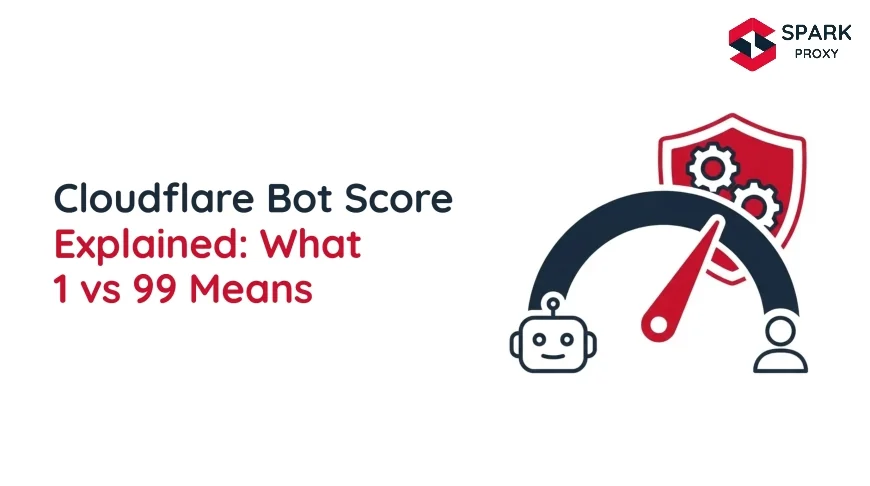
The Cloudflare bot score is a number from 1 to 99 that Cloudflare attaches to each request to say how likely it is that a bot sent it. The scale runs the opposite way from what most people expect: 1 means Cloudflare is "quite certain the request was automated" and 99 means it's quite certain a human sent it. Site owners write rules against that number, and anyone running automation lives or dies by it. This guide explains how the score is produced, what the special values 0, 1 and 29 mean, who can actually see it, how it reaches your origin as a header, and how to test it on a zone you control.
The Scale: 1 Is a Bot, 99 Is a Human
Cloudflare's documentation (updated 26 August 2026) defines the score as "a score from 1 to 99 that indicates how likely that request came from a bot". It then sorts traffic into these groups:
| Score | Bot Analytics group | Meaning |
|---|---|---|
| 0 | Not computed | Bot Management didn't evaluate the request |
| 1 | Automated | High-confidence bot, usually a deterministic heuristic match |
| 2 to 29 | Likely automated | The machine learning model leans towards bot |
| 30 to 99 | Likely human | The model leans towards human. 99 is near-certain human |
| (separate flag) | Verified bot | Known, allowed automation such as search engine crawlers |
Two points trip people up:
- A low score is bad. "Bot score 1" is the worst possible result, not the best. If you see
cf.bot_management.score lt 30in a rule, it targets likely bots. - Verified bots are a separate flag, not a score range. Googlebot isn't "a human score". It's identified as verified (
cf.bot_management.verified_bot), and most site owners allow it whatever its score.
Who Can See the Score (It Depends on Your Plan)
The granular number is an Enterprise feature. The docs say plainly: "Granular bot scores are only available to Enterprise customers who have purchased Bot Management. All other customers can only access this information through bot groupings in Bot Analytics."
| Plan | What you get |
|---|---|
| Free | Bot Fight Mode: on or off, no score, no exceptions. JavaScript detections always on |
| Pro, Business | Super Bot Fight Mode: an action per group ("Definitely automated", "Likely automated", verified bots), Bot Analytics groupings, exceptions via WAF custom rules with Skip |
| Enterprise + Bot Management | The 1 to 99 score in WAF rules, Workers and logs, plus bot tags, detection IDs, JA3/JA4 fields and origin headers |
That has a practical consequence. When a forum post says "my bot score is 5", the writer either runs an Enterprise zone or is guessing. On Free, Pro and Business zones the number exists internally, but the site owner sees groups, and their tools act on groups.
Scraping at scale? Skip the blocks.
Fast, unblockable datacentre proxies with unlimited bandwidth.
The Engines That Produce It
Cloudflare lists several detection engines. Each can set the score, and the BotScoreSrc log field records which one did. Its documented values are Not Computed, Heuristics, Machine Learning, Behavioral Analysis, Verified Bot, JS Fingerprinting and Cloudflare Service.
Heuristics. This engine "processes all requests", matching them "against a growing database of malicious fingerprints". It "gives automated requests a score of 1 for high-confidence, deterministic detections". Its matches show up as detection IDs (cf.bot_management.detection_ids).
Machine learning (Adaptive Intelligence). This is the main engine. It "accounts for the majority of all bot detections" and "produces most scores between 2 and 99":
- Inputs: request features "including headers, session characteristics, and browser signals".
- Output: "the predicted probability that a client is human, mapped to the final 1, 99 bot score".
- Versions: fixed model versions ran from v1 (Q1 2019) to v9 (Q2 2025). v8 (Q2 2024) brought "improved detection of residential proxies" and "increased weight on network level traffic characteristics". v9 added "efficacy against randomization attack techniques".
- Retraining: Enterprise zones with auto-update on now get Adaptive Intelligence, which retrains continuously. Cloudflare warns that "bot scores can shift as the model learns".
JavaScript detections (JSD). An invisible script, served from /cdn-cgi/challenge-platform/…, is injected into HTML page responses (not AJAX, API or mobile traffic). It identifies "headless browsers and other malicious fingerprints". The result is stored in the cf_clearance cookie and exposed as cf.bot_management.js_detection.passed. A failed check does nothing by itself, though. A site owner has to write a rule on that field to act on it.
Anomaly detection. This engine is being deprecated. It used a per-site traffic baseline and scored outliers 1.
Verified Bot and Cloudflare Service are labels rather than scoring models. They mark known good bots and Cloudflare's own internal traffic.
Why You See a Score of 1, 29 or 0
These are the questions behind most "cloudflare bot score 1" searches.
Score 1. A deterministic heuristic fired, or the (deprecated) anomaly engine flagged the request. The docs name one cause directly: "Requests with a missing or empty User-Agent header are immediately assigned a bot score of 1 by the Heuristics engine." Cloudflare calls it "a common false-positive trigger" for traffic from WARP or corporate proxies that strip the header, and points to the cf.bot_management.corporate_proxy field or an IP allowlist to exempt such users. Other score-1 causes match known automation fingerprints. Cloudflare doesn't publish the list, but each match has a detection ID an Enterprise owner can look up.
Score 29. This one is easy to misread. Heuristics "occasionally... will set a score of 29 in cases where Cloudflare has identified automated traffic and is still assessing traffic overlap." A cluster of requests at exactly 29 is a provisional bot verdict, sitting just under the common lt 30 threshold.
Score 0. "Bot Management did not evaluate the request". This covers internal Cloudflare service requests and requests already handled by another feature, such as a Redirect Rule, before Bot Management ran. Cloudflare adds: "A score of 0 does not indicate the request is safe or human." Rules written as score lt 30 will match 0, so exclude it explicitly if that matters.
Rules That Act on the Score
On Enterprise zones the score becomes a field in WAF custom rules, rate limiting rules, Cache Rules and Workers. Cloudflare's own example excludes the traffic you usually want to keep:
not cf.bot_management.verified_bot
and not cf.bot_management.static_resource
and not cf.bot_management.corporate_proxy
and cf.bot_management.score lt 30
Typical patterns site owners build:
| Rule | Expression idea | Action |
|---|---|---|
| Stop confident bots on login | `http.request.uri.path eq "/login" and cf.bot_management.score lt 10` | Block |
| Challenge the grey zone | `cf.bot_management.score ge 10 and cf.bot_management.score lt 30` | Managed Challenge |
| Enforce JavaScript detections | `not cf.bot_management.js_detection.passed and http.request.uri.path contains "/checkout"` | Managed Challenge (Cloudflare advises against Block here) |
| Allow known API clients | `any(cf.bot_management.tags[*] eq "API")` | Skip |
Cloudflare recommends Managed Challenge rather than Block for JSD failures, "because there are legitimate reasons a user might not have passed": ad blockers, disabled JavaScript, network errors, native apps. Thresholds are the site owner's choice. Nothing in Cloudflare's docs says "30 means blocked". It's just the boundary of the "likely automated" group, which is why so many rules use it.
The cf-bot-score Header and Workers Fields
The score can travel with the request to your origin. The Managed Transform "Add bot protection headers" (Enterprise with Bot Management) adds request headers to traffic Cloudflare forwards upstream:
| Header | Content |
|---|---|
| `cf-bot-score` | The bot score, for example `30` |
| `cf-verified-bot` | `true` for a verified bot, `false` otherwise |
| `cf-ja3-hash`, `cf-ja4` | The client's TLS fingerprints |
These are request headers sent to your origin, not response headers. A client never sees its own cf-bot-score. If a guide tells you to "check the cf-bot-score header in your browser", it's wrong.
In Workers, the same data sits on request.cf.botManagement: score, verifiedBot, staticResource, ja3Hash, ja4, jsDetection.passed, detectionIds and signedAgent, plus request.cf.verifiedBotCategory. In logs (Logpush or Logpull), the fields are BotScore, BotScoreSrc, BotTags and BotDetectionIDs.
Test the Bot Score on Your Own Zone
Testing means testing your own traffic on a zone you control. You can't read another site's score from outside, and probing someone else's protection isn't a test. On an Enterprise zone with Bot Management, a tiny Worker on a test route echoes what Cloudflare decided:
// Deploy on a test route such as /botcheck on YOUR zone (Enterprise Bot Management)
export default {
  async fetch(request) {
    const bm = request.cf?.botManagement ?? {};
    return Response.json({
      score: bm.score,                       // 1 = automated ... 99 = human
      verifiedBot: bm.verifiedBot,
      jsDetectionPassed: bm.jsDetection?.passed,
      detectionIds: bm.detectionIds,
      ja4: bm.ja4,
      userAgent: request.headers.get("user-agent"),
    });
  },
};
Then hit it from the clients you care about and compare:
# Missing User-Agent: expect 1 (documented heuristic)
curl -s -H "User-Agent:" https://test.yourdomain.example/botcheck

# curl's default UA from a server
curl -s https://test.yourdomain.example/botcheck

# Your production scraper, monitoring probe or partner integration, from its real egress IP
python your_client.py --url https://test.yourdomain.example/botcheck
Then open the same URL in a normal browser twice. On the second load, the __cf_bm and cf_clearance cookies are in place and jsDetectionPassed should read true.
On Pro and Business zones there's no number, but the same experiment works through Security > Bots analytics and Security Events: each request appears in a group (automated, likely automated, likely human, verified). If a monitoring tool or partner integration lands in "Definitely automated", add a WAF custom rule with the Skip action for it rather than turning Super Bot Fight Mode off.
What Moves an Automated Client's Score
For legitimate automation such as uptime checks, partner feeds, QA suites or a scraper of pages you're allowed to collect, these factors from Cloudflare's own documentation push the score around:
- Headers. An empty User-Agent is an instant 1. Headers that don't match the browser you claim to be, or out-of-order header sets, are the kind of request features the model reads.
- TLS and HTTP/2 fingerprints. JA3/JA4 are first-class fields. A Python HTTP library claiming to be Chrome presents a non-Chrome handshake, and that mismatch is visible before the first byte of HTTP. Our TLS fingerprinting explainer shows what the server sees.
- Session continuity. Dropping
__cf_bmon every request throws away the smoothing that protects real users. - JavaScript execution. Headless browsers are JSD's stated target. A plain HTTP client never runs the detection script at all, so where a site enforces
js_detection.passed, it fails. Our guide to headless browser detection covers the signals. - Network. Since v8 the model puts "increased weight on network level traffic characteristics" and detects residential proxies better. Busy shared cloud egress IPs carry history too.
The honest route for automation you're entitled to run isn't score-chasing. If you own the site, exempt your tools with a Skip rule. If it's a partner's site, ask them to allowlist your fixed IPs or bot tag. If you operate a public crawler, apply for verified-bot status, which is a separate flag that most site owners allow whatever the score. Our guide to Cloudflare's anti-bot layers for scraping covers the rest of the stack, and what stays out of bounds.
Frequently asked questions
FAQ
A score of 1 means Cloudflare is highly confident the request was automated, usually because a deterministic heuristic matched. A missing or empty User-Agent header is one documented cause, and it often hits corporate proxies and WARP users by mistake. The scale runs from 1 (automated) to 99 (human).
Higher is more human. Scores of 30 to 99 fall in Cloudflare's "likely human" group, 2 to 29 is "likely automated" and 1 is "automated". A score of 0 means the request wasn't scored at all, which Cloudflare says doesn't mean it's safe.
cf-bot-score is a request header Cloudflare adds to traffic forwarded to your origin when the "Add bot protection headers" Managed Transform is on. It needs Enterprise with Bot Management. It sits alongside cf-verified-bot, cf-ja3-hash and cf-ja4, and visitors never see it in their own responses.
On an Enterprise Bot Management zone, deploy a Worker that returns request.cf.botManagement, then request it from each client you want to check, including a browser and your own scripts. On Pro or Business zones, use Bot Analytics groupings and Security Events instead. You can't read another site's score from outside.
No. Granular bot scores are only available to Enterprise customers who bought Bot Management. Free zones get Bot Fight Mode, and Pro and Business zones get Super Bot Fight Mode with bot groupings in analytics, not the 1 to 99 number.
Several engines contribute. Heuristics match known automation fingerprints and assign 1. A supervised machine learning model called Adaptive Intelligence scores most traffic from 2 to 99 using headers, session and browser signals. JavaScript detections flag headless browsers, and the __cf_bm cookie smooths scores across a session.
Get 20% off your first month
Premium datacentre proxies with unlimited bandwidth. Use the code at checkout.
Save up to 15% more on quarterly, half-yearly and yearly plans
Related articles
Turnstile Token Missing, Rejected or Expired: Fixes
Fix Turnstile token errors on your own forms: missing-input-response, invalid-input-response, timeout-or-duplicate, the 300-second rule and test keys.
Claude Code Web Fetch 403: Why Agents Get Blocked
Why Claude Code's WebFetch gets 403 errors: the Claude-User agent, Cloudflare agent policies, JS challenges and no JS execution, plus fixes that respect sites.
Cloudflare Error 1020 Access Denied: Scraper Fixes
Cloudflare error 1020 means a site's security rule blocked you, not a rate limit. Tell it apart from 'Sorry, you have been blocked', 1010 and 1015, and fix it.