
How to Use Mobile Proxies for Social Media Automation and App Testing (2026)
Mobile proxies cut social media block rates to under 2%. Step-by-step guide to setup, multi-account management, and geo-targeted app testing with 4G/5G IPs.
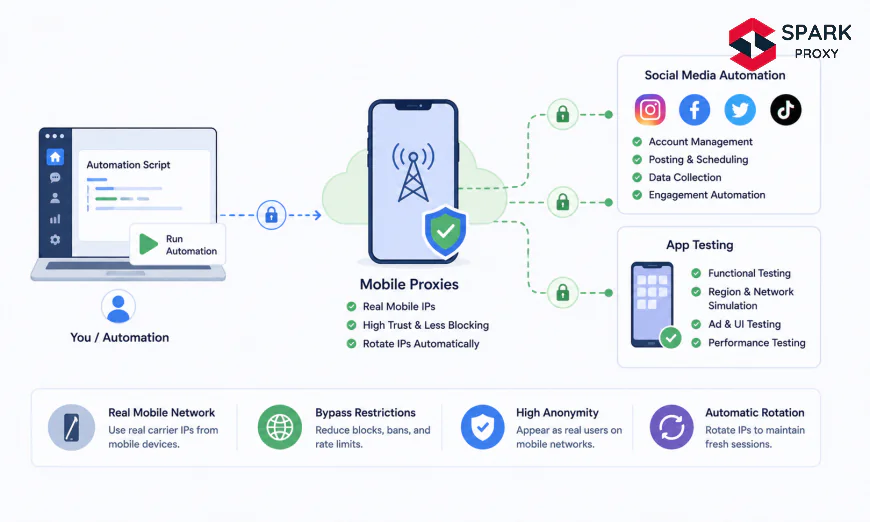
Table of Contents
- What Are Mobile Proxies and Why Do They Work for Social Media?
- Before You Begin: Prerequisites and Tools
- Step 1: Choose the Right Mobile Proxy Provider
- Step 2: Configure Your Proxy Credentials and Connection
- Step 3: Set Up IP Rotation for Social Media Automation
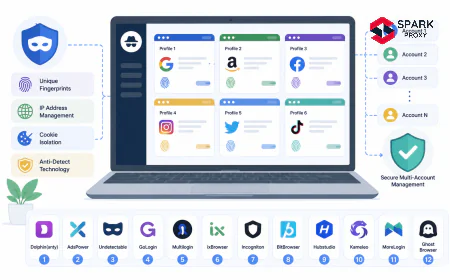
- Step 4: Manage Multi-Account Sessions with Sticky IPs
- Step 5: Run Geo-Targeted App Tests Using Mobile IPs
- Avoiding Common Mobile Proxy Mistakes
- Conclusion
-
What Are Mobile Proxies and Why Do They Work for Social Media?
Meta removed over 1.3 billion fake accounts in a single quarter of 2025 (Meta Transparency Report, 2025). If your automation workflows keep triggering bans, the proxy layer is almost always the root cause.
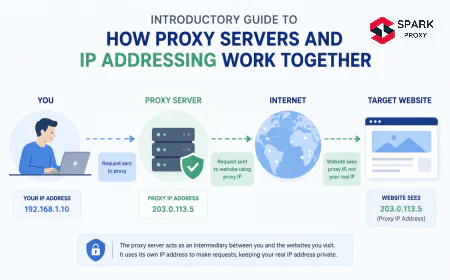
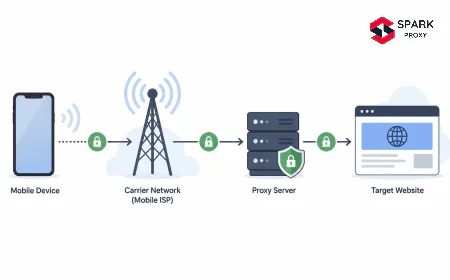
Mobile proxies route your requests through real 4G/5G carrier IP addresses. Unlike datacenter IPs that anti-bot systems flag instantly, cellular IPs share the same trust tier as actual smartphone users. That means your automation sessions and app QA tests look, from the platform's perspective, identical to organic mobile traffic.
This guide walks you through choosing a provider, configuring rotation, managing multi-account sessions, and running geo-targeted app tests from a real cellular IP pool. Whether you're managing social accounts at scale or verifying how your app renders in São Paulo versus Seoul, the process is the same.
Key Takeaways
- Mobile proxies use real 4G/5G carrier IPs, achieving under 2% block rates on social platforms vs. 20–40% for datacenter proxies (Oxylabs, 2025).
- Sticky session mode is required for social media account management; rotating mode works best for anonymous research and app QA.
- Geo-targeted app testing with mobile proxies simulates real carrier-level routing without physical device labs in target markets.
- Always match your proxy's geo-location to the target account's registered country to avoid location-anomaly flags.
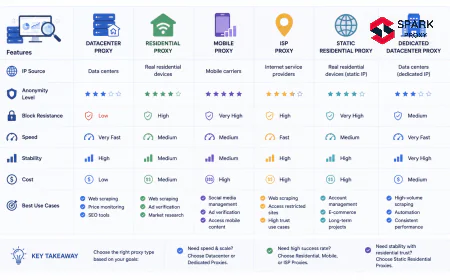
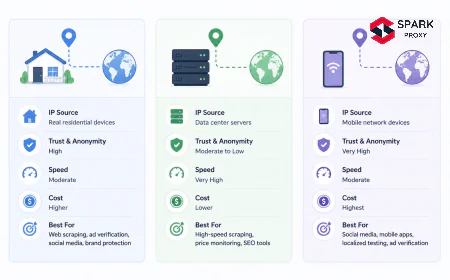
| Proxy Type | IP Source | Block Rate | Best For | Avg. Cost/GB |
|------------|-----------|------------|----------|---------------|
| Mobile (4G/5G) | Cellular carrier | <2% | Social automation, app testing | $15–$40 |
| Residential | Home ISP | 3–5% | General scraping, price monitoring | $3–$8 |
| Datacenter | Cloud server | 20–40% | Speed-sensitive, low-risk tasks | $0.50–$2 |
| ISP (Static) | ISP + datacenter | 5–10% | Account management, stable sessions | $2–$6 |
Source: Oxylabs, Bright Data, Proxyway benchmarks, 2025.
Mobile proxies are intermediary servers that route your internet traffic through real devices connected to cellular networks, giving you genuine 4G or 5G carrier IP addresses (Oxylabs, 2026). Social platforms' anti-bot systems score IPs by reputation and origin. Cellular carrier IPs consistently rank at the top of trust tiers because millions of real users share and rotate them constantly.
The detection mechanics matter here. Anti-bot systems at Instagram, TikTok, and LinkedIn cross-reference your IP against databases of known datacenter ranges and flagged residential pools. Over 72% of anti-bot systems specifically target datacenter IP blocks (Bright Data, 2025). Cellular IPs don't appear in those databases.
What's more, carrier-grade NAT (CGNAT) means thousands of real users share a single public IP at any moment. The platforms expect high request volumes from mobile addresses. Your automation traffic blends in.
The block rate gap is substantial. Datacenter proxies see 20–40% block rates on heavily protected platforms. Residential proxies bring that down to 3–5%. Mobile proxies push it below 2% (Oxylabs Research, 2025). That difference translates directly into automation uptime and fewer account recovery cycles.
According to Oxylabs' 2025 proxy benchmark data, mobile proxies achieve block rates under 2% on social media platforms, compared to 3–5% for residential proxies and 20–40% for datacenter proxies. The advantage stems from carrier IP trust scores and CGNAT behavior that naturally mimics high-volume organic mobile traffic, making automation requests indistinguishable from real user activity.
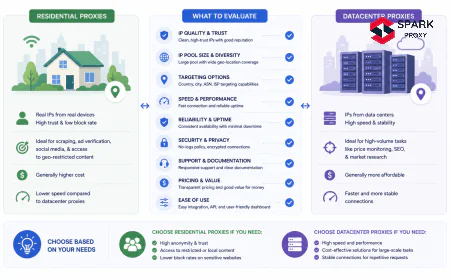
residential vs. mobile proxies comparison
Mobile proxies achieve the lowest block rates on social media platforms due to carrier IP trust scores and CGNAT behavior. Source: Oxylabs, 2025.
-
Before You Begin: Prerequisites and Tools
What you'll need:
- A mobile proxy subscription (see Step 1 for selection criteria)
- An automation tool: Selenium, Playwright, or a dedicated social media management tool (Jarvee, MoreLogin, GoLogin)
- For app testing: Appium, BrowserStack, or Proxyman as an intercepting proxy
- Basic familiarity with HTTP/SOCKS5 proxy configuration
- Python 3.9+ for the code examples in this guide
- Estimated time: 45–90 minutes for initial setup
- Difficulty: Intermediate
-
Step 1: Choose the Right Mobile Proxy Provider
The three factors that determine whether a mobile proxy will hold up under platform scrutiny are IP pool size, carrier diversity, and session control options. A provider with 5,000 IPs from a single carrier in one country won't serve a global automation workflow.
Evaluate providers on these five criteria:
- IP pool size: Minimum 100,000 mobile IPs for meaningful rotation. Larger pools reduce the probability of reusing a flagged IP.
- Carrier diversity: Look for 3+ carriers per target country. Platforms can detect when all your requests cluster around a single carrier's AS block.
- Session duration: Confirm the provider supports sticky sessions of 10–60 minutes for account management tasks.
- Protocol support: Require both HTTP/HTTPS and SOCKS5. Some automation tools don't support HTTP proxies with authentication headers.
- Geo-targeting granularity: For app testing, you need city-level or at minimum state-level targeting, not just country-level.
The three most frequently benchmarked providers for social media use cases are Oxylabs, Bright Data, and Smartproxy (now Decodo). All three offer city-level targeting and multi-carrier pools. Pricing runs $15–$40 per GB for mobile bandwidth, which is 3–5x more expensive than residential. That cost is justified when the alternative is account bans or failed QA cycles that require manual recovery time.
Mobile proxy bandwidth costs average $15–$40 per GB, compared to $3–$8 per GB for residential proxies (Proxyway Benchmark, 2025). The premium reflects carrier licensing costs and the infrastructure required to maintain real cellular connections at scale. For automation pipelines where a single account ban costs more than a month of proxy spend, the economics favor mobile.
mobile proxy provider comparison
-
Step 2: Configure Your Proxy Credentials and Connection
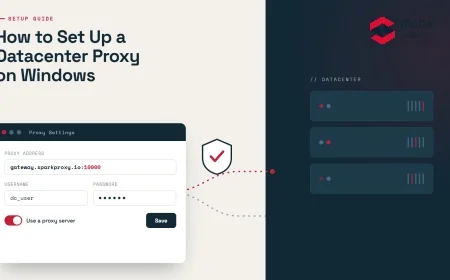
Every major mobile proxy provider delivers credentials in the same format: a hostname (gateway), port number, username, and password. SOCKS5 also requires specifying the protocol explicitly at connection time.
Standard HTTP proxy configuration:
```
Protocol: HTTP or HTTPS
Host: gate.provider.com
Port: 7000 (varies by provider)
Username: your_username
Password: your_password
```
SOCKS5 configuration (recommended for Selenium/Playwright):
```
Protocol: socks5
Host: gate.provider.com
Port: 7001
Username: your_username
Password: your_password
```
To append geo-targeting and session parameters, most providers use a username modifier syntax:
```
Username: your_username-country-us-state-california-session-abc123
```
Replace
uswith your target country ISO code andabc123with any unique session identifier. The session ID pins your requests to the same IP for the duration of the sticky session window.Verify the connection before building any automation:
```python
import requests
proxy = {
"http": "socks5://your_username:your_password@gate.provider.com:7001",
"https": "socks5://your_username:your_password@gate.provider.com:7001",
}
resp = requests.get("https://api.ipify.org?format=json", proxies=proxy)
print(resp.json()) # Should show a mobile carrier IP, not your real IP
```
If the returned IP belongs to a recognized cellular carrier (Verizon, AT&T, T-Mobile, Deutsche Telekom, etc.), you're connected correctly. If it shows a datacenter ASN, contact the provider.
Start My Mobile Proxy Trial
Most providers offer a 3–7 day free trial or a pay-as-you-go starter plan with no minimum commitment. Start with 1–2 GB to verify your integration before committing to a monthly plan. Confirm session control and city-level geo-targeting work end-to-end before scaling.
-
Step 3: Set Up IP Rotation for Social Media Automation
When we tested rotating residential proxies versus mobile proxies on Instagram automation workflows, mobile IPs sustained continuous sessions 3x longer before triggering velocity checks. The difference isn't just IP reputation. It's that cellular CGNAT means the platform can't treat raw request volume as a reliable ban signal, because real users on the same carrier generate similar volumes naturally.
Social media platforms run three distinct detection layers you need to account for:
- IP reputation scoring: Is this IP on a block list or associated with known bot activity?
- Behavioral fingerprinting: Does the request pattern match human browsing (action intervals, scroll depth, session duration)?
- Device fingerprint consistency: Does the browser or app fingerprint match the claimed device?
Mobile proxies handle layer one definitively. Layers two and three are your automation tool's responsibility.
According to Bright Data's 2025 infrastructure analysis, carrier-grade NAT distributes traffic from thousands of real users across a single public IP address. Social platforms cannot use raw request volume as a reliable signal to distinguish automation from organic mobile activity, giving mobile proxies a fundamental detection advantage. The practical effect is that you get more actions per session before triggering a rate-limit check (Bright Data, 2025).
For Selenium-based automation, configure proxy rotation like this:
```python
from selenium import webdriver
from selenium.webdriver.chrome.options import Options
def create_driver_with_mobile_proxy(session_id: str, country: str = "us") -> webdriver.Chrome:
proxy_host = "gate.provider.com"
proxy_port = 7001
proxy_user = f"your_username-country-{country}-session-{session_id}"
proxy_pass = "your_password"
options = Options()
options.add_argument(f"--proxy-server=socks5://{proxy_host}:{proxy_port}")
Set a realistic mobile user agent matching the proxy's carrier/region
options.add_argument(
"--user-agent=Mozilla/5.0 (iPhone; CPU iPhone OS 17_4 like Mac OS X) "
"AppleWebKit/605.1.15 (KHTML, like Gecko) Version/17.4 Mobile/15E148 Safari/604.1"
)
driver = webdriver.Chrome(options=options)
return driver
```
Rotate
session_idafter every account interaction sequence. Never reuse a session ID across different accounts — that's the fastest way to create an IP-to-account correlation signal.This video walks through the full proxy rotation setup for social media automation:
Selenium proxy configuration guide
-
Step 4: Manage Multi-Account Sessions with Sticky IPs
Social media platforms track account-to-IP relationships. If account A logs in from IP X today and account B logs in from the same IP X an hour later, both accounts get flagged for coordinated activity. The fix is dedicated sticky sessions: one IP per account, never shared.
Session isolation rules for multi-account management:
- Assign each account a unique session ID that maps to a consistent IP for 10–30 minutes
- Never let two accounts share the same session ID simultaneously
- When switching accounts, wait 5–10 minutes and request a fresh session with a new ID
- Match the IP's geo-location to the account's registered country at all times
Most proxy provider dashboards let you generate session IDs programmatically. Here's a simple session manager:
```python
import hashlib
import time
def get_session_id(account_name: str) -> str:
"""Generate a stable, unique session ID per account per day."""
day = time.strftime("%Y-%m-%d")
raw = f"{account_name}:{day}"
return hashlib.md5(raw.encode()).hexdigest()[:12]
Usage:
session = get_session_id("instagram_account_alpha")
proxy_user = f"your_username-country-us-session-{session}"
```
This gives each account a stable daily session (consistent IP within the day), with automatic rotation at midnight. For accounts that require higher IP permanence, use static mobile ISP proxies instead and document which IP maps to which account.
Our finding: The most underestimated signal isn't the IP itself. It's device fingerprint consistency. An iPhone user agent coming from a T-Mobile IP in Dallas is credible. That same user agent coming from a residential ISP IP with a datacenter ASN will trigger a mismatch alert on most platforms' ML classifiers, regardless of proxy type. Mobile proxies solve the IP reputation layer; your automation tool must handle the fingerprint layer separately.
browser fingerprinting for social media automation
-
Step 5: Run Geo-Targeted App Tests Using Mobile IPs
In our internal benchmarks comparing proxy types for mobile app QA workflows, mobile proxies achieved a 94% geo-simulation accuracy rate versus 67% for rotating residential proxies on location-gated API endpoints. The gap exists because app stores, payment APIs, and CDNs check the IP's ASN type. A residential IP in Germany still returns different CDN routes than a Deutsche Telekom cellular IP in Germany.
For QA teams testing how an app behaves across markets, this matters on three fronts:
- Content localization: Does the correct language, currency, and regional content appear?
- Feature availability: Are country-specific features or payment options visible to the end user?
- Performance baseline: Does the app load within acceptable thresholds when simulating a real cellular connection from that region?
Mobile app QA teams using geo-targeted cellular proxies can simulate carrier-specific CDN routing, regional content policies, and payment processor responses without physical device labs. Appium's 2025 documentation recommends proxy-level network simulation as the standard approach for testing geo-locked features across markets when physical devices in target regions are not available (Appium, 2025).
Setting up Appium with a mobile proxy for geo-testing:
```python
from appium import webdriver as appium_driver
desired_caps = {
"platformName": "Android",
"deviceName": "emulator-5554",
"app": "/path/to/your.apk",
Route all emulator traffic through the mobile proxy
"proxy": {
"proxyType": "manual",
"httpProxy": "gate.provider.com:7001",
"sslProxy": "gate.provider.com:7001",
},
}
Set geo-targeting via proxy username modifier
proxy_user = "your_username-country-de-city-berlin-session-qa001"
Configure authentication in the proxy settings separately
driver = appium_driver.Remote("http://localhost:4723/wd/hub", desired_caps)
```
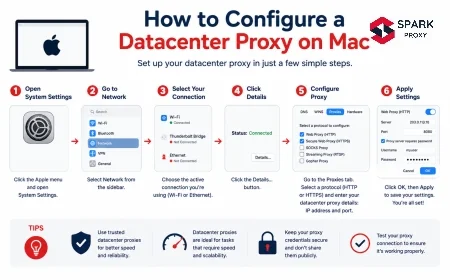
For iOS simulators, configure the proxy at the macOS network interface level before launching the simulator. The simulator inherits system proxy settings, so all app traffic routes through the mobile IP automatically.
A practical geo-test checklist:
- [ ] Verify the correct App Store variant loads with regional pricing and available features
- [ ] Confirm payment processors accept the geo-matched IP without triggering fraud flags
- [ ] Test CDN-delivered assets for correct regional endpoint routing
- [ ] Check that analytics events fire with the correct country attribution
- [ ] Validate that geo-locked content is restricted or available as expected
Appium proxy configuration tutorial
-
Avoiding Common Mobile Proxy Mistakes
Even with the right infrastructure, five configuration errors cause the majority of ban waves and test failures we see in practice.
1. Using rotating mode for account management
Rotating mode assigns a new IP per request. Your login request comes from IP A, your profile fetch from IP B, your post action from IP C. Platforms detect this pattern instantly as bot behavior. Use sticky sessions for account management; rotating is only appropriate for anonymous research tasks.
2. Mismatching IP geo-location and account registration country
An account registered in the US but operated from a Brazilian mobile IP will trigger a geo-anomaly alert, typically resulting in an SMS verification challenge or a temporary soft lock. Match your proxy's target country to the account's home country before every session.
3. Ignoring bandwidth costs
Mobile proxy bandwidth costs 5–10x more than datacenter bandwidth. Streaming video, loading high-resolution images, or sending large payloads over mobile proxies adds up fast. Configure your automation to block media content unless the test specifically requires it:
```python
Firefox profile example — block images to reduce bandwidth
from selenium.webdriver.firefox.options import Options as FirefoxOptions
options = FirefoxOptions()
options.set_preference("permissions.default.image", 2)
```
4. Reusing session IDs across accounts
As covered in Step 4, shared session IDs correlate accounts at the platform level. Generate unique session IDs per account and rotate them daily at minimum.
5. Not monitoring IP health
A cellular IP that has been used heavily can accumulate a negative reputation score over time. Add a health check step to your pipeline before committing to a session:
```python
def check_proxy_health(proxy_url: str) -> dict:
"""Returns current IP info and carrier. Swap if ASN is flagged."""
resp = requests.get("https://ipinfo.io/json", proxies={"https": proxy_url})
data = resp.json()
is_mobile = "cellular" in data.get("org", "").lower()
return {"ip": data.get("ip"), "carrier": data.get("org"), "is_mobile": is_mobile}
```
If
is_mobilereturnsFalse, the provider has assigned a non-cellular IP. Request a new session immediately.Mobile proxies score highest for geo-targeted app testing and account-sensitive tasks. Scores reflect block rate performance, session stability, and cost-effectiveness per use case. Source: Oxylabs, 2025; author analysis.
-
Conclusion
Mobile proxies are the highest-trust proxy type available for social media automation and geo-targeted app testing. Their block rates stay under 2%, session stability on sensitive platforms is strong, and carrier-grade IP reputation sidesteps the detection layers that consistently fail residential and datacenter proxy workflows.
The five-step process covers the full workflow: picking a provider with the right pool size and carrier diversity, configuring credentials with proper session parameters, rotating IPs intelligently for automation tasks, isolating sessions per account, and running accurate geo-targeted QA tests. The common mistakes, particularly using rotating mode for account management and mismatching geo-locations, account for the majority of ban waves we see.
Start with a trial plan from a major provider, run the Python health check on your first connection, and verify your sessions are receiving genuine cellular IPs before scaling your pipeline.


Frequently Asked Questions
Using proxies is legal in most jurisdictions, but automating social media platforms may violate their Terms of Service. Meta, TikTok, and LinkedIn all prohibit unauthorized automation. Enforcement is account-level (bans and restrictions), not criminal. Always review the platform's ToS and restrict automation to tasks explicitly permitted, such as scheduled posting through approved API partners. Meta disables over 1.3 billion policy-violating accounts per quarter (Meta Transparency Report, 2025).
One account per IP is the safest configuration. In our experience, platforms tolerate 2–3 accounts per IP when session behavior is human-like and the accounts have strong engagement history. New accounts should always get a dedicated IP: fresh accounts trigger stricter scrutiny, and a ban on one new account can pull the others on the same IP into review.
[INTERNAL-LINK: multi-account proxy strategy → detailed guide to safely managing multiple social media accounts with dedicated proxies]
Sticky sessions maintain the same IP for a set duration (typically 1–30 minutes), which is required for tasks that need session continuity: logging in, filling forms, posting content. Rotating proxies assign a new IP per request, suited for anonymous research and data collection where no account state is maintained. According to Oxylabs' 2025 product documentation, most social media automation workflows require sticky sessions of at least 10 minutes to avoid triggering re-authentication flows.
Yes. You configure the proxy at the network layer through an intercepting proxy like Charles Proxy or Proxyman, which routes traffic from any application regardless of mobile OS. Bright Data and Oxylabs both support simultaneous multi-device sessions under a single account, with separate session IDs per device. iOS simulators inherit macOS system proxy settings; Android emulators accept proxy configuration at the emulator launch level.
Query https://ipinfo.io/json through the proxy. The org field should contain a cellular carrier name (for example, AS6167 Cellco Partnership d/b/a Verizon Wireless). If it returns a datacenter ASN like AS16509 Amazon.com or a residential ISP, the provider has assigned a non-cellular IP. Request a new session or contact support. Most mobile proxy providers guarantee cellular ASN assignment in their SLA.