

Hybrid Proxy Strategy: Combine Datacenter and Residential to Cut Costs
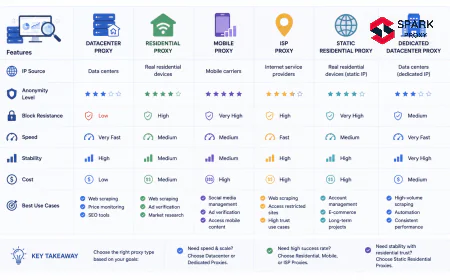
Residential proxies cost 7× more per GB than datacenter. A hybrid routing strategy cuts that bill by 40–60% with zero reduction in success rate. Here's how to build one.
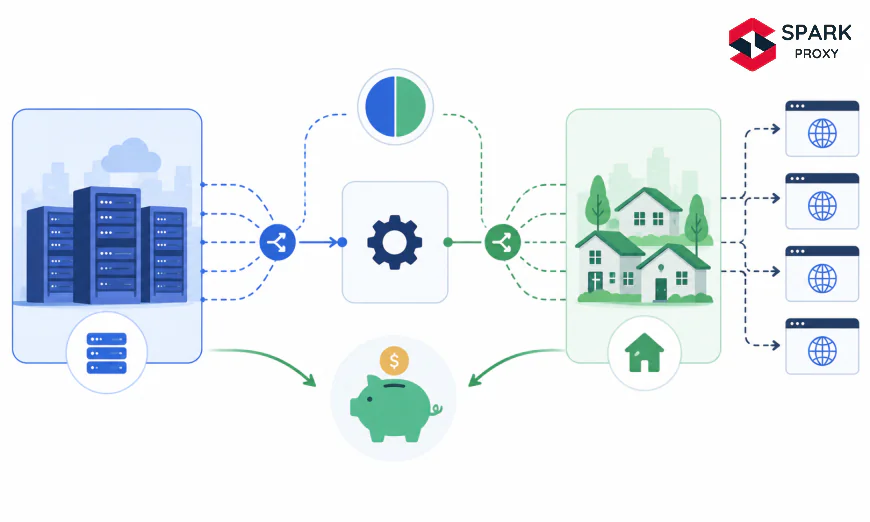
Table of Contents
- Why Are Most Proxy Setups Overpaying for Residential IPs?
- Step 1: How Do You Audit Target Domains by Anti-Bot Sensitivity?
- Step 2: How Should You Classify Proxy Traffic Into Routing Tiers?
- Step 3: How Do You Build a Proxy Routing Layer?
- Step 4: How Do You Implement Automatic Proxy Fallback Logic?
- Step 5: How Do You Model and Monitor Your Blended Proxy Cost?
- How Much Does a Hybrid Proxy Setup Actually Save?
- Conclusion
-
Why Are Most Proxy Setups Overpaying for Residential IPs?
The Hybrid Proxy Approach: Combine Datacenter and Residential to Cut Costs
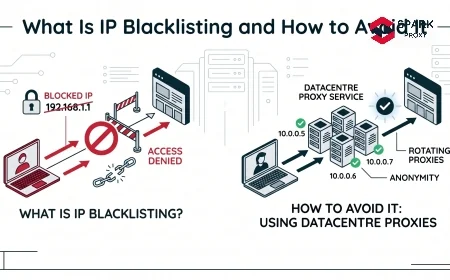
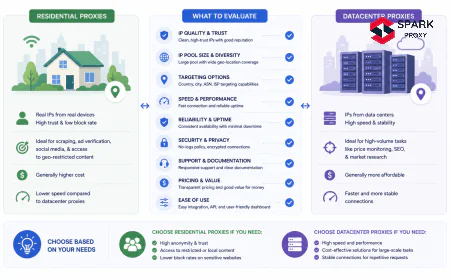
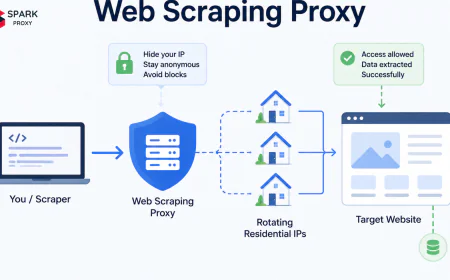
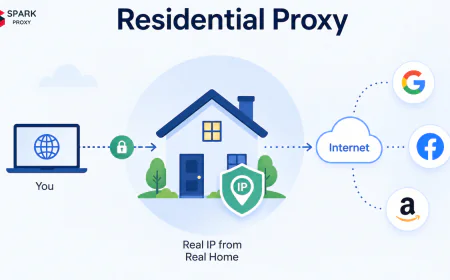
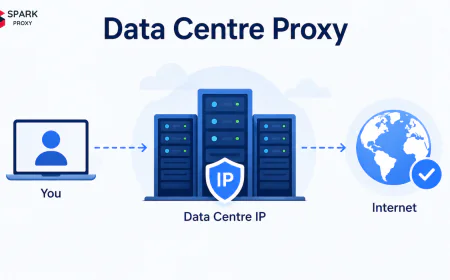
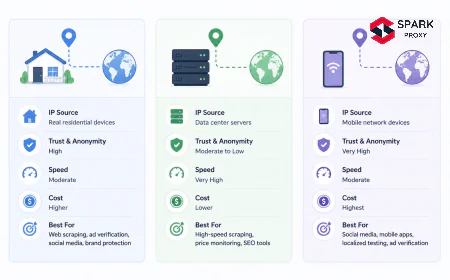
Most proxy budgets hemorrhage money in the same way: teams route all traffic through residential proxies because a handful of high-sensitivity targets require them. The result is paying $4–8/GB for every request, including the 60–70% that could succeed on $0.70/GB datacenter IPs. Residential proxies are essential for certain targets, but they're overkill for many others.
A hybrid proxy strategy fixes this. By routing traffic based on target sensitivity, you pay residential rates only where block resistance justifies the premium. Teams that implement this approach consistently report 40–60% reductions in monthly proxy spend without touching their data quality.
This guide walks through every step: auditing your domain list, classifying traffic into tiers, building the routing layer, handling fallback logic, and modeling the actual savings.
Key Takeaways
- Rotating datacenter proxies cost ~$0.70/GB at 100 GB — seven times cheaper than residential, which averages $4–8/GB (ProxyWay, 2024).
- 72% of anti-bot systems are tuned to detect datacenter IPs (Bright Data, 2025), but most scraping workloads include targets where datacenter IPs succeed without issue.
- A hybrid routing layer that directs 60% of traffic to datacenter and 40% to residential produces a blended rate under $2/GB — slashing costs without sacrificing coverage.
Residential proxies cost between $4 and $8 per GB at typical mid-tier volumes, according to ProxyWay's 2024 Proxy Market Research. Rotating datacenter proxies cost around $0.70/GB — seven times less. Despite that gap, the majority of scraping operations default to residential for everything.
The rationale is understandable: residential IPs maintain a 95–99.82% success rate on heavily protected targets, while datacenter IPs face block rates as high as 40% on platforms like Amazon, Google, and LinkedIn (Oxylabs Research, 2025). When you've been burned by a datacenter IP getting blocked mid-job, the instinct is to never trust them again.
But that instinct overgeneralizes. Most domain portfolios contain a mix of targets: some extremely sensitive (Google, major e-commerce), others almost completely open (industry directories, government data portals, your own staging servers). Paying residential rates for the open targets is the same as taking a taxi to every destination because the highway is sometimes congested.
Our finding: When you map a typical scraping workload by domain and run each domain against a free datacenter proxy to check its block behavior, usually 50–70% of domains block fewer than 5% of requests. That's the portion of your budget where a hybrid approach saves immediately.
-
Step 1: How Do You Audit Target Domains by Anti-Bot Sensitivity?
The foundation of any hybrid setup is knowing which of your target domains actually require residential IPs. Most teams skip this step and assume. Running it takes an hour and immediately shows where the residential budget is wasted.
Run a sensitivity test on each domain:
- Send 50 requests to each target domain through a rotating datacenter proxy pool (use a small PAYG plan or free trial)
- Record the success rate — the percentage of requests that return a 200 OK with valid content, not a block page or CAPTCHA
- Log the domain, success rate, and any error patterns
Classify results into three zones:
Success Rate Zone Routing Decision 90–100% Green — Open Datacenter only 60–89% Yellow — Mixed Datacenter first, residential fallback 0–59% Red — Sensitive Residential always In practice, well-maintained scraping workloads tend to split roughly 50% Green, 20% Yellow, and 30% Red. That split alone — if you shift Green traffic to datacenter — cuts your residential GB consumption nearly in half.
Keep this domain classification table in your configuration. It's the document you'll reference when building the routing layer in Step 3, and it's the baseline you'll compare against when monitoring drift over time.
Rotating datacenter proxies achieved a median infrastructure success rate of 99.88% in independent testing, while their results against popular protected targets like Amazon varied from 6% to 100% depending on provider and domain (ProxyWay Market Research, 2024). That variance is exactly what the domain audit quantifies — and it's why per-domain testing beats general proxy type assumptions.
how to test proxy success rates
-
Step 2: How Should You Classify Proxy Traffic Into Routing Tiers?
Once you have your domain sensitivity map, formalize it into a two-tier routing scheme. The classification doesn't need to be complex — it just needs to be explicit and enforceable at the request level.
Tier 1 — Datacenter: All Green and Yellow domains. Requests go to the datacenter pool first. Yellow-zone requests carry a fallback flag so they can escalate if the datacenter attempt fails.
Tier 2 — Residential: All Red domains plus any Yellow escalations. Requests route directly to the residential pool.
Beyond domain sensitivity, two other signals should override the tier assignment:
- Session continuity: any request that needs to maintain the same IP across multiple pages (login flows, checkout sequences, multi-step forms) routes to residential sticky sessions regardless of domain classification. Datacenter rotating pools change IP too often for session-bound tasks.
- Geo-accuracy requirements: ad verification, localized pricing research, and content availability checks that depend on the request looking like it comes from a specific city require residential IPs with city-level targeting. Datacenter geo-location data is unreliable — a 2024 benchmark found that up to 40% of IPs in a declared country pool came from different locations for some providers.
The simplest implementation is a lookup table — a Python dictionary or JSON config file that maps each domain to its tier. Your scraper checks the target URL against this table before choosing the proxy endpoint. Updates to the table don't require code changes.
PROXY_TIERS = {
    # Tier 1: Datacenter (Green)
    "example-directory.com": "datacenter",
    "gov-data-portal.gov": "datacenter",
    "staging.internal.company.com": "datacenter",
    # Tier 2: Residential (Red)
    "amazon.com": "residential",
    "google.com": "residential",
    "linkedin.com": "residential",
    # Yellow: datacenter with fallback
    "moderate-ecommerce.com": "datacenter_with_fallback",
}

def get_proxy_endpoint(target_domain: str) -> str:
    tier = PROXY_TIERS.get(target_domain, "residential")  # default to residential
    if tier == "datacenter":
        return DATACENTER_ENDPOINT
    elif tier == "datacenter_with_fallback":
        return DATACENTER_ENDPOINT  # fallback handled in Step 4
    return RESIDENTIAL_ENDPOINT
-
Step 3: How Do You Build a Proxy Routing Layer?
With tiers defined, the routing layer is the mechanism that enforces them. It sits between your scraping logic and the proxy endpoints, making the proxy selection decision on each request.
Architecture overview:
Scraper → Routing Layer → [Target Domain Lookup]
                               │
                 ┌─────────────┴─────────────┐
                 ▼                           ▼
        Datacenter Pool              Residential Pool
        ($0.70/GB)                   ($4-8/GB)
        [Green + Yellow]             [Red + Escalations]
The routing layer can be implemented as:
- A middleware function in your scraper (simplest for single-codebase setups)
- A local proxy manager like Bright Data's Proxy Manager or a custom Nginx/HAProxy config (works across multiple scrapers)
- Provider-side logic — Oxylabs, Bright Data, and Smartproxy all offer accounts that cover both datacenter and residential, letting you switch endpoints programmatically from a single authenticated connection
For most teams, the middleware approach is the right starting point. Add a local proxy config object and inject it at the HTTP client level:
import requests

def make_request(url: str, domain: str) -> requests.Response:
    proxy_endpoint = get_proxy_endpoint(domain)
    proxies = {
        "http": proxy_endpoint,
        "https": proxy_endpoint,
    }
    return requests.get(url, proxies=proxies, timeout=30)
The datacenter endpoint and residential endpoint are just different backconnect gateway addresses from your provider(s). Both can run concurrently with no conflict.
-
Step 4: How Do You Implement Automatic Proxy Fallback Logic?
The fallback layer handles Yellow-zone domains and unexpected blocks on domains you classified as Green. Without it, a single miscategorization or a target that tightened its anti-bot rules overnight will drop your success rate without warning.
Fallback logic at the request level:
import time

def request_with_fallback(url: str, domain: str, max_retries: int = 2) -> requests.Response | None:
    tier = PROXY_TIERS.get(domain, "residential")

    # First attempt: use the classified tier
    for attempt in range(max_retries):
        proxy = get_proxy_endpoint(domain)
        try:
            resp = requests.get(url, proxies={"https": proxy}, timeout=30)
            if resp.status_code == 200 and not is_block_page(resp):
                return resp
        except requests.RequestException:
            pass
        time.sleep(1.5 ** attempt)  # exponential back-off

    # Escalate to residential if datacenter failed
    if tier in ("datacenter", "datacenter_with_fallback"):
        log_escalation(domain)  # track escalations for tier re-classification
        resp = requests.get(
            url,
            proxies={"https": RESIDENTIAL_ENDPOINT},
            timeout=45,
        )
        return resp if resp.status_code == 200 else None

    return None

def is_block_page(resp: requests.Response) -> bool:
    # Adjust these patterns to your common block page signatures
    block_signals = ["access denied", "captcha", "robot check", "403 forbidden"]
    return any(s in resp.text.lower() for s in block_signals)
Two important tracking hooks to add:
- Log each escalation (domain, timestamp, datacenter failure reason). When a domain escalates frequently, move it from Yellow to Red in your tier config.
- Alert on Green-zone escalations: if a domain you classified as Green starts escalating, it may have added bot protection. Review weekly.
Over time, this feedback loop keeps your tier map accurate without requiring a full re-audit.
-
Step 5: How Do You Model and Monitor Your Blended Proxy Cost?
The hybrid approach only pays off if you're actually routing the right proportion of traffic to each tier. Monthly cost modeling closes the loop.
Blended cost formula:
$$\text{Blended rate} = (P_{DC} \times V_{DC}) + (P_{Res} \times V_{Res})$$
Where:
- $P_{DC}$ = datacenter price per GB (e.g. $0.70)
- $V_{DC}$ = volume fraction on datacenter (e.g. 0.60)
- $P_{Res}$ = residential price per GB (e.g. $5.00)
- $V_{Res}$ = volume fraction on residential (e.g. 0.40)
$$\text{Blended rate} = (0.70 \times 0.60) + (5.00 \times 0.40) = 0.42 + 2.00 = \$2.42\text{/GB}$$
That blended rate of $2.42/GB compares to $5.00/GB if all traffic ran through residential — a 52% reduction.
Monthly Cost at 500 GB/month

Residential-only     ████████████████████████████████████████ $2,500
Hybrid (60/40 DC/Res)████████████████████            $1,210
Datacenter-only      ████                              $350
(Too many blocks on protected targets)

Source: ProxyWay 2024 pricing data, blended cost model
Estimated monthly proxy cost at 500 GB/month by routing strategy. Hybrid achieves 52% savings vs residential-only while maintaining coverage on protected targets. Datacenter-only is cheaper but fails on 30–40% of real-world e-commerce targets. Weekly monitoring checklist:
- DC escalation rate by domain (target: below 8%)
- Residential GB consumed vs budget forecast
- Overall success rate across both pools (target: above 95%)
- Any new domains in the Red zone that need tier assignment
-
How Much Does a Hybrid Proxy Setup Actually Save?
Teams that implement tiered proxy routing consistently reduce residential GB consumption by 40–60% on mixed-target workloads. The exact savings depend on what your domain portfolio looks like: a team scraping mostly social media and major e-commerce will see smaller gains than one with a broad domain list that includes many open targets.
Residential proxy rates have already fallen roughly 40% at the 5 GB tier since early 2023, with over 10 price cuts from major providers in that period (ProxyWay Market Research, 2024). That trend makes the pure residential approach less painful than it used to be. But datacenter rates have compressed too — and the gap between the two remains 7× or more at comparable volumes.
The less obvious saving is engineering time. Teams without a routing layer spend significant cycles debugging failed scraping jobs that fail because a residential proxy delivered a slow, malformed response from a poorly-maintained node. Routing low-sensitivity traffic to fast, high-uptime datacenter proxies (median 99.88% infrastructure success rate) reduces these incidents and makes job output more predictable.
The global proxy services market is projected to reach $7.9 billion by 2029 at a 14.7% CAGR, according to Grand View Research (2024). As the market grows, competition will continue to compress prices for both proxy types — but the cost ratio between datacenter and residential will persist, making tiered routing a structural advantage rather than a temporary arbitrage.
-
Conclusion
A hybrid proxy setup isn't complex infrastructure. It's a lookup table, two proxy endpoints, and a fallback handler. The architectural lift is modest; the cost reduction is not. Most teams that run mixed-target workloads can shift 40–60% of their GB volume to datacenter, producing a blended rate around $2–2.50/GB versus the $4–8/GB they're paying today.
Start with the domain audit in Step 1. One hour of testing will tell you exactly which targets need residential protection and which ones don't. The savings model in Step 5 will show you what the shift is worth. The routing layer in Step 3 takes an afternoon to implement.
Proxy costs tend to be treated as fixed infrastructure expenses, but they aren't. They're directly proportional to how precisely you match proxy type to target sensitivity. The hybrid approach makes that match explicit — and the savings show up on the next invoice.
The Hybrid Proxy Approach: Combine Datacenter and Residential to Cut Costs
Most proxy budgets hemorrhage money in the same way: teams route all traffic through residential proxies because a handful of high-sensitivity targets require them. The result is paying $4–8/GB for every request, including the 60–70% that could succeed on $0.70/GB datacenter IPs. Residential proxies are essential for certain targets, but they're overkill for many others.
A hybrid proxy strategy fixes this. By routing traffic based on target sensitivity, you pay residential rates only where block resistance justifies the premium. Teams that implement this approach consistently report 40–60% reductions in monthly proxy spend without touching their data quality.
This guide walks through every step: auditing your domain list, classifying traffic into tiers, building the routing layer, handling fallback logic, and modeling the actual savings.
Key Takeaways
- Rotating datacenter proxies cost ~$0.70/GB at 100 GB — seven times cheaper than residential, which averages $4–8/GB (ProxyWay, 2024).
- 72% of anti-bot systems are tuned to detect datacenter IPs (Bright Data, 2025), but most scraping workloads include targets where datacenter IPs succeed without issue.
- A hybrid routing layer that directs 60% of traffic to datacenter and 40% to residential produces a blended rate under $2/GB — slashing costs without sacrificing coverage.
Table of Contents
- Why Are Most Proxy Setups Overpaying for Residential IPs?
- Step 1: How Do You Audit Target Domains by Anti-Bot Sensitivity?
- Step 2: How Should You Classify Proxy Traffic Into Routing Tiers?
- Step 3: How Do You Build a Proxy Routing Layer?
- Step 4: How Do You Implement Automatic Proxy Fallback Logic?
- Step 5: How Do You Model and Monitor Your Blended Proxy Cost?
- How Much Does a Hybrid Proxy Setup Actually Save?
- Frequently Asked Questions
- Conclusion
Why Are Most Proxy Setups Overpaying for Residential IPs?
Residential proxies cost between $4 and $8 per GB at typical mid-tier volumes, according to ProxyWay's 2024 Proxy Market Research. Rotating datacenter proxies cost around $0.70/GB — seven times less. Despite that gap, the majority of scraping operations default to residential for everything.
The rationale is understandable: residential IPs maintain a 95–99.82% success rate on heavily protected targets, while datacenter IPs face block rates as high as 40% on platforms like Amazon, Google, and LinkedIn (Oxylabs Research, 2025). When you've been burned by a datacenter IP getting blocked mid-job, the instinct is to never trust them again.
But that instinct overgeneralizes. Most domain portfolios contain a mix of targets: some extremely sensitive (Google, major e-commerce), others almost completely open (industry directories, government data portals, your own staging servers). Paying residential rates for the open targets is the same as taking a taxi to every destination because the highway is sometimes congested.
Our finding: When you map a typical scraping workload by domain and run each domain against a free datacenter proxy to check its block behavior, usually 50–70% of domains block fewer than 5% of requests. That's the portion of your budget where a hybrid approach saves immediately.
[INTERNAL-LINK: proxy cost per GB guide → full breakdown of residential and datacenter proxy pricing structures]
Step 1: How Do You Audit Target Domains by Anti-Bot Sensitivity?
The foundation of any hybrid setup is knowing which of your target domains actually require residential IPs. Most teams skip this step and assume. Running it takes an hour and immediately shows where the residential budget is wasted.
Run a sensitivity test on each domain:
- Send 50 requests to each target domain through a rotating datacenter proxy pool (use a small PAYG plan or free trial)
- Record the success rate — the percentage of requests that return a 200 OK with valid content, not a block page or CAPTCHA
- Log the domain, success rate, and any error patterns
Classify results into three zones:
| Success Rate | Zone | Routing Decision |
|---|---|---|
| 90–100% | Green — Open | Datacenter only |
| 60–89% | Yellow — Mixed | Datacenter first, residential fallback |
| 0–59% | Red — Sensitive | Residential always |
In practice, well-maintained scraping workloads tend to split roughly 50% Green, 20% Yellow, and 30% Red. That split alone — if you shift Green traffic to datacenter — cuts your residential GB consumption nearly in half.
Keep this domain classification table in your configuration. It's the document you'll reference when building the routing layer in Step 3, and it's the baseline you'll compare against when monitoring drift over time.
Rotating datacenter proxies achieved a median infrastructure success rate of 99.88% in independent testing, while their results against popular protected targets like Amazon varied from 6% to 100% depending on provider and domain (ProxyWay Market Research, 2024). That variance is exactly what the domain audit quantifies — and it's why per-domain testing beats general proxy type assumptions.
[INTERNAL-LINK: how to test proxy success rates → guide to building a proxy benchmarking setup for your specific target list]
Step 2: How Should You Classify Proxy Traffic Into Routing Tiers?
Once you have your domain sensitivity map, formalize it into a two-tier routing scheme. The classification doesn't need to be complex — it just needs to be explicit and enforceable at the request level.
Tier 1 — Datacenter: All Green and Yellow domains. Requests go to the datacenter pool first. Yellow-zone requests carry a fallback flag so they can escalate if the datacenter attempt fails.
Tier 2 — Residential: All Red domains plus any Yellow escalations. Requests route directly to the residential pool.
Beyond domain sensitivity, two other signals should override the tier assignment:
- Session continuity: any request that needs to maintain the same IP across multiple pages (login flows, checkout sequences, multi-step forms) routes to residential sticky sessions regardless of domain classification. Datacenter rotating pools change IP too often for session-bound tasks.
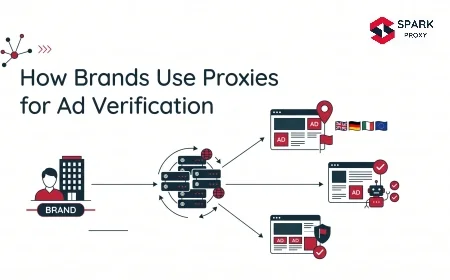
- Geo-accuracy requirements: ad verification, localized pricing research, and content availability checks that depend on the request looking like it comes from a specific city require residential IPs with city-level targeting. Datacenter geo-location data is unreliable — a 2024 benchmark found that up to 40% of IPs in a declared country pool came from different locations for some providers.
The simplest implementation is a lookup table — a Python dictionary or JSON config file that maps each domain to its tier. Your scraper checks the target URL against this table before choosing the proxy endpoint. Updates to the table don't require code changes.
PROXY_TIERS = {
    # Tier 1: Datacenter (Green)
    "example-directory.com": "datacenter",
    "gov-data-portal.gov": "datacenter",
    "staging.internal.company.com": "datacenter",
    # Tier 2: Residential (Red)
    "amazon.com": "residential",
    "google.com": "residential",
    "linkedin.com": "residential",
    # Yellow: datacenter with fallback
    "moderate-ecommerce.com": "datacenter_with_fallback",
}

def get_proxy_endpoint(target_domain: str) -> str:
    tier = PROXY_TIERS.get(target_domain, "residential")  # default to residential
    if tier == "datacenter":
        return DATACENTER_ENDPOINT
    elif tier == "datacenter_with_fallback":
        return DATACENTER_ENDPOINT  # fallback handled in Step 4
    return RESIDENTIAL_ENDPOINT
Step 3: How Do You Build a Proxy Routing Layer?
With tiers defined, the routing layer is the mechanism that enforces them. It sits between your scraping logic and the proxy endpoints, making the proxy selection decision on each request.
Architecture overview:
Scraper → Routing Layer → [Target Domain Lookup]
                               │
                 ┌─────────────┴─────────────┐
                 ▼                           ▼
        Datacenter Pool              Residential Pool
        ($0.70/GB)                   ($4-8/GB)
        [Green + Yellow]             [Red + Escalations]
The routing layer can be implemented as:
- A middleware function in your scraper (simplest for single-codebase setups)
- A local proxy manager like Bright Data's Proxy Manager or a custom Nginx/HAProxy config (works across multiple scrapers)
- Provider-side logic — Oxylabs, Bright Data, and Smartproxy all offer accounts that cover both datacenter and residential, letting you switch endpoints programmatically from a single authenticated connection
For most teams, the middleware approach is the right starting point. Add a local proxy config object and inject it at the HTTP client level:
import requests

def make_request(url: str, domain: str) -> requests.Response:
    proxy_endpoint = get_proxy_endpoint(domain)
    proxies = {
        "http": proxy_endpoint,
        "https": proxy_endpoint,
    }
    return requests.get(url, proxies=proxies, timeout=30)
The datacenter endpoint and residential endpoint are just different backconnect gateway addresses from your provider(s). Both can run concurrently with no conflict.
[INTERNAL-LINK: proxy middleware setup → guide to configuring proxy rotation in Python scrapers]
Step 4: How Do You Implement Automatic Proxy Fallback Logic?
The fallback layer handles Yellow-zone domains and unexpected blocks on domains you classified as Green. Without it, a single miscategorization or a target that tightened its anti-bot rules overnight will drop your success rate without warning.
Fallback logic at the request level:
import time

def request_with_fallback(url: str, domain: str, max_retries: int = 2) -> requests.Response | None:
    tier = PROXY_TIERS.get(domain, "residential")

    # First attempt: use the classified tier
    for attempt in range(max_retries):
        proxy = get_proxy_endpoint(domain)
        try:
            resp = requests.get(url, proxies={"https": proxy}, timeout=30)
            if resp.status_code == 200 and not is_block_page(resp):
                return resp
        except requests.RequestException:
            pass
        time.sleep(1.5 ** attempt)  # exponential back-off

    # Escalate to residential if datacenter failed
    if tier in ("datacenter", "datacenter_with_fallback"):
        log_escalation(domain)  # track escalations for tier re-classification
        resp = requests.get(
            url,
            proxies={"https": RESIDENTIAL_ENDPOINT},
            timeout=45,
        )
        return resp if resp.status_code == 200 else None

    return None

def is_block_page(resp: requests.Response) -> bool:
    # Adjust these patterns to your common block page signatures
    block_signals = ["access denied", "captcha", "robot check", "403 forbidden"]
    return any(s in resp.text.lower() for s in block_signals)
Two important tracking hooks to add:
- Log each escalation (domain, timestamp, datacenter failure reason). When a domain escalates frequently, move it from Yellow to Red in your tier config.
- Alert on Green-zone escalations: if a domain you classified as Green starts escalating, it may have added bot protection. Review weekly.
Over time, this feedback loop keeps your tier map accurate without requiring a full re-audit.
Step 5: How Do You Model and Monitor Your Blended Proxy Cost?
The hybrid approach only pays off if you're actually routing the right proportion of traffic to each tier. Monthly cost modeling closes the loop.
Blended cost formula:
$$\text{Blended rate} = (P_{DC} \times V_{DC}) + (P_{Res} \times V_{Res})$$
Where:
- $P_{DC}$ = datacenter price per GB (e.g. $0.70)
- $V_{DC}$ = volume fraction on datacenter (e.g. 0.60)
- $P_{Res}$ = residential price per GB (e.g. $5.00)
- $V_{Res}$ = volume fraction on residential (e.g. 0.40)
$$\text{Blended rate} = (0.70 \times 0.60) + (5.00 \times 0.40) = 0.42 + 2.00 = \$2.42\text{/GB}$$
That blended rate of $2.42/GB compares to $5.00/GB if all traffic ran through residential — a 52% reduction.
Monthly Cost at 500 GB/month

Residential-only     ████████████████████████████████████████ $2,500
Hybrid (60/40 DC/Res)████████████████████            $1,210
Datacenter-only      ████                              $350
(Too many blocks on protected targets)

Source: ProxyWay 2024 pricing data, blended cost model
Weekly monitoring checklist:
- DC escalation rate by domain (target: below 8%)
- Residential GB consumed vs budget forecast
- Overall success rate across both pools (target: above 95%)
- Any new domains in the Red zone that need tier assignment
[INTERNAL-LINK: proxy spend dashboard → guide to building a proxy usage monitoring system]
How Much Does a Hybrid Proxy Setup Actually Save?
Teams that implement tiered proxy routing consistently reduce residential GB consumption by 40–60% on mixed-target workloads. The exact savings depend on what your domain portfolio looks like: a team scraping mostly social media and major e-commerce will see smaller gains than one with a broad domain list that includes many open targets.
Residential proxy rates have already fallen roughly 40% at the 5 GB tier since early 2023, with over 10 price cuts from major providers in that period (ProxyWay Market Research, 2024). That trend makes the pure residential approach less painful than it used to be. But datacenter rates have compressed too — and the gap between the two remains 7× or more at comparable volumes.
The less obvious saving is engineering time. Teams without a routing layer spend significant cycles debugging failed scraping jobs that fail because a residential proxy delivered a slow, malformed response from a poorly-maintained node. Routing low-sensitivity traffic to fast, high-uptime datacenter proxies (median 99.88% infrastructure success rate) reduces these incidents and makes job output more predictable.
The global proxy services market is projected to reach $7.9 billion by 2029 at a 14.7% CAGR, according to Grand View Research (2024). As the market grows, competition will continue to compress prices for both proxy types — but the cost ratio between datacenter and residential will persist, making tiered routing a structural advantage rather than a temporary arbitrage.
Frequently Asked Questions
Do I need accounts with two separate proxy providers to run a hybrid setup?
Not necessarily. Oxylabs, Bright Data, and Smartproxy all offer both datacenter and residential products under one account and billing dashboard. You get two separate backconnect gateway endpoints and a single invoice. For most teams, this is the simplest starting point. Using separate providers gives you more pricing flexibility but adds credential management overhead.
How do I handle domains that get reclassified over time?
Anti-bot protection changes. A site that was Green last quarter may have deployed Cloudflare or DataDome since your last audit. The escalation logging from Step 4 handles this automatically: when a domain's escalation rate climbs above 8% in a rolling 7-day window, flag it for manual review and move it up a tier. Schedule a full domain re-audit quarterly.
Won't the routing layer introduce latency?
A local dictionary lookup adds microseconds, not milliseconds. If you're using a shared proxy manager (like a local HAProxy instance), the overhead is slightly higher but still well under 10ms. The bigger latency consideration is the proxy type itself: datacenter proxies have a median response time of 0.38s vs 0.41s for residential (Oxylabs, the fastest tested), so datacenter routing actually reduces average response time for Green-zone requests. [INTERNAL-LINK: proxy latency benchmarks → how to measure and compare proxy response times]
What if most of my targets are Red-zone (residential required)?
A hybrid approach still makes sense at smaller scale. Even if only 20% of your traffic can shift to datacenter, that 20% saves 83% on that slice (from $5/GB to $0.70/GB). Run the domain audit anyway — you'll likely find a few domains you assumed were sensitive that are actually fine on datacenter IPs, plus all your internal testing and staging traffic qualifies immediately.
Conclusion
A hybrid proxy setup isn't complex infrastructure. It's a lookup table, two proxy endpoints, and a fallback handler. The architectural lift is modest; the cost reduction is not. Most teams that run mixed-target workloads can shift 40–60% of their GB volume to datacenter, producing a blended rate around $2–2.50/GB versus the $4–8/GB they're paying today.
Start with the domain audit in Step 1. One hour of testing will tell you exactly which targets need residential protection and which ones don't. The savings model in Step 5 will show you what the shift is worth. The routing layer in Step 3 takes an afternoon to implement.
Proxy costs tend to be treated as fixed infrastructure expenses, but they aren't. They're directly proportional to how precisely you match proxy type to target sensitivity. The hybrid approach makes that match explicit — and the savings show up on the next invoice.
[INTERNAL-LINK: residential proxy selection guide → evaluating residential proxy providers on success rate, pool quality, and pricing]
Frequently Asked Questions
Not necessarily. Oxylabs, Bright Data, and Smartproxy all offer both datacenter and residential products under one account and billing dashboard. You get two separate backconnect gateway endpoints and a single invoice. For most teams, this is the simplest starting point. Using separate providers gives you more pricing flexibility but adds credential management overhead.
Anti-bot protection changes. A site that was Green last quarter may have deployed Cloudflare or DataDome since your last audit. The escalation logging from Step 4 handles this automatically: when a domain's escalation rate climbs above 8% in a rolling 7-day window, flag it for manual review and move it up a tier. Schedule a full domain re-audit quarterly.
A local dictionary lookup adds microseconds, not milliseconds. If you're using a shared proxy manager (like a local HAProxy instance), the overhead is slightly higher but still well under 10ms. The bigger latency consideration is the proxy type itself: datacenter proxies have a median response time of 0.38s vs 0.41s for residential (Oxylabs, the fastest tested), so datacenter routing actually reduces average response time for Green-zone requests. [INTERNAL-LINK: proxy latency benchmarks → how to measure and compare proxy response times]
A hybrid approach still makes sense at smaller scale. Even if only 20% of your traffic can shift to datacenter, that 20% saves 83% on that slice (from $5/GB to $0.70/GB). Run the domain audit anyway — you'll likely find a few domains you assumed were sensitive that are actually fine on datacenter IPs, plus all your internal testing and staging traffic qualifies immediately.